Participant
January 17, 2024
Question

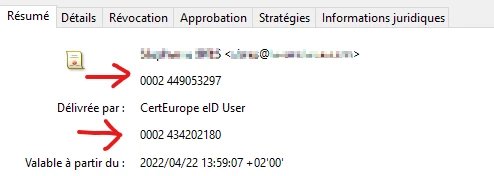
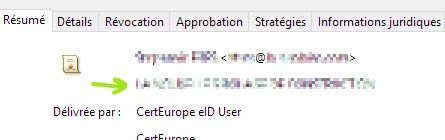
Acrobat DC displays incorrect “ou” field instead of “o” field of certificate on the signed PDF

  • January 17, 2024
  • 1 reply
  • 1184 views

This bug was adressed in a previous patch (17.011.30202 Planned update, Sept 14, 2021 — Acrobat & Acrobat Reader DC Release Notes (adobe.com)

  • 4328952: Acrobat DC displays incorrect “ou” field instead of “o” field of certificate on the signed PDF

but it seems to be back.


It happens to my users who had their acrobat reader version updated and not to clean new installs on new computers.

However, uninstalling a problematic version and installing the latest won't solve the problem.
 

Thank you for your help !

This topic has been closed for replies.

1 reply

Adobe Employee
January 18, 2024

Hi, 

Sorry for inconvenience, To understand the issue better Kindly, share the below details :

1. Acrobat Version 

2. Screen-Shot of issue from English Machine if possible.

Participant
January 19, 2024

Hello

Here are the details : 

1. version: 2023.008.20470 64bits

2. as you can see, in the 2 orange rectangles, the OU data is displayed instead of the O data of the certificate (company name). It occurs with all of the updated Acrobat Reader but not with brand new formatted computers regardless Acrobat Reader version. Uninstalling and reinstalling won't solve the issue.

Adobe Employee
January 22, 2024

Hi Gilles,  Adobe’s expected behavior is to show more granular information which in this case is "ou". "o" is only displayed, if  "ou" is missing in a certificate.
If you see inconsistency in behavior across machines for the same pdf. Kindly, share the issue pdf for further investigation on our end.