
Acrobat Reader crashes if you close it before it can display the upsell message
We're having the problem at one customer, if they open a PDF file directly and close it shortly afterwards, so that the upsell message

has no time to pop up, then the app crashes. If you start the app first and choose a PDF file to open and close it before the upsell message apears, then the app doesn't crash. I tried to disable the upsell message with the registry key HKLM\SOFTWARE\WOW6432Node\Policies\Adobe\(product name)\(version)\FeatureLockDown bAcroSuppressUpsell from here:
https://www.adobe.com/devnet-docs/acrobatetk/tools/PrefRef/Windows/index.html but it won't work and the message still appears. Am I using the wrong registry key? Is this issue known? The system is a terminal server environment with a Windows Server 2016 and Acrobat Reader
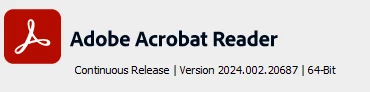
Any help is appreciated.
Best regards,
Joël Schöni
 AdChoices