
Participant
June 4, 2023
Question

Acrobat reader dark mode

  • June 4, 2023
  • 3 replies
  • 2073 views

Hello guys!

I use adobe acrobat reader on my pc and my android phone and making the PDFs dark mode in mobile is simple and I don't have any problem with that but in windows version i chose these options: 
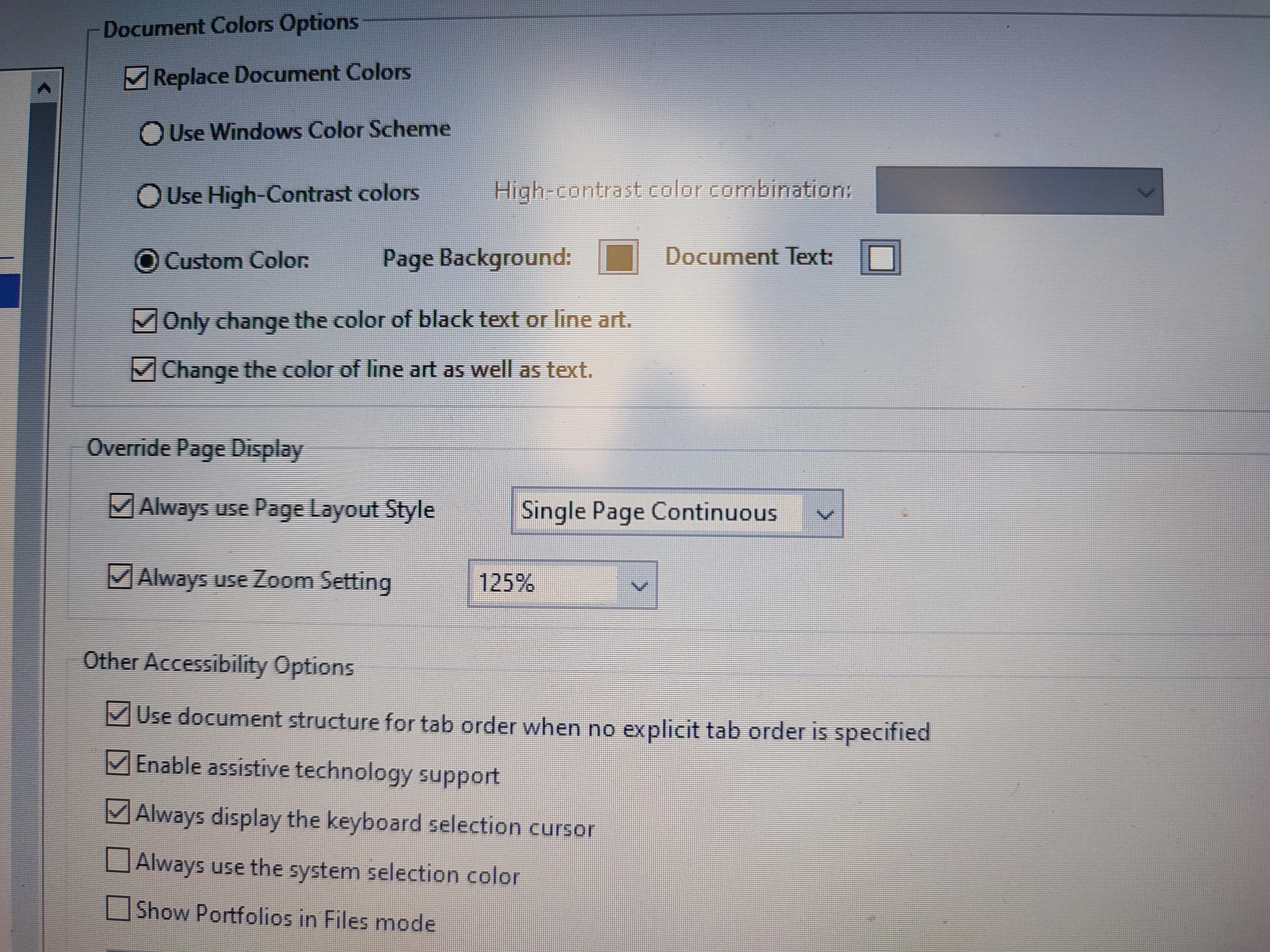
but there is a small problem: 

the colors of pictures didn't invert 

For example sometimes i take photo from a document and then i scan that and make it a pdf and adobe acrobat reader (windows version) doesn't invert color of that pdf because those are pictures and those options that i uploaded don't include for pictures in pdf and pictures are still with their original color how can i make dark mode with pictures too?


This topic has been closed for replies.

3 replies

Participant
July 2, 2023

Pengaturan aksesibilitas ini untuk teks dan latar belakangnya tidak akan berlaku untuk gambar dalam pdf.

AkanchhaS8194121
Legend
July 1, 2023

Hi @Hossein30273958uec7 


Sorry that we missed to response to your question here. 


I use adobe acrobat reader on my pc and my android phone and making the PDFs dark mode in mobile is simple and I don't have any problem with that but in windows version i chose these options: 

but there is a small problem: 

the colors of pictures didn't invert 

For example sometimes i take photo from a document and then i scan that and make it a pdf and adobe acrobat reader (windows version) doesn't invert color of that pdf because those are pictures and those options that i uploaded don't include for pictures in pdf and pictures are still with their original color how can i make dark mode with pictures too?


Pictures don't contain real text. These accessibility settings are for the text and its background. It won't apply to the images in pdf.

Recognizing text and turning this scanned pdf into an editable pdf would help. But you cannot run ocr in the free app Acrobat Reader. For that, you need Acrobat Pro.


Thanks,

Akanchha

JR Boulay
Community Expert
Community Expert
June 4, 2023

[MOVED TO THE ACROBAT READER DISCUSSIONS]

Acrobate du PDF, InDesigner et Photoshopographe