
Question
Acrobat Reader on 4K monitor
I have a 32" 4K monitor using 200% scaling on Windows 10. I have some issues:
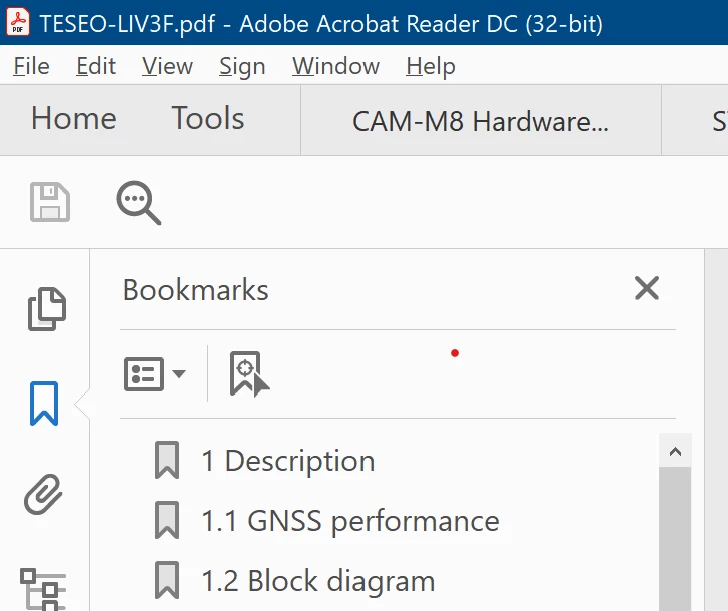
1) The app's font sizes are inconsistent (see image). The menu bar matches the rest of the OS (good), but the fonts below look twice as big (bad).
2) The bookmarks pane contents are not compact enough, even with text set to small.
3) The mouse wheel scrolling is too slow.
I would like to know if anything can be done for these items. Thanks
 AdChoices