Hi Truckprousa,
Sorry to hear about your experience with the latest version.
With the Acrobat and Acrobat Reader DC October 2018 release (19.008.20071), we have introduced a Unified Sharing experience that allows you to easily invite people for collaborating on documents across desktop, mobile, and web.
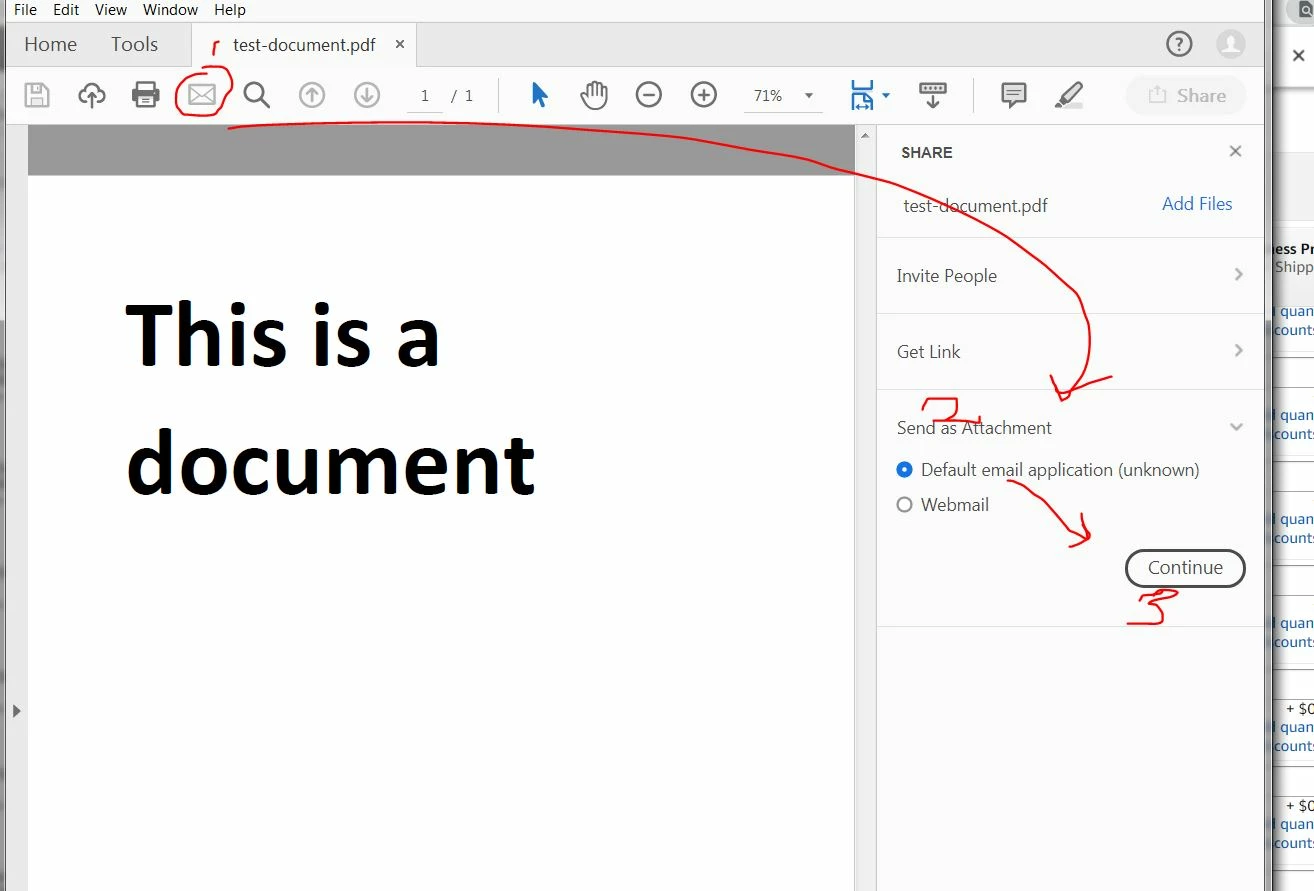
With the new unified sharing experience, the existing Send, or Attach to Email entry points, like the Email icon in the top bar now takes you to the new unified share pane. We encourage you to use our new sharing options.
We appreciate your feedback on the same, use this form to request new features or suggest modifications to existing features- Feature Request/Bug Report Form
However, if you use Send documents as attachment frequently for your work, you can change the behavior of the Email icon to one-click Attach to email experience using the registry/plist file mentioned below. After applying this fix, you can continue to use the Adobe Document Cloud sharing options, using the Share button in the top right.
Here is help document with the detailed steps- How to use the email icon to directly send file as attachment
Regards,
Akanchha

 AdChoices