
Participant
May 9, 2022
Question

Adobe Acrobat DC Fail To Install Mac Monterey
  • May 9, 2022
  • 2 replies
  • 3828 views


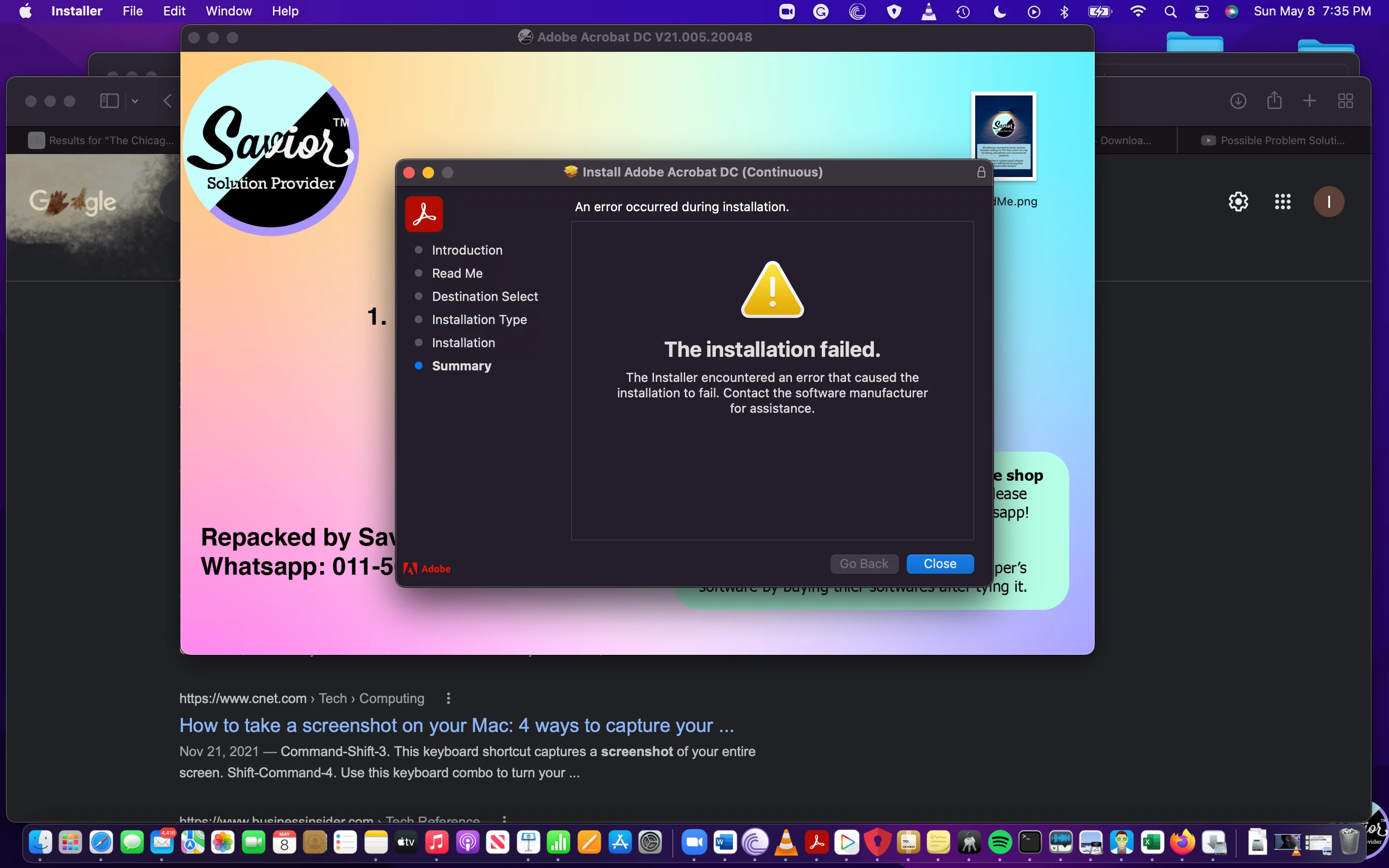
Hi, I am receiving this error message when trying to install Adobe Acrobat DC on my Mac Monterey. As suggested in other threads, I have tried to both reboot and power down my machine but it still will not install. Some help would be greatly appreciated. Thank you in advance.

This topic has been closed for replies.

2 replies

Participant
October 1, 2022

The link to the direct downloads didn't work for me. I'm still seeing the same error when downloading on my M2 Macbook Air running Monterey 12.5.

Participant
December 9, 2022

Hi, I encountered the same error when installing the Adobe Acrobat on my M1 Macbook Pro running Monterey 12.5. Have you solved the issue? If yes, may I know how? Thank you!

Rae Luckie
Participant
February 14, 2023

Hi I have the same problem I have been told the only solution would be to downgrade the system to Mojave, install Acrobat and then upgrade the system. Not able to do this. disappointed there isn't a workaround.

Harsh Vardhan Pareek
Community Manager
Community Manager
May 19, 2022

Hi @Isaac24378176s526 


Hope you are doing well.

As per the issue description that you want to install Acroabat but it's stuck. Kindly close all the installation processes and try to install the app from this direct installer link:

https://helpx.adobe.com/acrobat/kb/acrobat-dc-downloads.html


Let us know if that helps.


Thanks,

Harsh

Participant
May 22, 2022

Hi I am looking for Acrobat Pro DC 2018

Harsh Vardhan Pareek
Community Manager
Community Manager
May 23, 2022

Hi Isaac,


Could you please let us know if there is a specific reason to install only the 2018 version, because as Acrobat DC is a subscrition application and is currently having 2022 version. Also, we recommend you to install only the most updated version because of the latest security updates and features.


Thanks,

Harsh