
viveka8031576
Participant
June 26, 2018
Question

Adobe Acrobat Reader 2017-Edit-->Accessibility-->change Reading options

  • June 26, 2018
  • 6 replies
  • 1595 views

Adobe Acrobat Reader 2017-Edit-->Accessibility-->change Reading options is disable for me. How to make this option enable? is this registry level fix or does it require any type of change in settings to enable this option?

If anyone have an idea about this. please reply. Please refer attached screenshot.
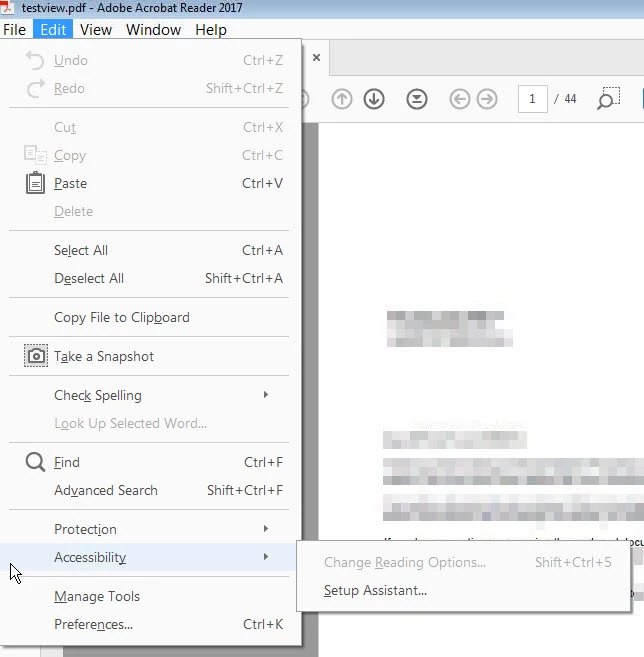
thanks

This topic has been closed for replies.

6 replies

Legend
June 27, 2018

I’ve never heard of that. Is it a screen reader?

viveka8031576
Participant
June 27, 2018

No. I am writing custom code in ranorex to read pdf values. Since this option is disable, I am not able to proceed on this. if there are any way to make this enable. let me know.

thanks

Legend
June 27, 2018

By the way Adobe go to some trouble to make sure their API is in Acrobat and not Reader. Trying to use accessibility as a back door to avoid buying software is likely to be awkward.

Legend
June 27, 2018

But do you have an actual active screen reader? It’s a specific Microsoft technology.

viveka8031576
Participant
June 27, 2018

Kind off. I am trying to validate the values in the pdf. For that, I need this option to be enable. is there any way to enable it?

thanks

Legend
June 26, 2018

Are you using a screen Reader? That's what it's for according to Help.