
Participant
October 31, 2019
Question

Adobe Acrobat Reader DC Cannot SIGN

  • October 31, 2019
  • 1 reply
  • 1526 views

Hello, i am trying to sign a document from the canadian goverment that is MEANT to be signed.


I have already checked the security and signing is allowed.


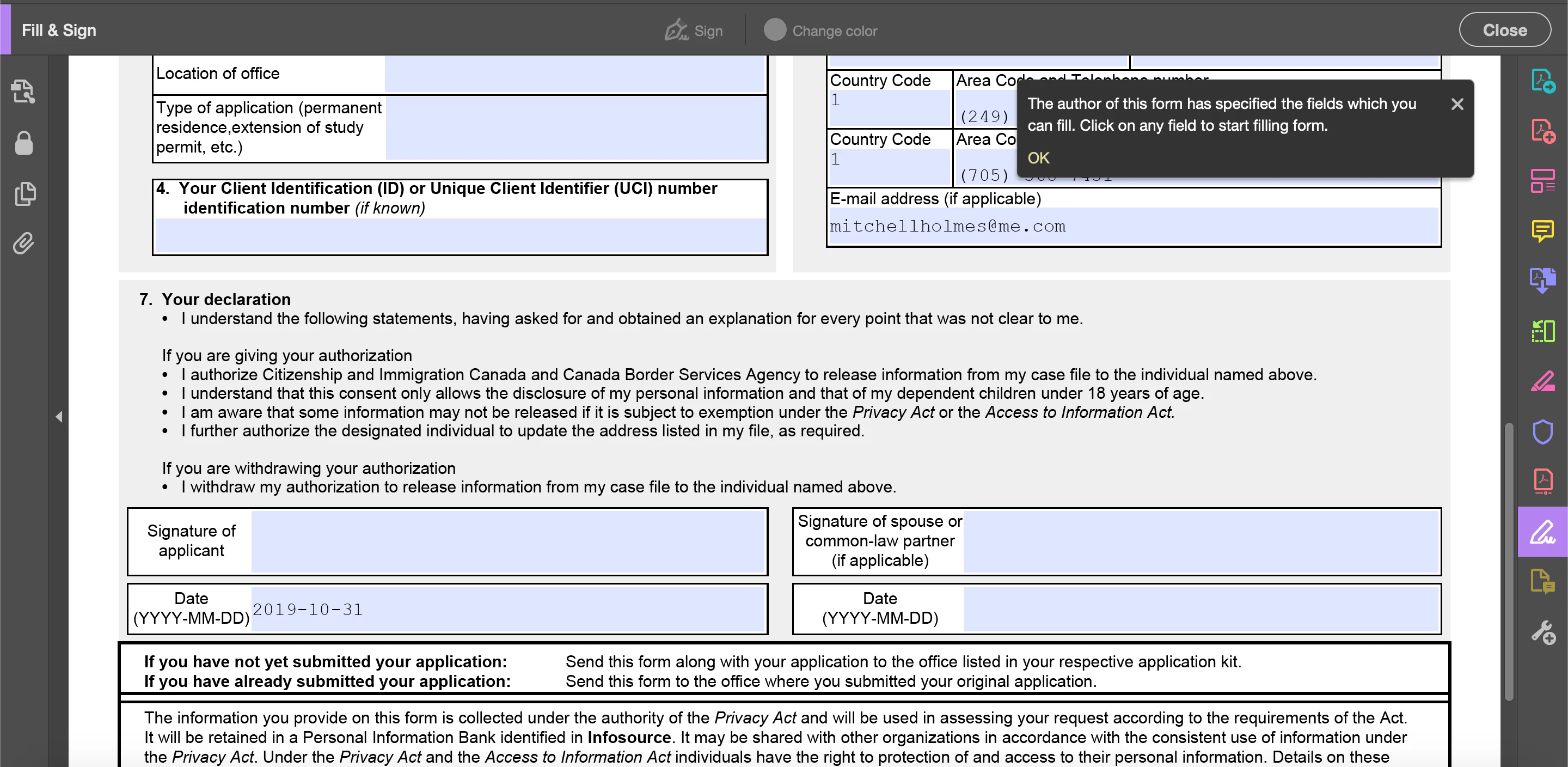
When i try to sign, the "Sign" and "change color" buttons are not even click able. i also have tried to click on the blue highlighted box trying to sign, and it does not allow me to, it only allows me to type in regular text.


I will provide a screenshot showing what i mean.


You will notice the little note pops up that says thre author has specified where i can sign. But i can not sign ANYWHERE, i have tried to click on every single field.


Any help or ideas are appriciated. thank you.
 

This topic has been closed for replies.

1 reply

Amal.
Community Manager
Community Manager
October 31, 2019

Hi There,


Thanks for reaching out. As described, you are not able to sign the PDF form Correct?


It seems that you have received the document from other source.

You may check the document properties and see whether you have permission to add the signature to the document or not?

 Open the form> Right click> Document Properties>Security and check the security tab.


You must go through the help document- Fix the common issues in fillable forms in Acrobat or Reader


Also, what is the version of the Adobe Acrobat Reader DC installed? To check the version of the application please use the link  https://helpx.adobe.com/acrobat/kb/identify-product-version.html


Check for any missing updates. A new version of the Adobe Acrobat/Reader DC got released on 24th Oct 2019 version 19.21.20049. Make sure you have the latest version, go to Help > Check for Updates


If it still doesn't work, please share the PDF form with us for testing by clicking on the message icon on the top right corner. 


Let us know how it goes


Regards

Amal