
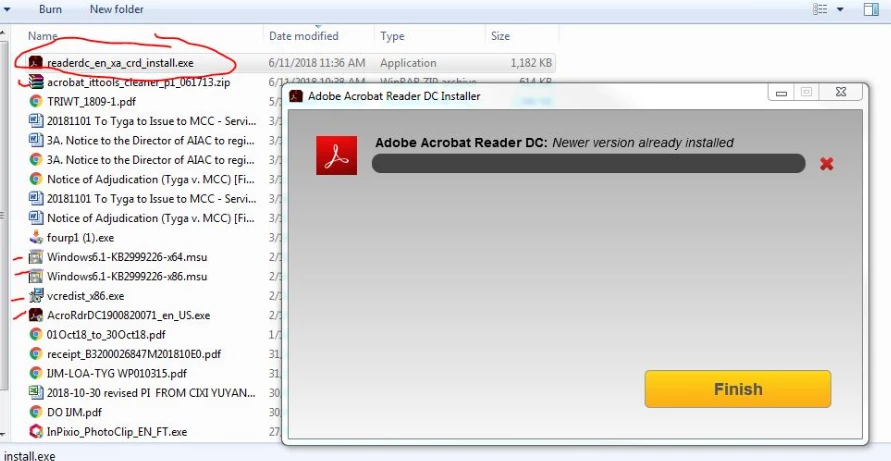
Adobe Acrobat Reader DC : Newer version already installed Win7 SP1
Hello Support,
I have tried the suggestion from the your forum, however i still get the same error.
Below are the steps i have tried :-
1. Adobe Acrobat Reader DC : Newer version already installed Win7 SP1
2. Installed Acrobat Clean tool - Done - cleaned for Acrobat and Reader folder
3. Run vcredist_86.exe
4. Error 17022
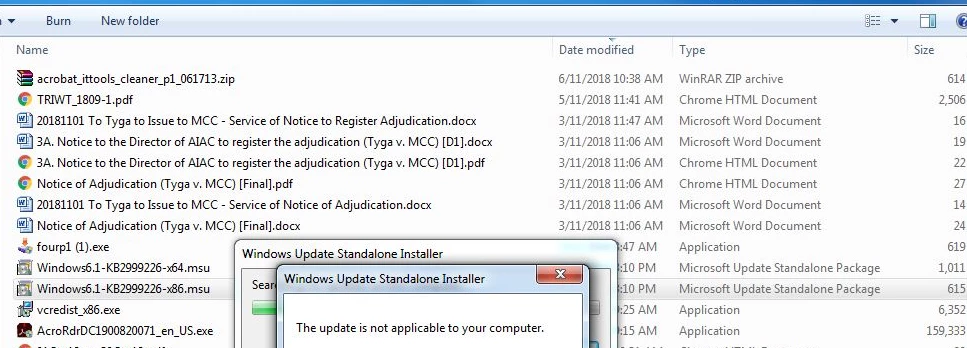
Update windows6.1-KB2999226-x64.msu and windows6.1-KB2999226-x86.msu
Result : The update is not applicable to your computer
5. Restart PC
6. Install Adobe Acrobat Reader DC for win7 - Reader DC 2019.008.200071 English for Windows
7. Same error " Newer Version already Installed:.
Below are some of the print screen for your assistance.
1.My PC - Windows 7- professional Service Pack 1

Please advice another solution to fix this issue.
Thank you
LeaChin
 AdChoices