
January 31, 2018
Answered

adobe acrobat reader don't show recent files

  • January 31, 2018
  • 14 replies
  • 25312 views

Hi

When I'am using adobe acrobat reader, and opening pdf-documents from my computer, it doesn't show my recent open files:
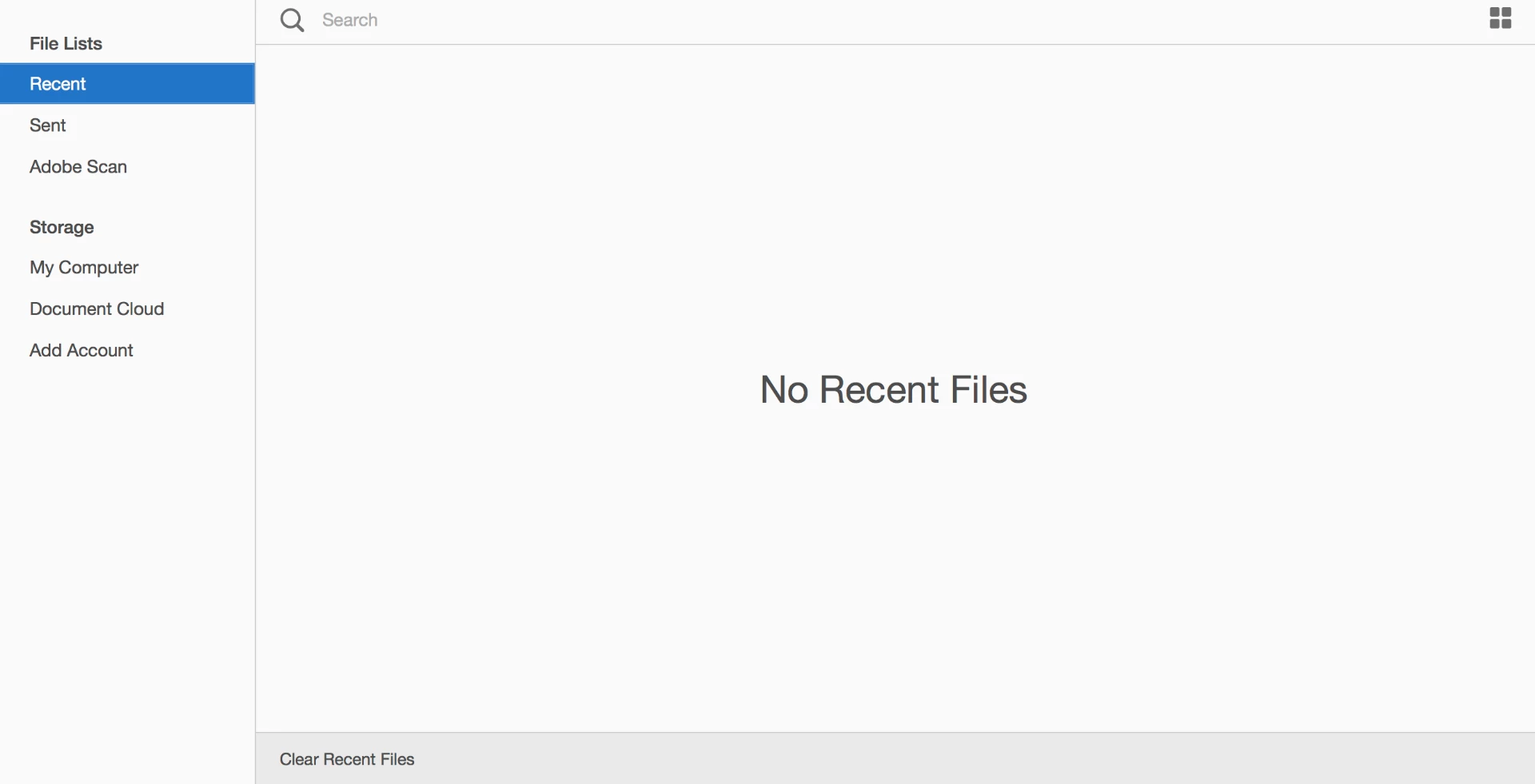
Can you please help me - do I need some settings I don't know about. The only place I can find something about the opening window, is under settings:

    Correct answer Adorobat

    Hi Daniels,

    Could you please try opening this link in a web browser and see if recent files are visible: https://cloud.acrobat.com/recent

    Also, check if documents in recently used list is not set to 0 under Edit > Preferences > Documents > Open settings.

    Keep us posted with the results.

    Shivam

    14 replies

    Participant
    June 4, 2025

    Hi i have the same issue and i am unable to resolve this issue.


    AnandSri
    Community Manager
    Community Manager
    June 6, 2025

    Hello!


    I hope you are doing well, and thanks for reaching out.


    Could you please share more details about the issue? Are you on a Mac or Windows machine, and what is the OS version? Is it a personal or IT-managed machine? 


    Make sure Acrobat is set to remember recent files: Go to Menu > Preferences > Documents. Look for “Documents in recently used list”. Ensure the value is not set to 0—set it to something like 100 if needed.

    If Acrobat is running in a restricted environment (e.g., with cloud sync disabled or in enterprise lockdown mode). It may also be affected by whether you're signed into your Adobe account. 


    Clear the Recent Files Cache. On Windows: Close Acrobat Reader. Delete or rename this folder: %APPDATA%\Adobe\Acrobat\DC\SLCache  

    Relaunch Reader after rebooting the machine, it will rebuild that cache and repopulate Recent files.


    macOS: Quit Acrobat Reader. In Finder, go to ~/Library/Application Support/Adobe/Acrobat/DC/SLCache/ and remove its contents. After rebooting the machine, open Reader again.


    Let us know how it goes.

    Thanks,

    Anand Sri.


    Adobe Employee
    November 4, 2024

    Hi,

    Can you please update to the latest version (Help -> Check for updates) and then give this a retry. We have fixed 

    the known issue around it with last update.
    Thanks,

    Charu Karwa 

    Participating Frequently
    November 4, 2024

    It works now. Updated....opened a couple files and now they are in the recent list. Thank you.

    Tranquil_dynamism5FEA
    Participant
    October 29, 2024

    I have the same Adobe Arobat DC version on the MAC as well as the PC - why is it the recent files on the PC actually show and yet the one for the MAC only shows what is local and/or cloud and are months old - it defeats the purpose of labelling them RECENT. Has there been any follow up or fix to this issue? It is frustrating to have it work as it should on the PC and not on the MAC - I use both computers so I really don't have a specific preference but it would perfect if it works.

    Known Participant
    October 29, 2024

    I'm only on a Mac. It doesn't work for me. One of my main issues with Adobe is that when they roll out all their fancy new features, they create bugs on old features that used to work fine. I'd rather have a solid system that works. I'm usually reluctant to upgrade, for fear of what new ugly surprises may come with the new features.

    Participant
    October 9, 2024

    I have the same problem with my Acrobat, I see only old files, and none of the recent files are visible. 

    Known Participant
    August 21, 2024

    I have the same issue. It just stopped working for me, and the "recent files" list is stuck at a month ago. I'm going to reinstall and see if that works. Irriating!

    Participant
    July 4, 2024

    I have the same problem with my MAC but not over PC!!!

    Participant
    June 3, 2024

    I am also having the same issue. My recent file all of a sudden disapeared and in addition, Acrobat doesn't re-open the files that were open when it was shutdown. I cannot possibly remember all the files I had open everytime I restart Acrobat!

    Known Participant
    May 20, 2024

    UPDATE – SOLVED!
    Removed Acrobat v23, downloaded and installed Acrobat Pro 2020 from the downloads page.
    I now have recent files back!
    Adobe – get your act together!

    Known Participant
    May 20, 2024

    Not sure how this thread can be marked as Solved when users are obviously still having issues – seems that Adobe Mods aren't keeping an eye on the ball.

    Known Participant
    May 14, 2024

    Got the same issue here – another example of breaking stuff that didn't need fixing.