
Copy link to clipboard
Copied
Good morning Adobe!!
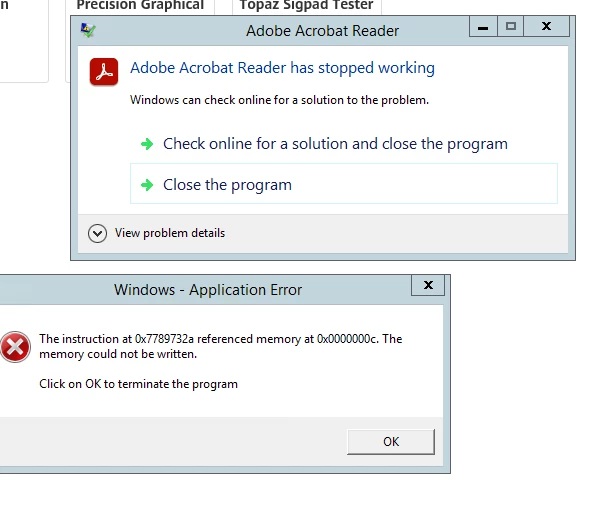
We have multiple people receiving this error message when opening pdf's. The windows error seems to be pointing to a NTDLL.DLL. Does anyone have some tips?
Adobe Version is on 23.003.20244
Windows 22h2
Some devices are ASUS some are Dell.
Copy link to clipboard
Copied
Sorry to hear about the trouble caused.
As mentioned, a couple of users are experiencing the same issue. Is that an enterprise deployment?
Have you recently updated the application or installed the Windows update?
Please ask the users to try the following steps and see if that helps:
Navigate to Reader>Menu>Preferences>Security (Enhanced)>disable "Protected Mode at Startup" and "Enhanced Security">OK>Reboot Reader.
Note: these changes are only for testing purposes. Once tested, please change it back to the previous setting.
If it doesn't help, then,
Run this cleaner tool to remove the existing installer and application’s file traces:
https://www.adobe.com/devnet-docs/acrobatetk/tools/Labs/cleaner.html
Download the Acrobat Reader installer from here:
https://get.adobe.com/reader/enterprise/
Thanks,
Akanchha
Copy link to clipboard
Copied
Hi @AkanchhaS
Thank you for your response! The users are using the free adobe acrobrat reader not enterprise sorry I should have mentioned that. The most recent changed would be 22h2. I'll attempt the cleaner tool and download / install adobe again.
Thank you
Get ready! An upgraded Adobe Community experience is coming in January.
Learn more