
New Participant
June 23, 2017
Answered

Adobe extension in Chrome not working.

  • June 23, 2017
  • 1 reply
  • 33176 views

Hello all,

I have installed and enabled Acrobat Reader DC (Convert current web page to an Adobe PDF file)
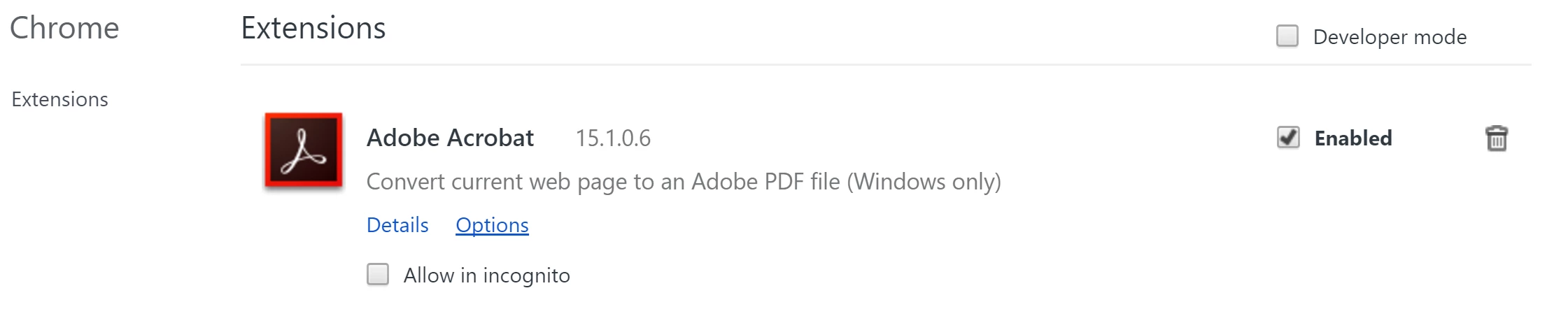
The little Adobe Acrobat Reader icon is on the top right corner next to the tab.

When loading any website page on a tab the little Acrobat icon is grayed out...

For instance Adobe DC is not active on the following page: Cannonball Run World Events 2.0

What am I doing wrong?

Anyone's help will be greatly appreciated!

Renaud

This topic has been closed for replies.
Correct answer AkanchhaS8194121

Hi Renaudarnouxprost,

I have checked the website that you have shared at my end and its working fine. Able to convert the webpage to a pdf using Adobe PDF plugin.

If you install Acrobat Reader DC and then install Acrobat DC Classic or Acrobat XI, the Adobe Acrobat Chrome Extension doesn’t work.

Chrome doesn't use the Adobe Reader plugin, it should be Adobe Acrobat.

Check this- Acrobat Chrome extension doesn’t work if Acrobat Reader DC and Acrobat (DC Classic or 11.x) are installed simultaneously

If still doesn't work-

Try after rebooting the computer or if doesn't work the reset the chrome and check again as it took couple of seconds at my end to highlight the toolbar.

Also, you may try with a different web browser or file to see if that works.

Regards,

Akanchha

1 reply

AkanchhaS8194121
AkanchhaS8194121Correct answer
Braniac
June 23, 2017

Hi Renaudarnouxprost,

I have checked the website that you have shared at my end and its working fine. Able to convert the webpage to a pdf using Adobe PDF plugin.

If you install Acrobat Reader DC and then install Acrobat DC Classic or Acrobat XI, the Adobe Acrobat Chrome Extension doesn’t work.

Chrome doesn't use the Adobe Reader plugin, it should be Adobe Acrobat.

Check this- Acrobat Chrome extension doesn’t work if Acrobat Reader DC and Acrobat (DC Classic or 11.x) are installed simultaneously

If still doesn't work-

Try after rebooting the computer or if doesn't work the reset the chrome and check again as it took couple of seconds at my end to highlight the toolbar.

Also, you may try with a different web browser or file to see if that works.

Regards,

Akanchha

New Participant
March 25, 2022

Hi Akancha, I have the same problem. I downloaded Chrome Extension and made it active. But it doesnt work (seemed gray) almost any pdf document opened with Chrome. (for example, when I opened the file attached this post, the extension doesnt work! 

What I have to do to solve problem?

(Note: No Adobe Program (adobe acrobat, acrobat reader dc etc..) is downloaded in my computer).