
Copy link to clipboard
Copied
I have a user who uses Adobe Acrobat Reader DC version: 2019.010.20064 on Mac OSX 10.12.6
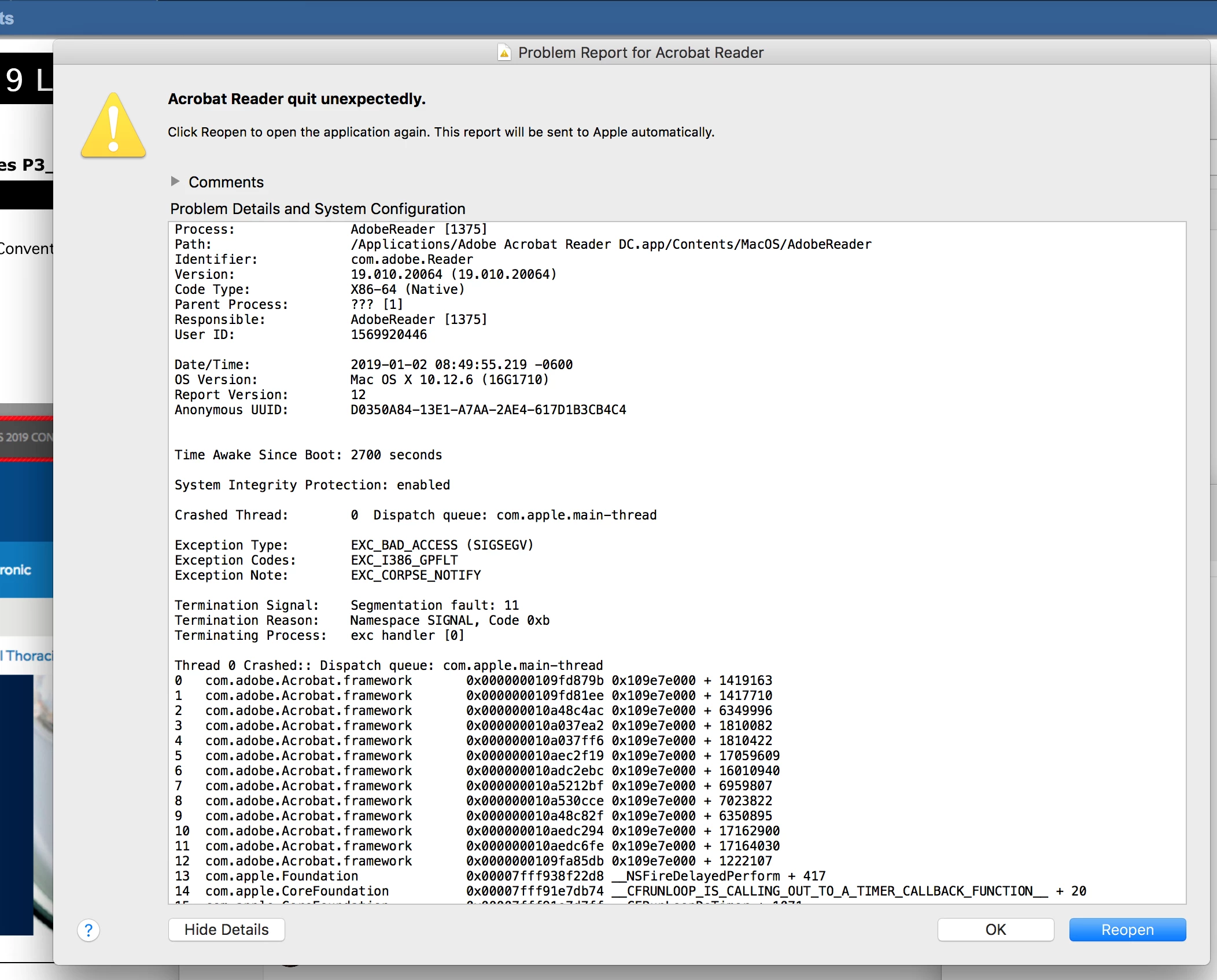
The user typically has to open 2-3 pdfs in separate windows at a time to proof read and double check edits made to pdfs. Whenever the user does a basic editing function (comment, highlight, draw, etc..) on one pdf, after saving and exiting the one specific pdf that is inside its own separate window, exiting causes the whole adobe application to crash and closes out all other open pdfs as well. The error shown below is what Adobe gives out after the crash.
I've already tried going through the troubleshooting suggested in this article, and all solutions did not work for me.
Any other ideas I can try? Or is this something upgrading the user to Adobe Acrobat Pro could maybe fix? Thank you!
Copy link to clipboard
Copied
Hey S_xiong,
Sorry for not being able to reply to your query on time.
Adobe Acrobat official update (19.010.20069) containing the fix for this issue. This update will be automatically pushed to all existing installations of Acrobat. If you want, you may also manually trigger the update early by opening the application and going to
Help > Check for Updates or install it through the release notes here: DC Release Notes — Release Notes for Acrobat DC Products
Since you have mentioned above, i assume you have already tried the steps (including resetting preferences) suggested in the help article here: Troubleshoot Mac OS 10.x system errors, freezes | Adobe software
If update doesn't go well, then you might need to uninstall and reinstall the application. Download Adobe Reader and Acrobat Cleaner Tool - Adobe Labs
Install it through: Adobe - Adobe Acrobat Reader DC Distribution
Let us know the latest result on it.
Regards,
Akanchha
Find more inspiration, events, and resources on the new Adobe Community
Explore Now