
Question
Adobe Reader DC Crases on opening on named destination
Hi,
after the last update (2019.021.20048) we encountered an error on Win7 aswell as Win10.
We open a document like that:
"C:\Program Files (x86)\Adobe\Acrobat Reader DC\Reader\AcroRd32.exe" /A "nameddest=Main.Menu" test.pdf
And it crashes:
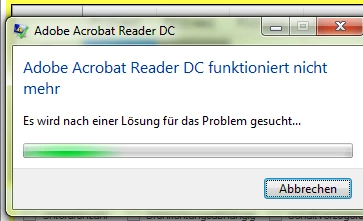
In the Windows Eventlog we get that message:
Name der fehlerhaften Anwendung: AcroRd32.exe, Version: 19.21.20048.26832, Zeitstempel: 0x5da76dd8
Name des fehlerhaften Moduls: VCRUNTIME140.dll, Version: 14.23.27820.0, Zeitstempel: 0x5d0b280d
Ausnahmecode: 0xc0000005
Fehleroffset: 0x00002e5e
ID des fehlerhaften Prozesses: 0x31e0
Startzeit der fehlerhaften Anwendung: 0x01d58a62c3c0150d
Pfad der fehlerhaften Anwendung: C:\Program Files (x86)\Adobe\Acrobat Reader DC\Reader\AcroRd32.exe
Pfad des fehlerhaften Moduls: C:\Windows\system32\VCRUNTIME140.dll
Berichtskennung: 01873c6d-f656-11e9-9b89-901b0e657909
Did anyone encounter the same Problems?
I reinstalled C++ runtime components and still get the error.
I used a almost clean Win7 VM and also get the same error after installing the newest DC Version.
Thanks
Florian
 AdChoices