
Participant
August 19, 2020
Question

Adobe Reader DC | Internet Explorer KB4571687 | Can't print PDF file

  • August 19, 2020
  • 2 replies
  • 5073 views

Adobe Reader DC 2020.012.20043 | Internet Explorer KB4571687 - Cumulative Update August 2020 | Can't print PDF file from Internet Explorer

Reproduced on several Computers with the Cumulative Update

Steps to Reproduce:

  1. Open PDF file from Internet Explorer (File > Open > All Files > PDF File)
  2. Press the Printer icon  - The print dialog won't open.
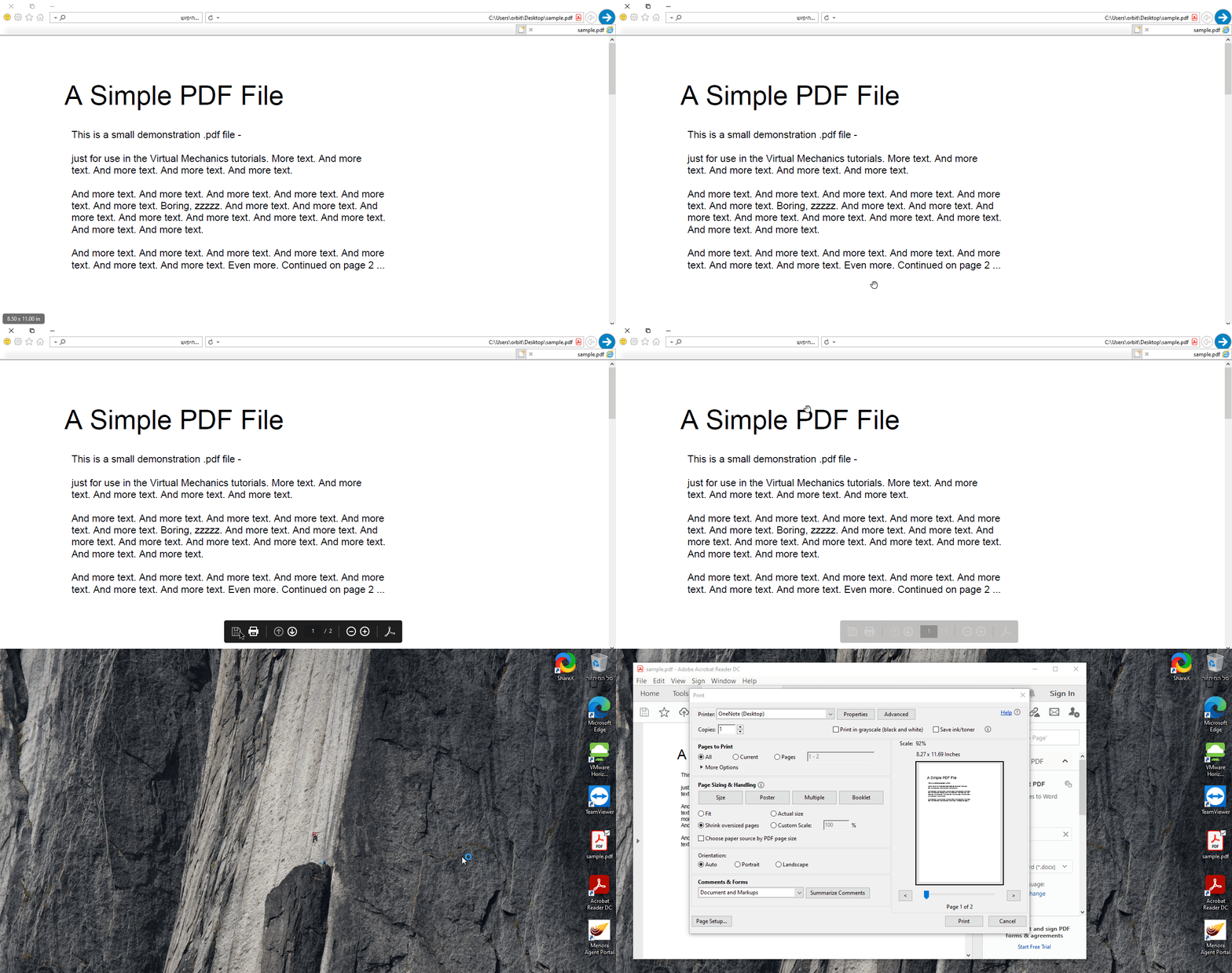
 

Workaround:

  • On Internet Explorer, under "Manage Addons" select "All add-ons" or "Run Without Permission" then choose "Adobe PDF" - disable it
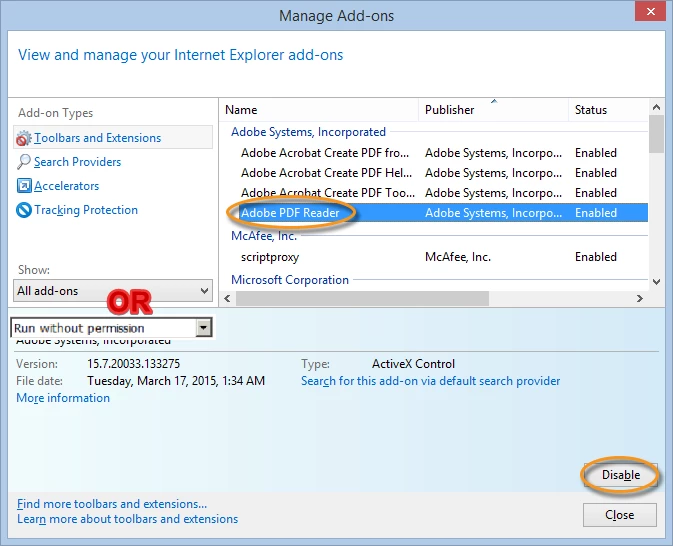
          By doing that, Internet Explorer will start the "Open, Save, Cancel" Dialog and allow you

          to Open the file and print by pressing the Printer icon

  • Install different PDF Reader - like Foxit Reader - it works as intended - when pressing the Printer icon, the print dialog will start
This topic has been closed for replies.

2 replies

Participant
August 24, 2020

I wanted to add to this, specifically workaround #2. You may need to go under the "Show" option and select All add-ons, then you will be able to disable the PDF Reader add-on. The add-on will not show in the default view unless it is currently running on the PC.


@Adobe. Please do not ignore this thread. There was another great thread about this exact topic that was making progress and was then locked after a completely unrelated patch was released by Microsoft that had absolutely nothing to do with the actual issue.


This has been an issue for about a month now and it does not seem to be getting much attention by anyone except the community. Microsoft has nothing about it in known issues for version 2004 and I can't find anything from your company regarding it.

Or BitonAuthor
Participant
August 25, 2020

Thank you for the comment.

For some reason, on few of the computers I've encountered, the add-on is not shown , although I've chose all Addons.

Participant
August 27, 2020

For this I found it located under the run without permissions area. I will say this workaround was extremely helpful until a fix can be applied. 

Participant
August 19, 2020

I've just checked it for myself and you're right 😳, funny though.. reinstall doesn't seem to help at all.