
pmaryan
Participant
April 27, 2017
Question

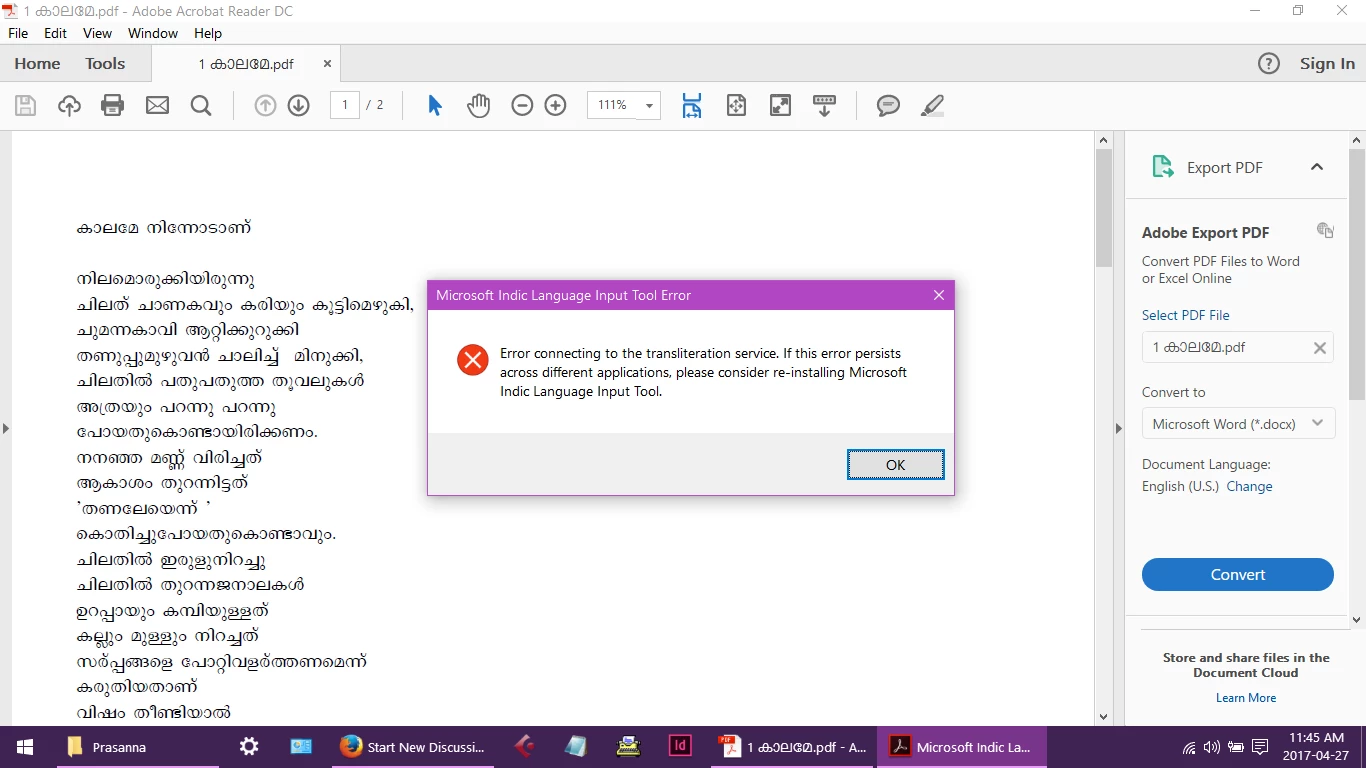
Adobe Reader DC - Microsoft Indic Language Input Tool Error

  • April 27, 2017
  • 1 reply
  • 2780 views

When Adobe Reader is open, if I change the the input language to Indic , I get a window which says "Error connecting to tansliteration service". This window does not go off until I close down Adobe reader. This does not happen with Adobe reader 9.
    This topic has been closed for replies.

    1 reply

    Adorobat
    Participating Frequently
    April 29, 2017

    Hi pma60402702,

    Could you please try reinstalling Indic Language tool and see if that helps?

    You may refer to the steps suggested in the link below for the same:

    Microsoft indic language tool error - Microsoft Community

    Thanks,

    Shivam

    pmaryan
    pmaryanAuthor
    Participant
    April 29, 2017

    Hello,

    I have tried it several times with no change. Best Regards,

    P.M.Aryan

    [Personal information removed by moderator]

    Adorobat
    Participating Frequently
    May 12, 2017

    Hi pma60402702,

    Sorry for the delay in response.

    Try repairing Reader by clicking "Repair Installation" under Help menu and see if that helps.

    Please confirm Acrobat Reader version installed on the machine.

    Identify the product and its version for Acrobat and Reader DC

    Does this happen with this specific pdf only, have you tried with other pdfs?

    Thanks,

    Shivam