Exit
  • Global community
    • Language:
      • Deutsch
      • English
      • Español
      • Français
      • Português
  • 日本語コミュニティ
  • 한국 커뮤니티
0

Adobe Reader DC - problem while creating email

New Here ,
Jun 19, 2017 Jun 19, 2017

Hi there,

I have some issue with sending PDF attachments directly from Adobe Reader with gMail account.

I'm using DC 17.009.20044 version with polish language pack installed on Windows 10.

When I click the envelope and choose my gMail account I'm successfully throw these steps:

step1.png
- Preparation to send the message (Adobe Reader asks gMail for permissions - I clicked "Allow")
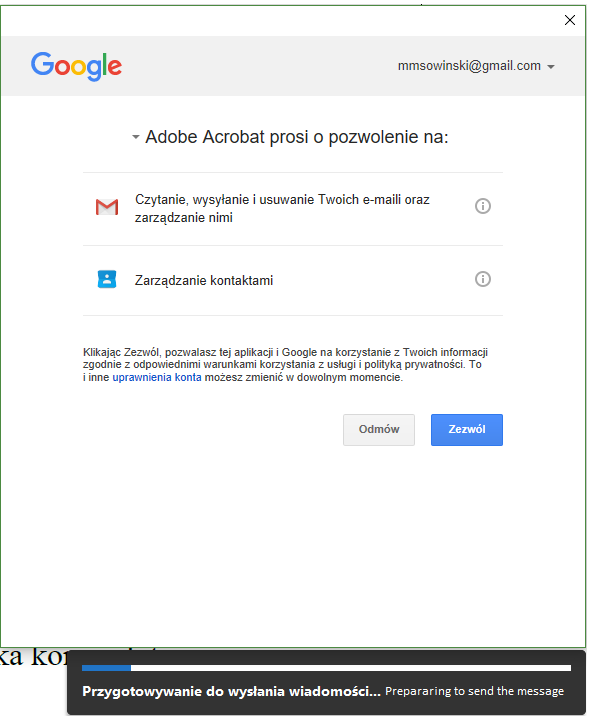
step2.png

- (email address) Connecting ... - it is ok

- (email address) Creating email - then error pops up

error.jpg

I've tried it for small (less than 100kb), medium (250kb - 1mb) and big files (over 1mb)

I'm using web version of Gmail with Chrome browser.

I was using this feature ealier with Outlook with this PC and it worked fine.

In Preferences-> Trust manager I add https://mail.google.com as "allways allow"

Can somebody help me?

1.1K
Translate
Report
Community guidelines
Be kind and respectful, give credit to the original source of content, and search for duplicates before posting. Learn more
community guidelines
Adobe Employee ,
Jun 19, 2017 Jun 19, 2017

Hi mmsowinski,

Try to repair the Application installation. Launch the application and go to Help menu > Repair installation.

Please try once to make the email address as default address to send the files.

Launch the application and go to Edit menu > Preferences > Email accounts.

Add your email address and make it default email address.

Then try to send the PDF again and check if it works.

Let us know if you still experience the issue.

Regards,

Meenakshi

Translate
Report
Community guidelines
Be kind and respectful, give credit to the original source of content, and search for duplicates before posting. Learn more
community guidelines
New Here ,
Jul 09, 2017 Jul 09, 2017
LATEST

Hi,

I have the same issue. Repair installation doesn't help. I tried with the presetted settings for Gmail also with individual settings of ports (as recommended by gmail). Always the same " Error while creating the message." After trying with yahoo-mail and the same negative results I gave up.

Stefan

Translate
Report
Community guidelines
Be kind and respectful, give credit to the original source of content, and search for duplicates before posting. Learn more
community guidelines

