


Adobe Reader not printing USPS barcodes clearly on 4"x6" thermal shipping labels
Hi All,
I'm having an issue printing eBay shipping labels with U.S. Postal Service barcodes on my Zebra LP-2844Z thermal printer.
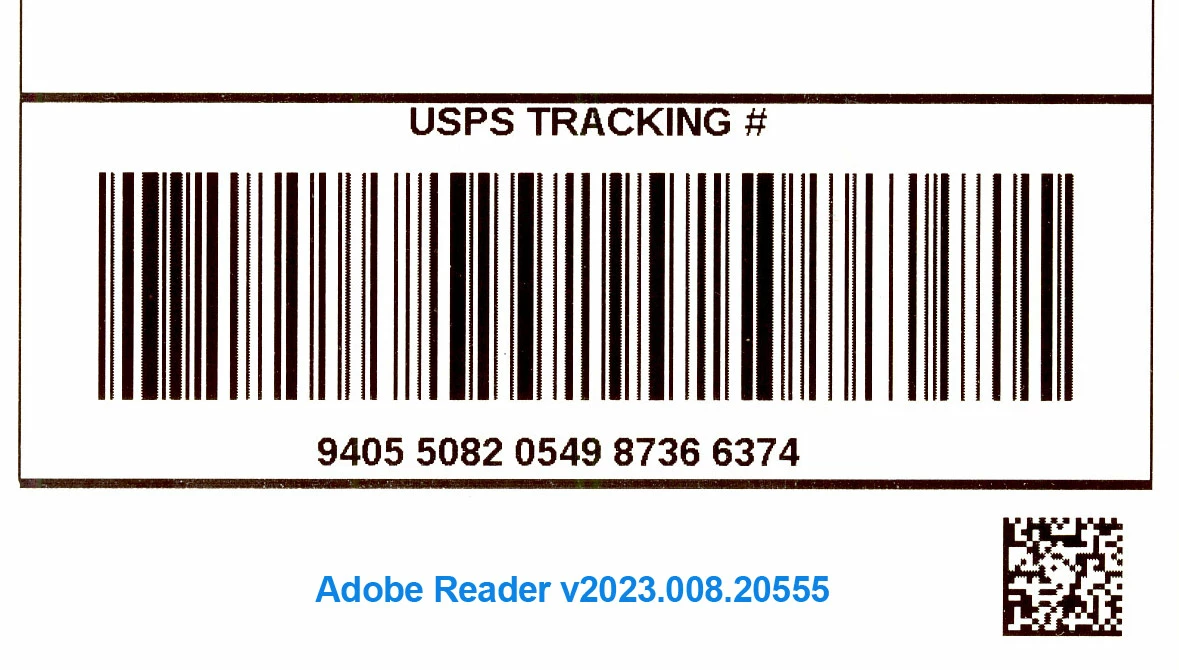
I'm seeing jagged edges, or horizontal spikes coming out of the main vertical barcode lines.
It looks perfect when viewing it in Reader, but printing to the 203DPI Zebra printer it looks less than optimal.
The barcode in the PDF appears to be an image, not a vector object. Not sure if that matters.
I am not using "Print As Image" and printing at Actual Size, or 100%. Using "Print As Image" degrades the quality of the entire label.
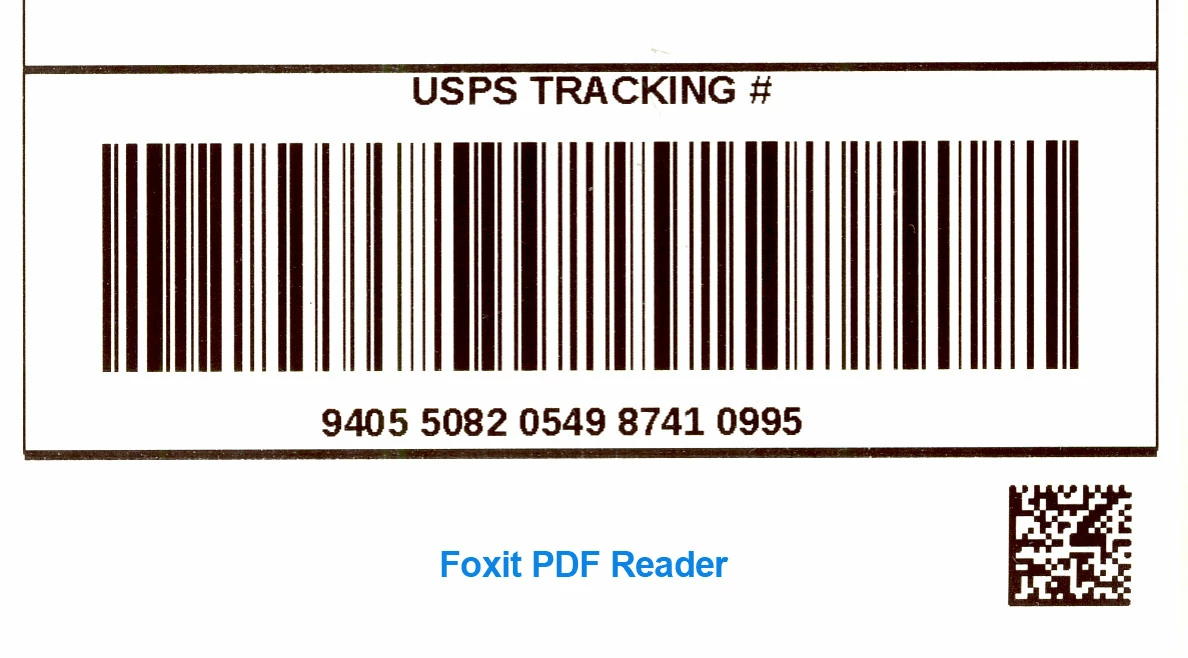
I don't think there's a printer driver problem, because other PDF reader software (like Foxit) can print the barcodes perfectly, as straight, smooth lines, as would be expected.
I tested this on Adobe Reader DC v023.008.20555 in both Windows 7 and WIndows 10, and it prints exactly the same in both OS's.
Please see attached images. Oddly enough, both barcode images below scanned successfully at the post office, but I would feel more confident that my shipments woud not get lost if the barcode were printed as it appeared on the screen.
As to why I prefer to use Adobe over the other application, the other one causes kerning problems with fonts and some letters within words appear with extra spaces between them. In fact, you can see that anomaly in the image below, where the other app displays the word TRA CKING with some space inserted between the 'A' and 'C'. Adobe Reader handles the font printing perfectly.
Any help is appreciated!
 AdChoices