


- Home
- Acrobat Reader
- Discussions
- Re: Adobe ReaderDC embedded files in Word 2016 wro...
- Re: Adobe ReaderDC embedded files in Word 2016 wro...
Adobe ReaderDC embedded files in Word 2016 wrong icon

Copy link to clipboard
Copied
Hello Everyone,
I've a strange beahvoir with AdobeReaderDC (2018.011.20036) and embdedd files in Word2016 (16.0.4639.100 64-bit).
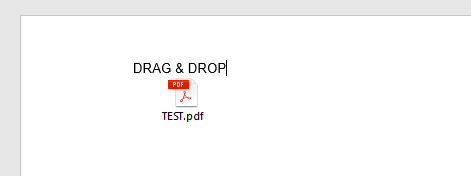
When I DRAG&DROP a .pdf file into WORD I can see the correct ICON.
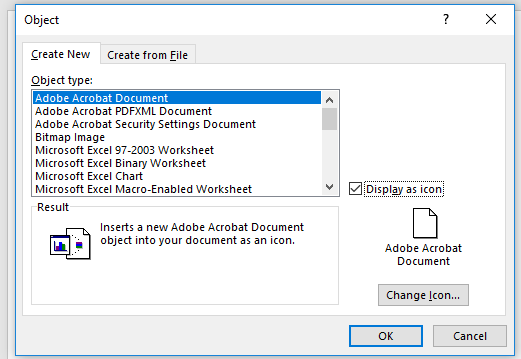
If I try to add the .pdf as an OBJECT I receive a blank ICON.
In EXCEL it works without problem:
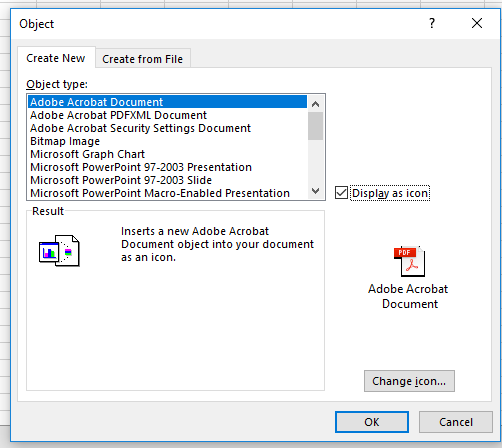
Also in POWERPOINT it works flawlessly.
Has anyone an idea on how to fix this problem?
Thanks in advice.


 4
Replies
4
4
Replies
4




Copy link to clipboard
Copied
Hi Vitoc,
Please try once to update the Adobe Acrobat Reader DC to the latest version.
To update, launch the application and go to Help > Check for updates.
You may refer this link Release Notes | Adobe Acrobat, Reader for information on the latest updates.
Also, try once to repair the MS Office installation.
Check if that helps.
Let us know if the issue still persists.
Regards,
Meenakshi
Copy link to clipboard
Copied
Hello,
I've already tried.
Also I've tried on a testVM ; and I have the same behavoir.
I think has something to do with the 64bit version of Office.
But I don't know how to fix it.
Copy link to clipboard
Copied
Hi Vitoc,
Try once to uninstall and re-install both the application.
You can use cleaner tool to remove the Adobe Acrobat Reader DC.
Once you uninstall, first restart your machine and then try to re-install both the application.
You can re-install Adobe Acrobat reader DC from here Adobe - Adobe Acrobat Reader DC Distribution.
Let us know how it goes.
Regards,
Meenakshi
Copy link to clipboard
Copied
Hello Meenakshi,
As said I also tried on a fresh staged VirtualMachine - it doesn't work.
Have you tried to install Office2016 (not o365) 64bit on a Windows 10 Machine?
Because I can replicate the behavoir on every machine I've tried it.


Get ready! An upgraded Adobe Community experience is coming in January.
Learn more
 AdChoices