Participant
December 4, 2019
Answered

Barcode lines/stroke unclear in Acrobat Reader

  • December 4, 2019
  • 3 replies
  • 2549 views

When viewing pdf file for print on Split PC screens - the barcode lines are all smooshy and unclear when viewed in 100%. The barcode is generated as a pattern in InDesign and in Acrobat converted to outline. This issue is only a problem found at our PC users and not MAC users in the firm.
Please see attached screenshots:

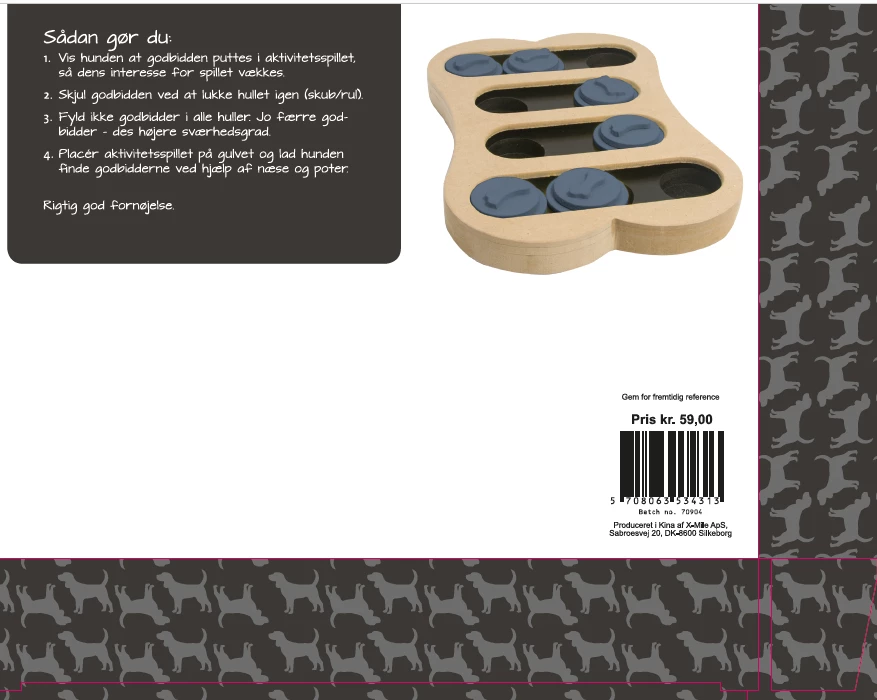
1.Close-up view of barcode

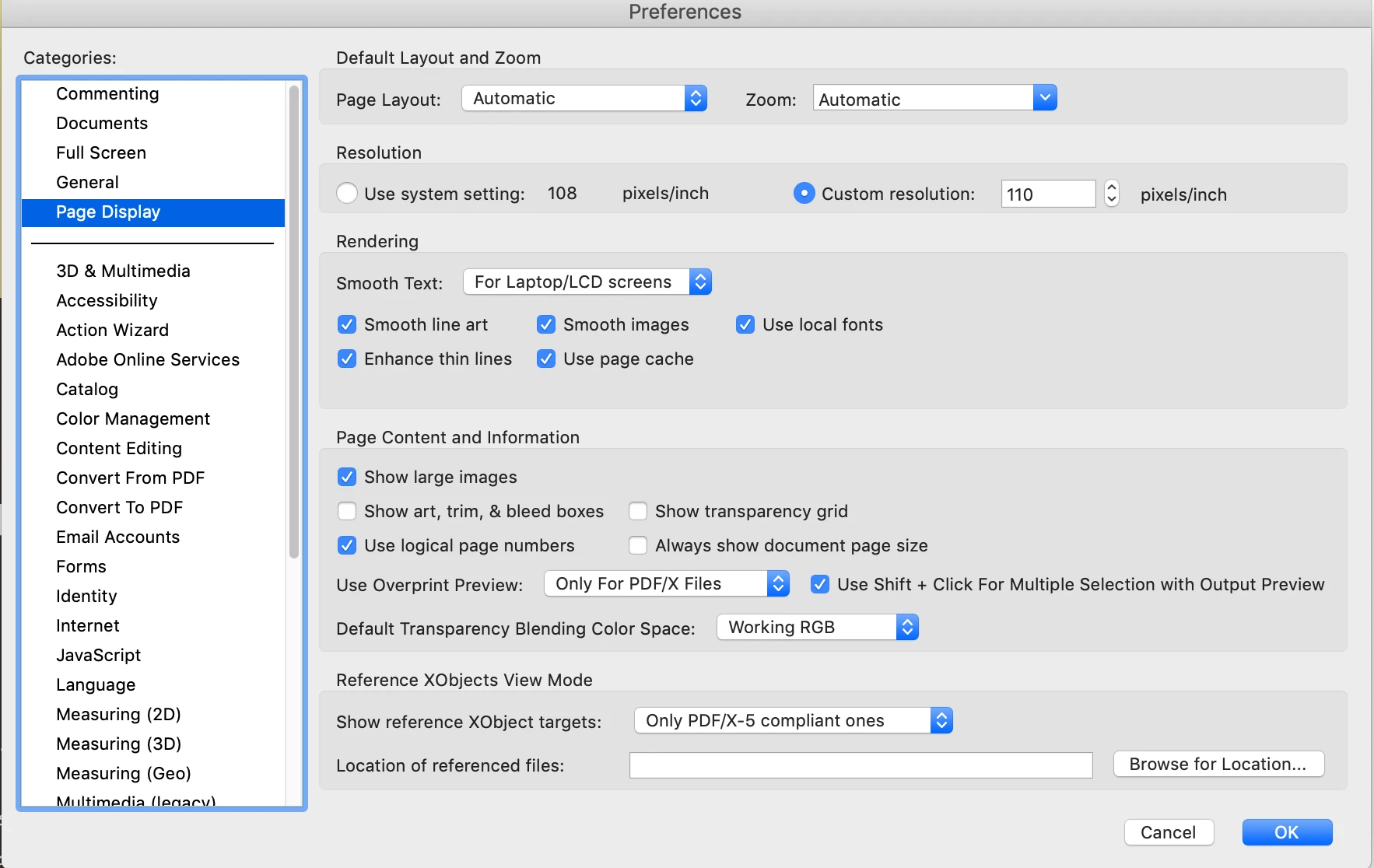
2.100% view of pdf file

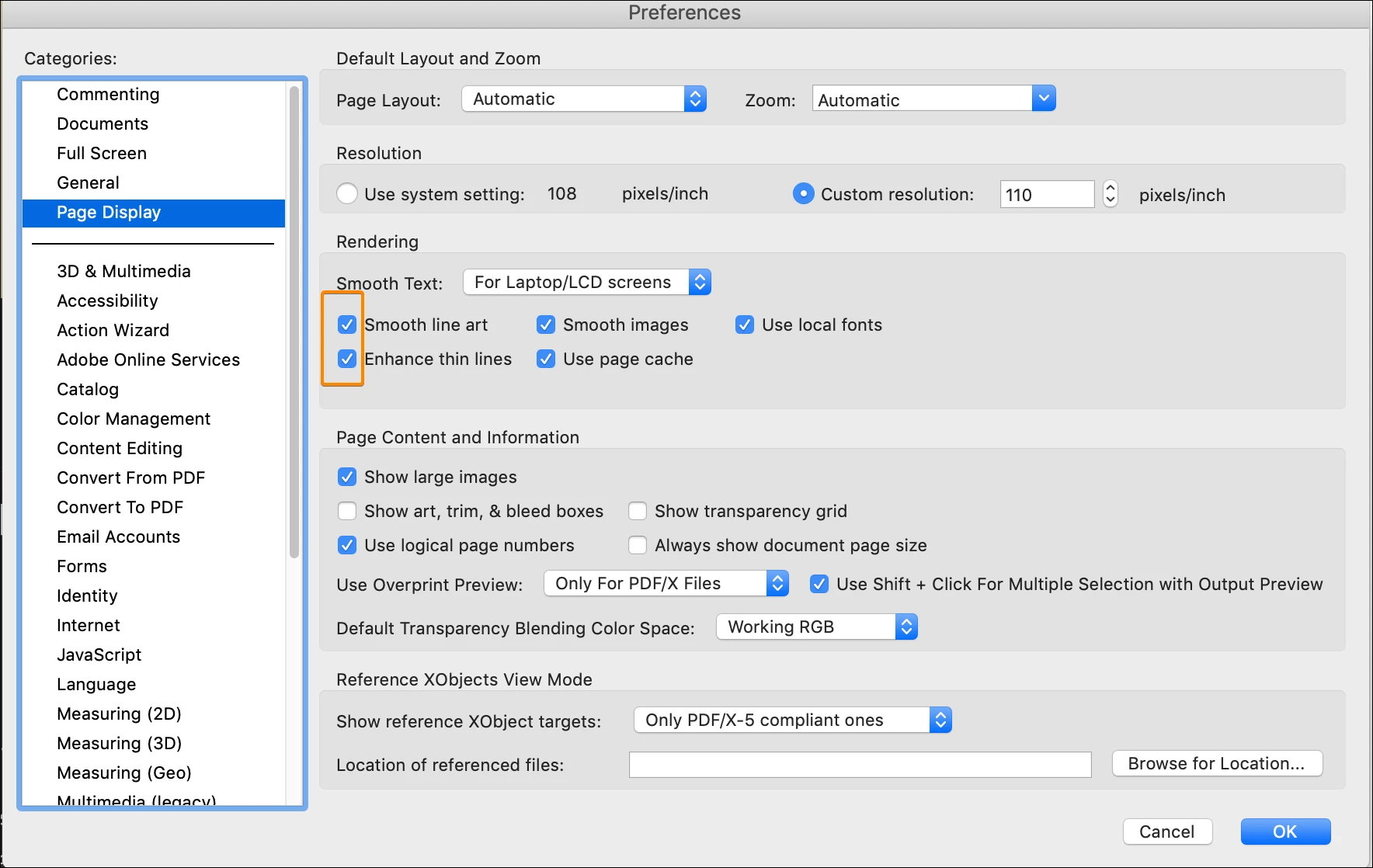
3.Acrobat Reader Preference

This topic has been closed for replies.
Correct answer JR Boulay

You must untick one of these two settings, or may be both.


3 replies

JR Boulay
Community Expert
Community Expert
July 14, 2021

MOVED TO THE ACROBAT READER FORUM

Acrobate du PDF, InDesigner et Photoshopographe
JR Boulay
Community Expert
JR BoulayCommunity ExpertCorrect answer
Community Expert
July 14, 2021

You must untick one of these two settings, or may be both.


Acrobate du PDF, InDesigner et Photoshopographe
gwynneb74659208
Participant
July 14, 2021

Thanks!

Eric Dumas
Community Expert
Community Expert
December 4, 2019

Hi,

can you confirm the version of your software and describe what you mean by [...generated as a pattern in InDesign...]

I use fonts to create barcodes, so it remains clear and sharp (like text).

Is it generated by a plugin? What might happen is that the barcode is treated like an image and does not display well.

When printed, does it look as needed?

Participant
December 4, 2019

I forgot - when printing it looks fine from both mashine (PC/MAC)

gwynneb74659208
Participant
July 13, 2021

Hello,


I'm having the same problem. Did you ever find the solution.


Thanks!