
Participant
June 3, 2017
Question

can't sign a fillable PDF

  • June 3, 2017
  • 11 replies
  • 65895 views

Hi,

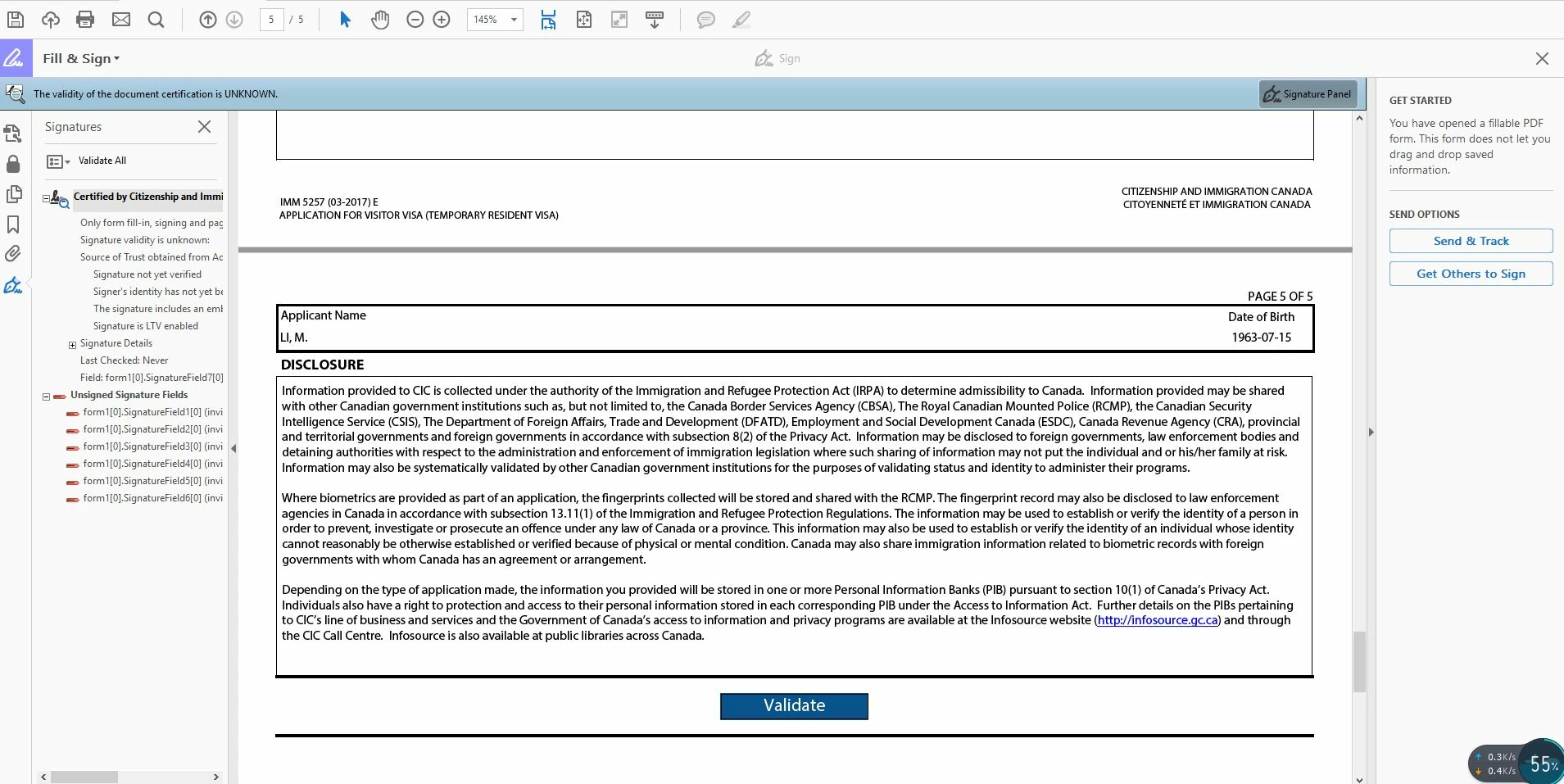
I am running into a issue that I cannot sign the document. I am trying to sign a visa form which requires signature. Please help! This is what the page looks like, the signature icon is greyed out!
Regards,

Tina

This topic has been closed for replies.

11 replies

Participant
October 20, 2021

I have this issue, Again. 

Last time it was about signing in and out, this time it wont work. 

I am subscribed to your cloud app, but not for long. Keep your basics working. 

Participant
January 21, 2020

I'm pretty late to the party, but I hope this helps someone.


The workaround that worked for me was after filling out all of the editable fields I printed it to PDF, opened the new version and signed. I assume there was some sort of permission applied to the original PDF. 

March 17, 2020

This just helped me; thanks for posting.  Likely wouldn't have considered printing a .pdf to a .pdf...but it worked. 

Participant
December 11, 2019

Used to be able to add my signature, but not anymore. Why? Please stop removing features that used to work well or making them more complicated.

Participant
December 4, 2019

I am having the same problem.  The form allows signatures.  In my case, I own the form.  I sent to to someone so they could apply for access to my network.  They signed it, no problem.  Now I must sign it and send it to my IT department.  I can't sign the form.  Presumably, because it has been signed already and Acrobat isn't allowing modification.


I used to be able to do this with this form on an older version of acrobat.  I can no longer do this using Acrobat Pro DC version 2019.021.20049

malcolmt56862233
Participant
May 1, 2019

I guess this was never fixed? I'm having the same problem

Bernd Alheit
Community Expert
Community Expert
May 1, 2019

Can you share the form?

Participant
October 31, 2019

No, these forums are not shareable. I am also having the same problem.

Participant
January 22, 2019

Same here, and I'm a hurry for fullfilling my Student Visa Extension in Canada.

AnandSri
Legend
December 13, 2018

Hi,

I am sorry for the trouble you had, what is the version of Adobe Reader installed? To identify, refer to Identify the product and its version for Acrobat and Reader DC

Are you on a Mac or Windows machine and what is the version?

Is it possible to post a screenshot of the Sign icon which is grayed out? To post a screenshot, refer to the steps mentioned in the article https://forums.adobe.com/docs/DOC-7043#jive_content_id_How_do_I_attach_a_screenshot

Sign-out from Adobe Reader, reboot the machine once and restart the application and sign back in and check.

Are you facing this issue with all the PDF files or is it with a specific PDF file?

If you are on Windows machine, repair the installation files of Adobe Reader from help>repair installation, reboot the machine after repair and check.

Let us know how it goes and share your observation.

Thanks,

Anand Sri.

lillyannxx
Participant
December 12, 2018

I am having this issue now also. I cannot sign a form I sent to be signed by one party and returned for me to sign.

StuffsTooExpensive
Participant
September 27, 2018

Nothing's been resolved, I take it? I have this problem too.

AkanchhaS8194121
Legend
November 19, 2018

Hi All,

We apologize for the delay in response to your previous message.

If you are still experiencing the same problem then any of you can please share a sample file with us on email which is shared in private message.

If you have managed to find the solution to this problem, then you may help us with your finding.

Thanks,

Akanchha

Participant
November 27, 2018

I am having the same issue. Running Adobe Acrobat Reader and a document where I have signing rights. Still the "sign" icon is greyed out. Please help resolve this issue.

Participant
September 2, 2018

Hi, I have the same problem can anyone help me out with this please ?