
Inspiring
August 1, 2018
Answered

Cannot Download Adobe Acrobat Reader

  • August 1, 2018
  • 3 replies
  • 4785 views

Hello, I am trying to download Adobe Acrobat Reader on quite literally any browser on my Mac computer. Every time I click to install the program a message pops up saying "Only a single copy of the installer can run at a time. Please close the other window and try again." Why is this message popping up, and how can I successfully download Reader? I have no other windows or installers open, so I have no idea what is going on. Of course when I called Adobe to get help they told me nobody is trained to solve issues like this, which is absolutely ridiculous. I need this application for work and am beyond annoyed that it will not function nor that anyone seems to be willing to help. I would appreciate immediate assistance.
Correct answer haydnw89118348

Hi Anand Sri,

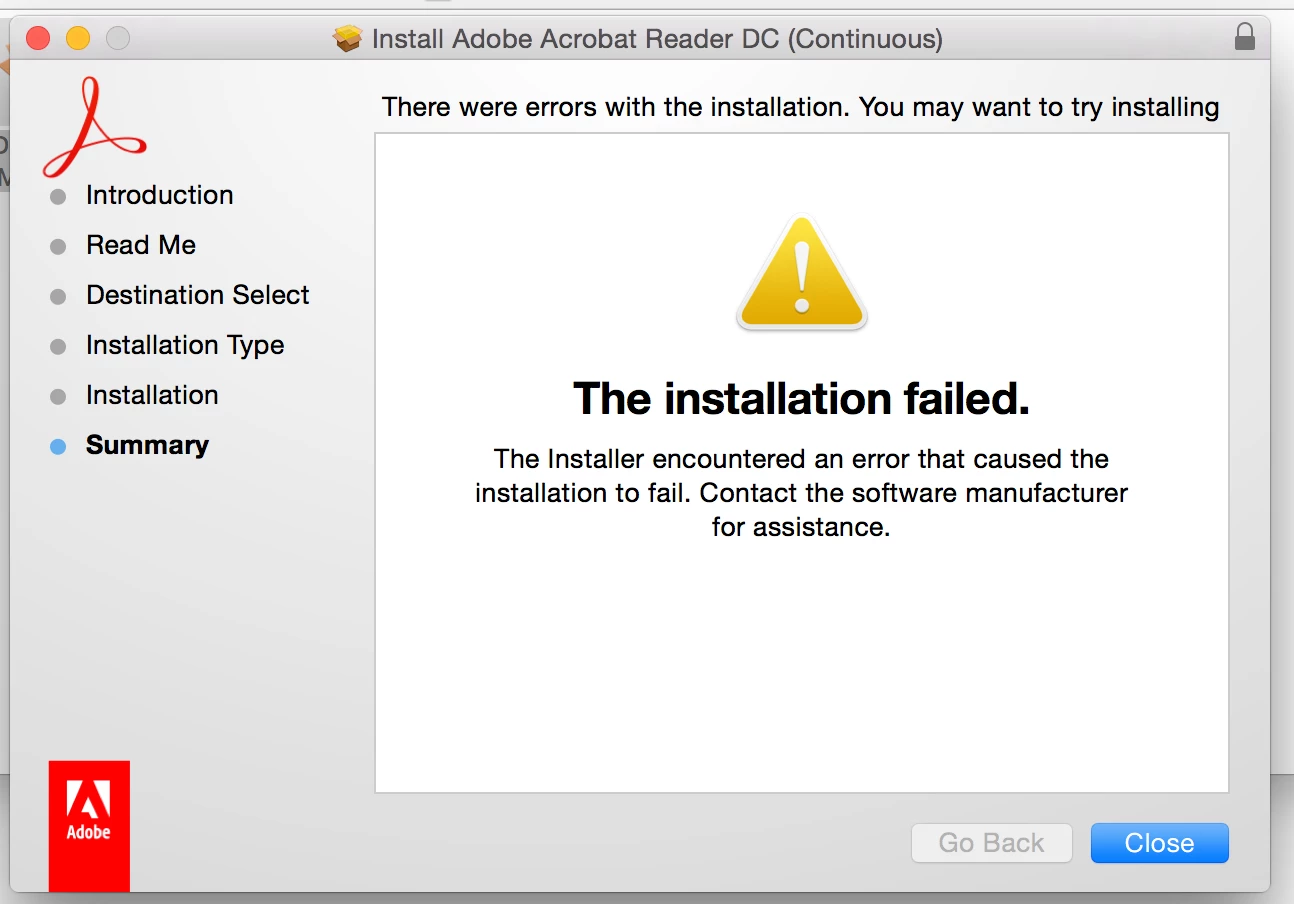
I just created the root user with full admin rights on my computer, and downloading Adobe through the root user log in did not work either. The installation popped up with the window below. Any other suggestions?

Best,

Haydn


This problem has now been solved thanks to the Apple Care Support Team.

3 replies

Participant
September 22, 2024

Acrobat Failed to Load core DLL received this meassage, cant open acrobat reader


AnandSri
Community Manager
Community Manager
September 25, 2024

Hi @margaret 66,


I hope you are doing well. Thanks for reaching out.


Please try the solution shared in the article and let us know how it goes: https://adobe.ly/3TFD9LT;
Please ensure you are on the latest version of Acrobat Reader: Mac: 24.003.20121. Optional update, Sep 16, 2024 (Mac only)
Windows: 24.003.20112 Planned update, Sep 10, 2024


Let us know how it goes.


Thanks,
Anand Sri.

Participant
May 19, 2023

The P201 error does not apply to my Windows7 application.

AnandSri
Community Manager
Community Manager
August 1, 2018

Hello Haydnw,

We're sorry for the trouble you had while installing Adobe Reader on your Mac machine, please reboot the computer once and use Acrobat cleaner tool to remove any previous installation files of Adobe Reader and installed Adobe Reader application Download Adobe Reader and Acrobat Cleaner Tool - Adobe Labs 

Reboot the machine again and try downloading Adobe Reader from the URL Adobe - Adobe Acrobat Reader DC Distribution

Let us know how it goes and share your observation.

Thanks,

Anand Sri.

Inspiring
August 1, 2018

Hi Anand Sri,

Unfortunately this did not work. A message popped up saying "The selected product is not found installed on this machine." Any other suggestions?

Haydn

haydnw89118348AuthorCorrect answer
Inspiring
August 2, 2018

Hi Anand Sri,

I just created the root user with full admin rights on my computer, and downloading Adobe through the root user log in did not work either. The installation popped up with the window below. Any other suggestions?

Best,

Haydn


This problem has now been solved thanks to the Apple Care Support Team.