
Participant
May 31, 2022
Question

Cannot open password protected PDF in MacOS 12 Monterey

  • May 31, 2022
  • 2 replies
  • 3873 views

Dear community,


my customer has recently received a new MacBook with macOS 12. He is currently having the problem of receiving password protected PDFs from another company. When he opens the PDF in Adobe and enters the password, Adobe says the password is incorrect. However, when he opens it in Apple's Preview app and enters the password, he can read the contents. (Yes, we copied and pasted the password to make sure there was no typo).
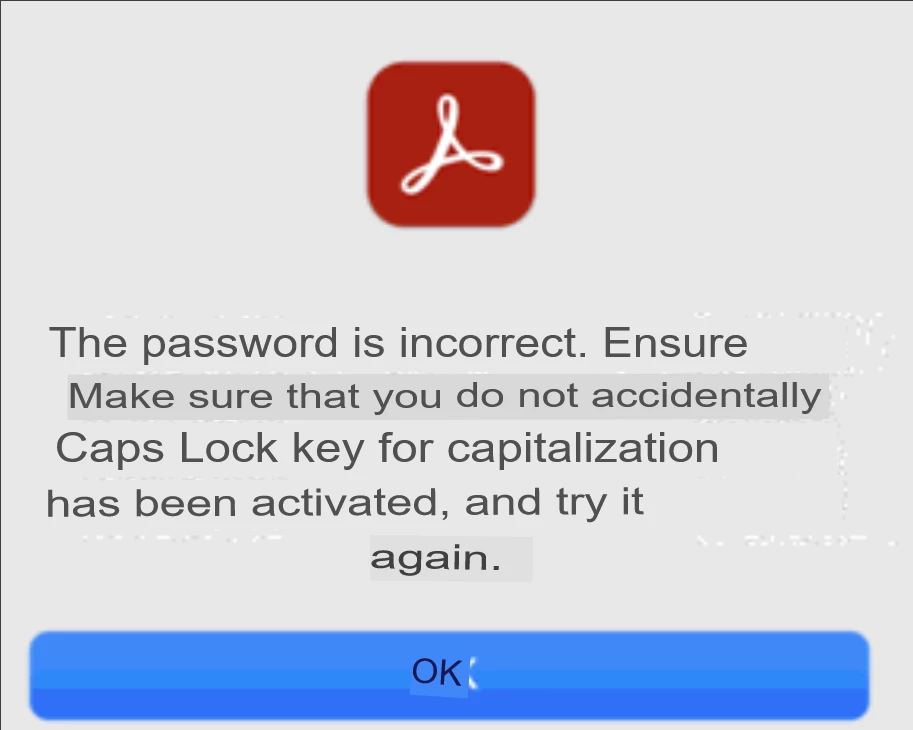
(translated, so the format is strange)

Wenn er nun eine andere Person fragt, die nicht MacOS 12, sondern eine frühere Version von MacOS (z. B. OS 10.11) hat, kann er die Datei ganz normal im Adobe Reader öffnen.


Wir haben festgestellt, dass in der Vorschau-App von MacOS 12 kein Passwort für das Lesen festgelegt ist, sondern nur ein Besitzer-Passwort.
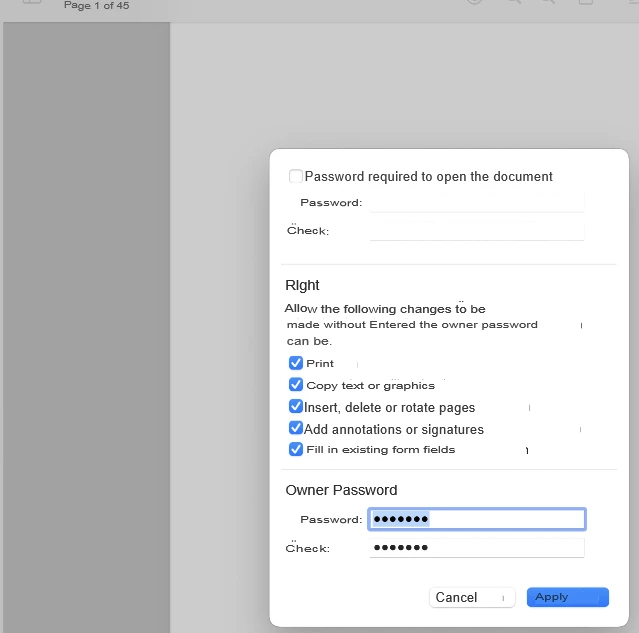
 

If we set a new password required to read, we still can't open the PDF in Adobe Reader. However, if we set a new owner password and a new password required to read, we can open the PDF.


Is there something I'm missing so that Adobe skips the required to read password and goes straight to the owner password, or can it only be opened with the password at the beginning (password required to read)


2 replies

Participant
June 9, 2025

Hello, 

I am facing the same issue as described by the other user. However, I am using a MacBook Air M3 and have installed Adobe Acrobat Version 2025. When trying to open pdf files that are password protected, the same message appears as shown by the other user. And no, it's definitely not a password issue, because when I try to open the files with Preview or with another pdf-reader such as PDF Expert, I am able to open the files with the password. 

Since I am not the only one who is facing this issue with Adobe in combination with a MacBook, I wonder if this is an issue that must be solved by Adobe or Mac (Apple), or both?

Who can help?

Thanks in advance for your feedback.

Souvik Sadhu
Legend
June 9, 2025

Hi @steffen_8675,


Hope you are doing well. Sorry for your experience with viewing protected files on Acrobat.


I tried opening a PDF file that was saved with a password, and it worked fine. Do you see this with one particular file?


For further investigation, would you mind sharing a few more pieces of information:

1. The app version of Acrobat (go to Menu > Help > About Acrobat);

2. A screen recording of what you see when trying to open the file;

3. A sample file where you see the issue to test in-house.


Look forward to hearing from you.


Regards,
Souvik.

Meenakshi_Negi
Legend
November 18, 2025

I have the same issue when using the Enterprise version of Adobe on a Mac Studio (M1 Ultra chip) 

I can see a password-protected document if opened in preview or using another reader such as PDF Expert, but I cannot open the document in Adobe Enterprise.

I think the issue is a bug with Adobe Enterprise and the M1 chip.

I have seen a work-around to disable "Enable native OS mode for optimal performance" but this option is not in my version of Adobe Enterprise (2025.001.20756)

Is there a solution to resolve this?


Hi Bazza2712,


Thank you for reaching out, and sorry to hear that you are experiencing the same issue.


When you say Adobe Enterprise, are you referring to the Acrobat Pro application? 

To investigate this behaviour, we would require more information. Please share the following information:

- Share a small video showing how it opens in preview and what happens when opening in the application.

- Does it happen only with a password-protected PDF?

- How was the password added to the PDF?

- Share the current Acrobat and OS version on your Mac. You may use the steps suggested here: https://adobe.ly/49XBKsQ

- Share the screenshot of the error message, if any.


This information would help us to understand and replicate the issue on our end. 


Thanks,

Meenakshi


Souvik Sadhu
Legend
May 31, 2022

Hello,


I hope you are doing well. I am sorry for your experience with Acrobat Reader.


Is this issue with specific files or with all files that are password protected?


If the issue is with all password-protected files, please share a sample file with us so that we can check it at our end and respond better. 


Hoping to hear more from you.


Thanks,

Souvik.

ACCAS-JFAuthor
Participant
May 31, 2022

Dear Souvik,

thank you very much for your reply, I am fine, I hope you are fine.

So far we have encountered the problem that when trying to open encrypted files from an older macOS system, we could not read them despite entering the correct password. However, if you repeat the steps I wrote above, you were able to make the files readable.

Unfortunately, I don't have a file available at this time, but I will try to get one that we can upload.

Souvik Sadhu
Legend
May 31, 2022

Thanks for your response. I tried creating a file and then password-protecting it in the first method that you suggested above. It worked fine on my end.


It could also be how the PDF was created, which could cause the issue. Could you also share a screenshot of the description window of the document you are working with?