Exit
  • Global community
    • Language:
      • Deutsch
      • English
      • Español
      • Français
      • Português
  • 日本語コミュニティ
  • 한국 커뮤니티
0

Changing Comment Name

New Here ,
Sep 11, 2020 Sep 11, 2020

English:

Hello dear community,


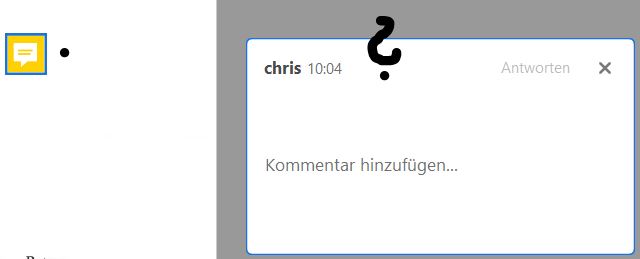
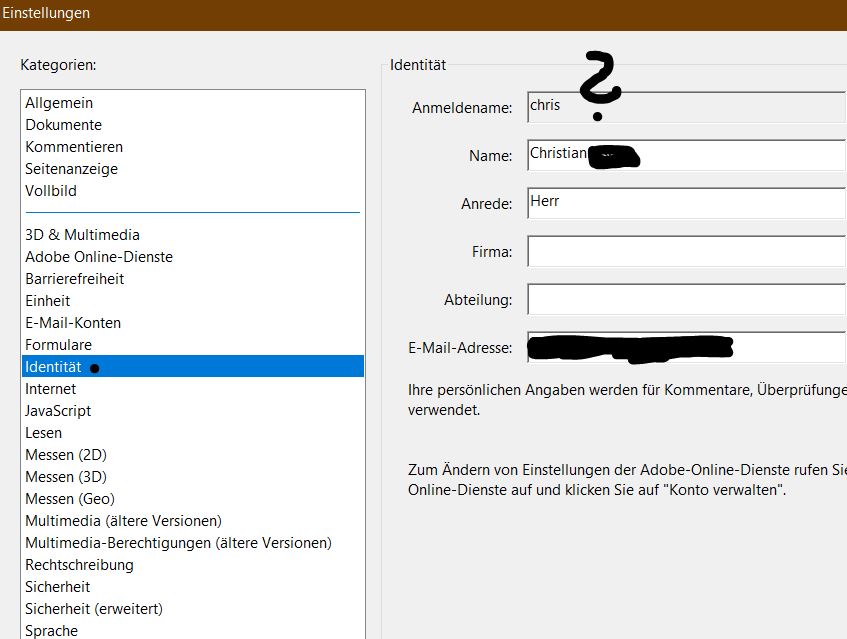
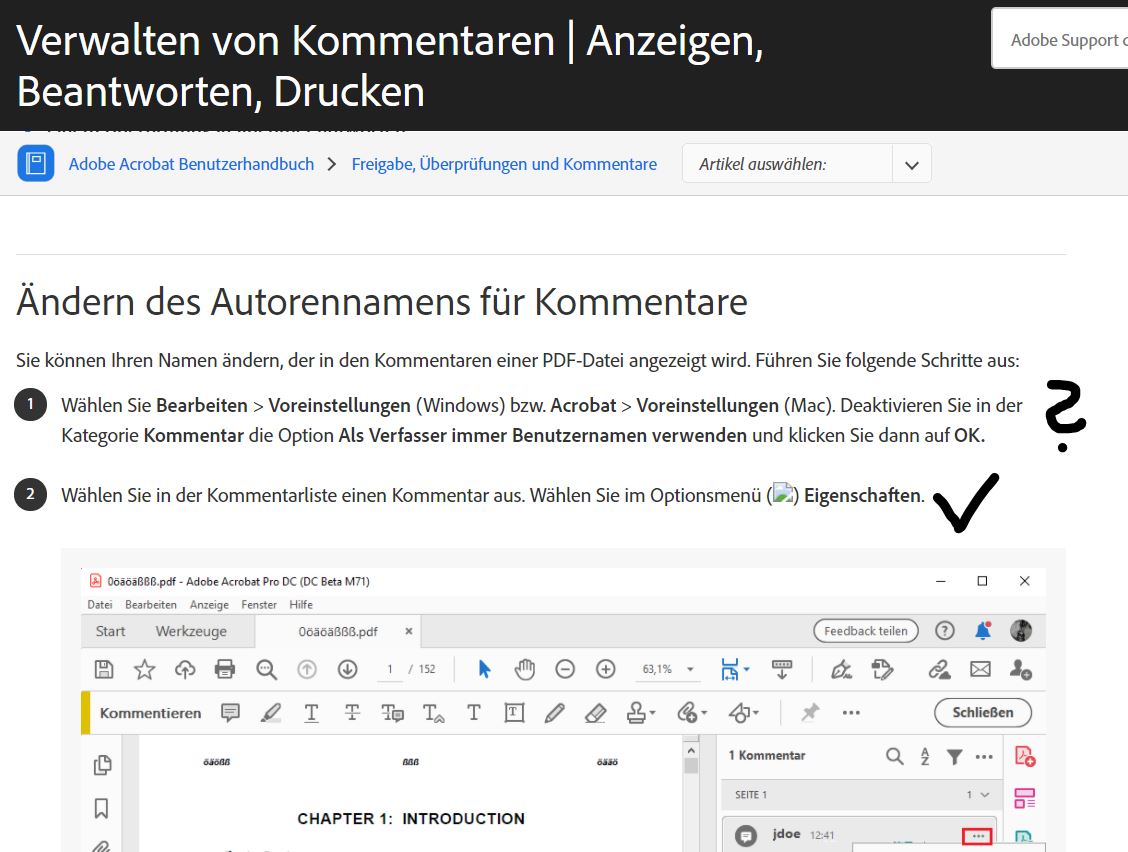
how can I change my login/comment name in Adobe so that I don't always have to manually change an author to my full name?

Enclosed pictures for explanation.


Thanks to you


Christian


German:

Hallo liebe Community,


wie kann ich meinen Anmeldenamen/Kommentarnamen in Adobe ändern, so dass ich nicht immer manuell en Autor auf meinen vollständigen Namen ändern muss?

Anbei Bilder zur Erläuterung.


Danke euch


Christian

 

TOPICS
Comment markup and annotate , How to , Windows
2.6K
Translate
Report
Community guidelines
Be kind and respectful, give credit to the original source of content, and search for duplicates before posting. Learn more
community guidelines

correct answers 1 Correct answer

Community Expert , Sep 11, 2020 Sep 11, 2020

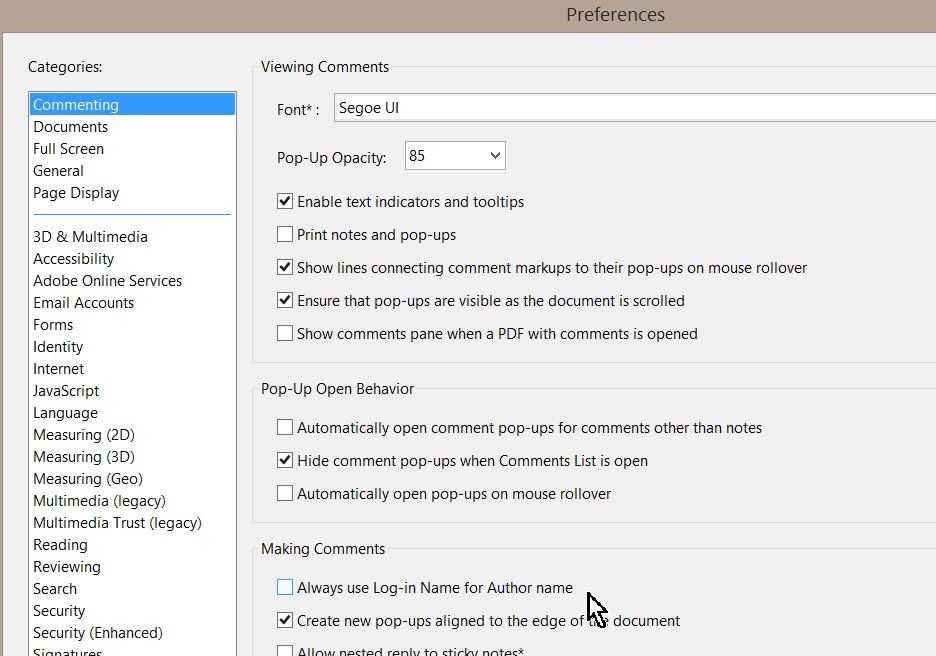
Deactivate following entry:

Bild1.jpg

Translate
Community Expert ,
Sep 11, 2020 Sep 11, 2020

Deactivate following entry:

Bild1.jpg

Translate
Report
Community guidelines
Be kind and respectful, give credit to the original source of content, and search for duplicates before posting. Learn more
community guidelines
Community Expert ,
Sep 11, 2020 Sep 11, 2020
LATEST

That's just the first step. After doing that you need to edit one of the comments to have the Author name you wish to use, then right-click and select Make Current Properties Default.

Translate
Report
Community guidelines
Be kind and respectful, give credit to the original source of content, and search for duplicates before posting. Learn more
community guidelines