Participant
April 7, 2017
Answered

Chaning 'Highlighted Text' in Comment Column

  • April 7, 2017
  • 2 replies
  • 846 views

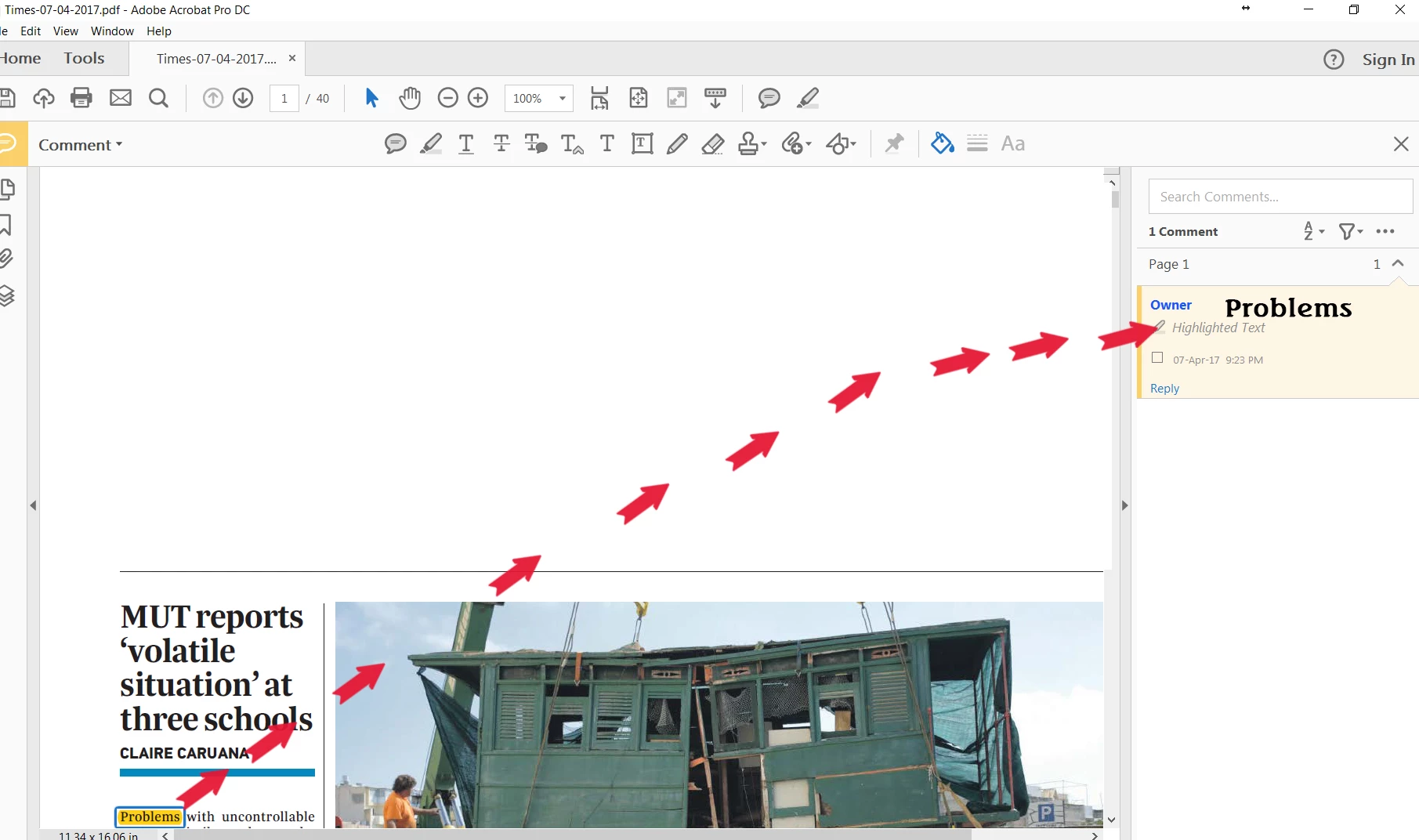
How can I replace the 'Highlighted Text' to the word being highlighted.

Thanks.
    This topic has been closed for replies.
    Correct answer try67

    Oh yes, you're right. In that case it's much easier.

    Just go to Edit - Preferences - Commenting and tick the box that says "Copy selected text into Highlight..." :
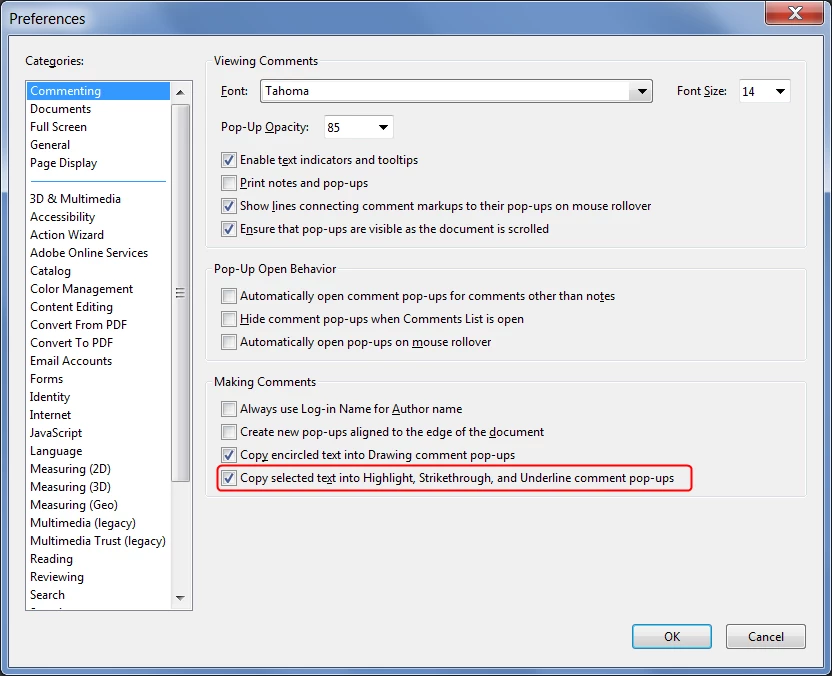
    This setting will only affect comments you create from the moment you enable it, though, not past ones.

    2 replies

    try67
    Community Expert
    Community Expert
    April 8, 2017

    You can't replace it, but you can add it. Select the text with the mouse, press Ctrl+C, then right-click the text and select Highlight Text, then paste the text you've copied earlier into the comment.

    If you had Acrobat it would have been possible to do it automatically, by the way.

    jane-e
    Community Expert
    Community Expert
    April 8, 2017

    try67  wrote

    If you had Acrobat it would have been possible to do it automatically, by the way.

    The screenshot says the OP does have Acrobat Pro DC, even though the post is in the Acrobat Reader forum.

    try67
    Community Expert
    try67Community ExpertCorrect answer
    Community Expert
    April 8, 2017

    Oh yes, you're right. In that case it's much easier.

    Just go to Edit - Preferences - Commenting and tick the box that says "Copy selected text into Highlight..." :

    This setting will only affect comments you create from the moment you enable it, though, not past ones.

    Bernd Alheit
    Community Expert
    Community Expert
    April 8, 2017

    Not possible. You can't change the type of the comment.
