Exit
  • Global community
    • Language:
      • Deutsch
      • English
      • Español
      • Français
      • Português
  • 日本語コミュニティ
  • 한국 커뮤니티
0

Comments made on Acrobat Reader appear incorrectly on Preview

New Here ,
Sep 12, 2018 Sep 12, 2018

Hello,

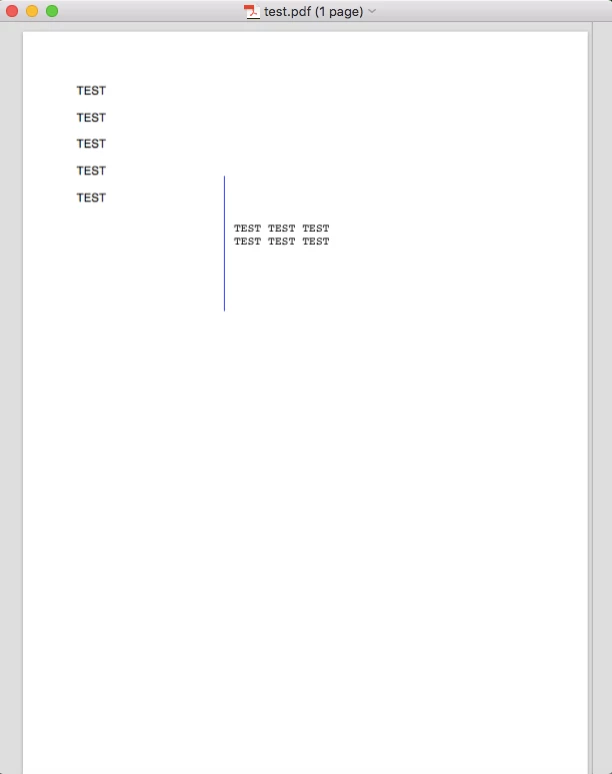
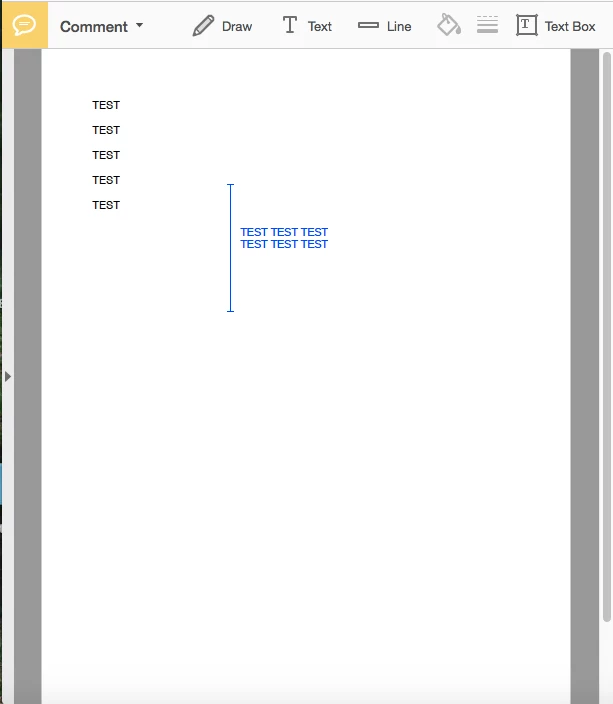
I added comments on a pdf using Adobe Acrobat Reader DC but when I open it as a preview, the edges of the lines I created disappear and the writing of the comments changed. On preview, I can still edit the comments.

I've been trying to save it as a new pdf where the comments wouldn't be able to be changed and hoped it would fix it but I can't figure out how to do it.

I am using a MacBook Air.

I have attached screenshots so you get a better idea of what I mean.

Thanks in advance.
Screen Shot 2018-09-12 at 08.43.04.pngScreen Shot 2018-09-12 at 08.43.19.png

369
Translate
Report
Community guidelines
Be kind and respectful, give credit to the original source of content, and search for duplicates before posting. Learn more
community guidelines
LEGEND ,
Sep 12, 2018 Sep 12, 2018

Preview is junk. Complain to Apple. Note that Preview is different in each Mac OS, so to identify it you need to include the Mac OS version.

Translate
Report
Community guidelines
Be kind and respectful, give credit to the original source of content, and search for duplicates before posting. Learn more
community guidelines
New Here ,
Sep 12, 2018 Sep 12, 2018

But I need to send the pdf to several people and if one of them doesn't have Adobe Acrobat Reader then they won't be able to view it correctly because they will view it with preview so I still need to do something about it

Translate
Report
Community guidelines
Be kind and respectful, give credit to the original source of content, and search for duplicates before posting. Learn more
community guidelines
LEGEND ,
Sep 12, 2018 Sep 12, 2018

It’s a problem. But what can Adobe do about other people’s broken software?

Translate
Report
Community guidelines
Be kind and respectful, give credit to the original source of content, and search for duplicates before posting. Learn more
community guidelines
New Here ,
Sep 12, 2018 Sep 12, 2018
LATEST

Oh right. I thought somehow I could save it on Adobe as a new pdf without the comments being removable. Thanks for your help

Translate
Report
Community guidelines
Be kind and respectful, give credit to the original source of content, and search for duplicates before posting. Learn more
community guidelines