Exit
  • Global community
    • Language:
      • Deutsch
      • English
      • Español
      • Français
      • Português
  • 日本語コミュニティ
  • 한국 커뮤니티
1

Disable Signature Panel

Community Beginner ,
Mar 07, 2023 Mar 07, 2023

Hi All,


Is there a way to disable or hide the Signature Panel for documents that were digitally signed?
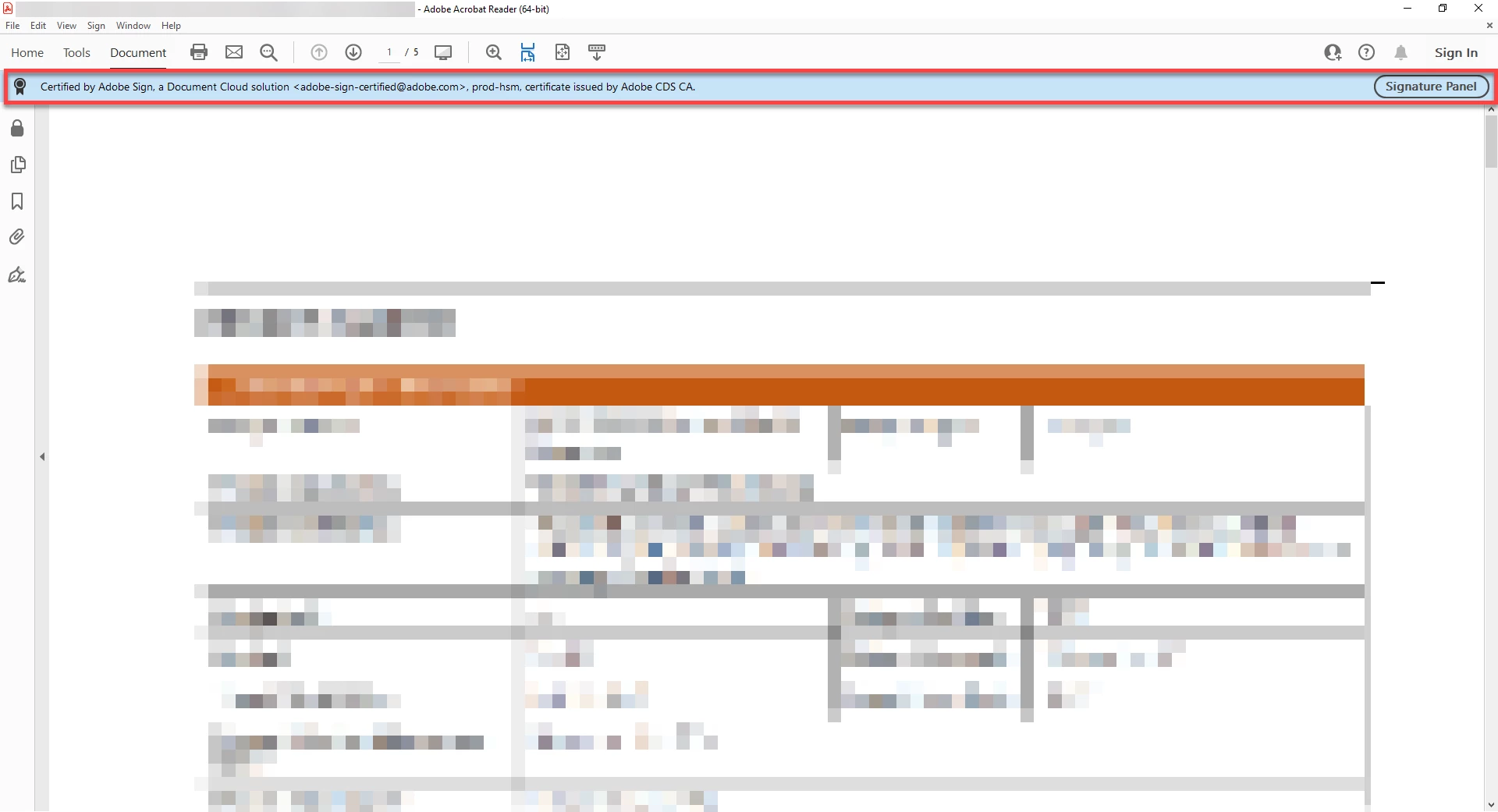


Adobe Signature Panel.png


TOPICS
How to , Security digital signatures and esignatures , Windows
1.3K
Translate
Report
Community guidelines
Be kind and respectful, give credit to the original source of content, and search for duplicates before posting. Learn more
community guidelines

correct answers 1 Correct answer

Adobe Employee , Sep 15, 2025 Sep 15, 2025

Hello @april_d._7962


I hope you are doing well, and thanks for reaching out.


The blue bar you see at the top (“Certified by Adobe Sign …”) is part of Acrobat/Reader’s signature validation information. It appears automatically whenever a PDF has a digital signature or certification applied. Currently, there is no option to permanently disable or hide the Signature Panel bar for signed/certified PDFs. This is by design, since the app must show the document’s trust and authenticity status. For

...
Translate
Community Beginner ,
Mar 09, 2023 Mar 09, 2023

Hello? Is there anybody home? 🙂

Translate
Report
Community guidelines
Be kind and respectful, give credit to the original source of content, and search for duplicates before posting. Learn more
community guidelines
New Here ,
Sep 12, 2025 Sep 12, 2025

Same question

Translate
Report
Community guidelines
Be kind and respectful, give credit to the original source of content, and search for duplicates before posting. Learn more
community guidelines
Adobe Employee ,
Sep 15, 2025 Sep 15, 2025
LATEST

Hello @april_d._7962


I hope you are doing well, and thanks for reaching out.


The blue bar you see at the top (“Certified by Adobe Sign …”) is part of Acrobat/Reader’s signature validation information. It appears automatically whenever a PDF has a digital signature or certification applied. Currently, there is no option to permanently disable or hide the Signature Panel bar for signed/certified PDFs. This is by design, since the app must show the document’s trust and authenticity status. For more details, please see this Adobe article: Validating digital signatures.


Thanks,

Anand Sri.

Translate
Report
Community guidelines
Be kind and respectful, give credit to the original source of content, and search for duplicates before posting. Learn more
community guidelines
