
Participant
July 23, 2019
Question

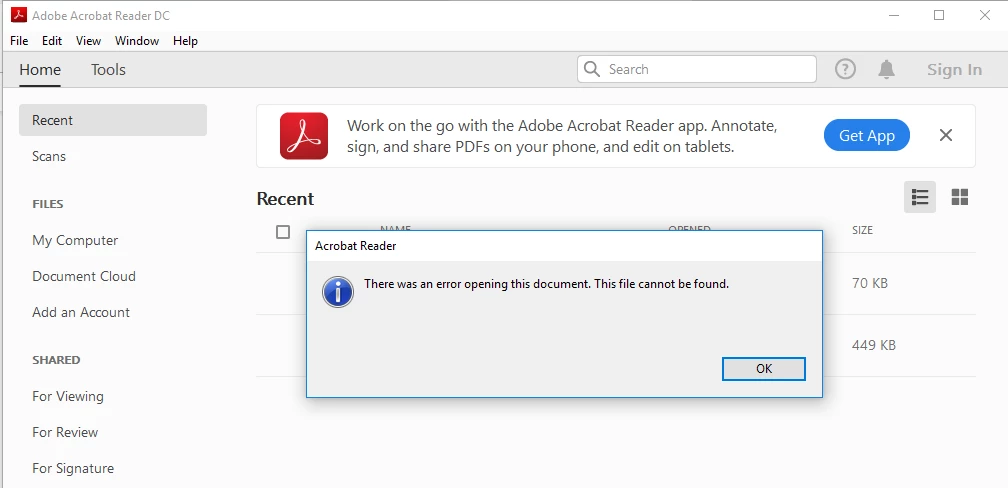
Error opening PDF file"File can not be found"

  • July 23, 2019
  • 2 replies
  • 1879 views

Hi,

I have the C# code below to open a PDF file and launch the Print window when the Adobe reader opens the file. This code is running fine in older version of Adobe (Adobe Reader 11.0.2) but it is not working fine in Adobe Reader DC. Can you please help?

        public void Printing(string _filename, string Printername)

        {

            using (Process process = new Process())

            {

                int count = Convert.ToInt32(System.Configuration.ConfigurationManager.AppSettings["WaitTime"]);

                process.StartInfo.Verb = "print";

                var adobeRegistry = Registry.LocalMachine.OpenSubKey("Software").OpenSubKey("Classes").OpenSubKey("acrobat").OpenSubKey("shell").OpenSubKey("open").OpenSubKey("command");

                string pathAdobe = adobeRegistry.GetValue("").ToString().Substring(1, adobeRegistry.GetValue("").ToString().Length - 10);

                process.StartInfo.FileName = pathAdobe;

                process.StartInfo.Arguments = String.Format("/h /t \"{0}\" \"{1}\"", @_filename, Printername);

                process.StartInfo.UseShellExecute = false;

process.StartInfo.CreateNoWindow = true;

                process.Start();

                process.StartInfo.WindowStyle = ProcessWindowStyle.Hidden;

                if (process.HasExited == false)

                {

                    process.WaitForExit(count);

                }

                process.EnableRaisingEvents = true;

                process.Close();

                Process[] procs = Process.GetProcessesByName("AcroRd32");

                foreach (Process p in procs) { p.Kill(); }

            }

        }
!

2 replies

Participant
October 2, 2025

Any chance you figured this out? I'm having the same problem with a Desktop C# app on .Net 8.0

AkanchhaS8194121
Legend
July 25, 2019

Hi Abir,

Sorry to hear about the trouble.

You may try the troubleshooting steps suggested below, and let us know if that makes any difference-

1- Reboot the machine if you haven't already and try opening pdf file again and check if that helps.

2- If that doesn't work, check if an update is available for Reader using "Check for updates" option under "Help" menu, reboot the machine after installing update and try again. You may also download updates from here: Adobe - Adobe Reader : For Windows

3- If solution provided above doesn't work, then-

Navigate to Reader>Edit>Preferences>Security (Enhanced)>disable "Protected Mode at Startup" and "Enhanced Security">OK>Reboot Reader>Open PDF and try printing.

Note: Changing the above security settings could pose security risks. We suggest you to turn it back On once you are done with testing.

Let us know the result.

Thanks,
Akanchha