

Export PDF to Word, Excel and other file formats from Acrobat Reader desktop app
Acrobat Reader DC is a freeware desktop application. It does convert your PDF document to other file formats, if you are a subscriber of either Adobe Export PDF or Adobe PDF Pack Subscription
Steps to Export PDF:
- Open the PDF file in Acrobat Reader.
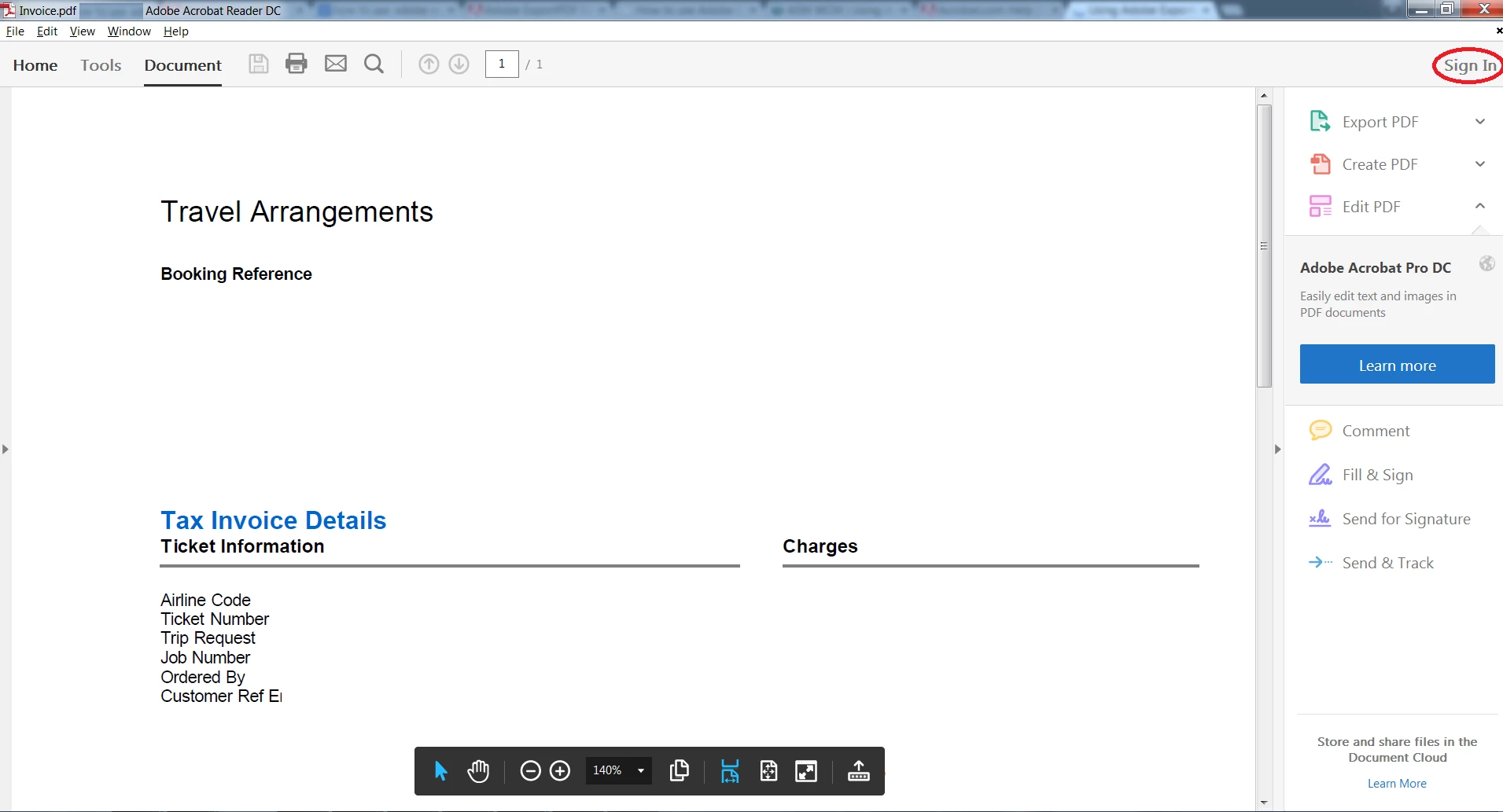
- In the upper-right corner of the window, click Sign In.
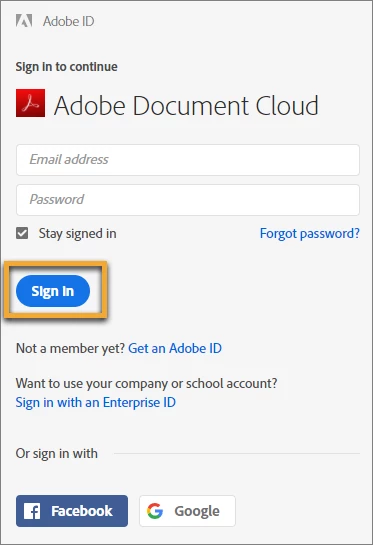
- Sign in using your Adobe ID and password, or with your social (Facebook or Google) account.
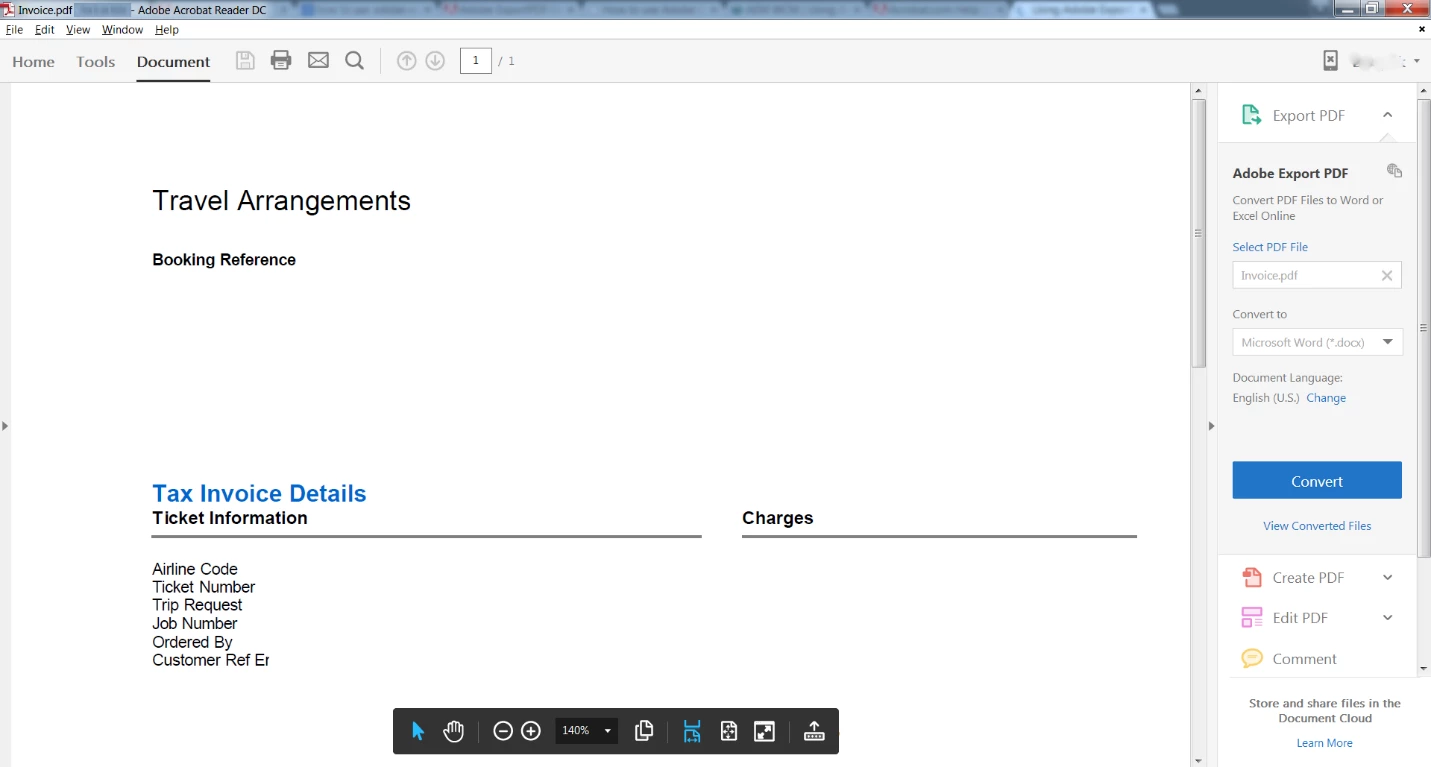
- Click Convert in the right-hand pane.
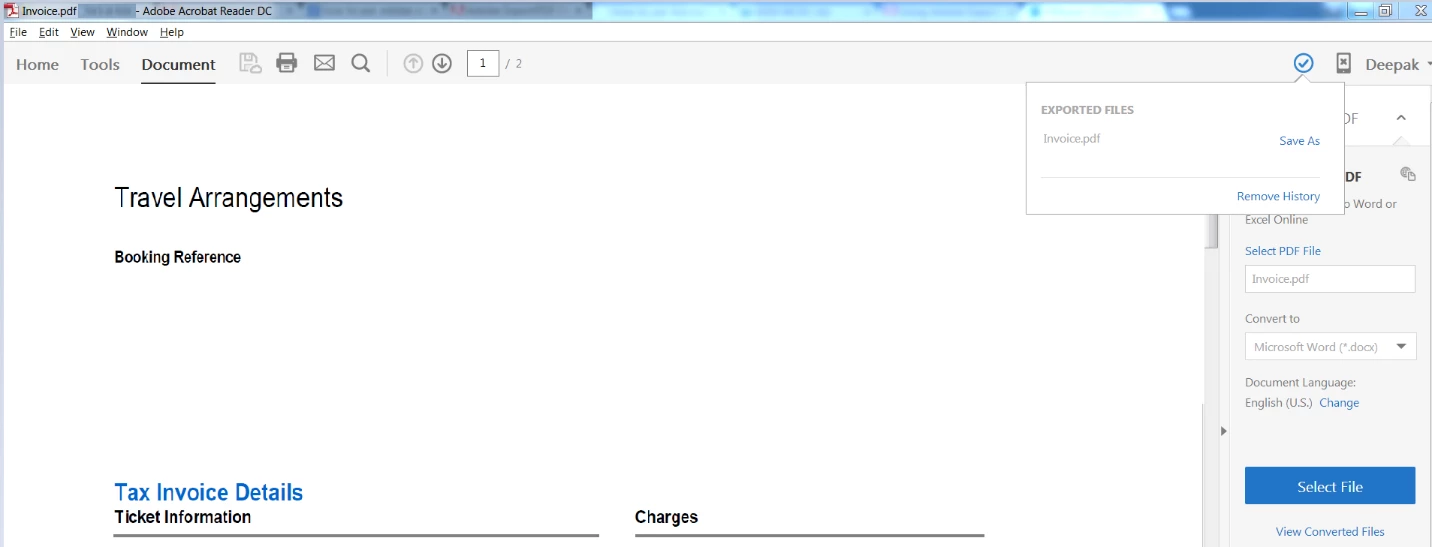
- Click the Save As button to download the converted file.
Additional Information:
- File types that can be created from PDF using Acrobat Reader Desktop application:
|
Export PDF to |
Supported file extensions |
|
Microsoft Word |
.doc, .docx |
|
Microsoft Excel |
.xls, .xlsx |
|
Rich Text Format |
.rtf |

2. After the conversion, document is saved on to Document Clod web.
Know more about Acrobat Reader DC desktop application here: Acrobat Reader DC Get Started
To discover a host of other great features – Go straight to:
5 Best features that you get in Adobe Acrobat Reader DC: Free | Adobe Acrobat Reader DC FAQs
 AdChoices