
May 13, 2017
Answered

External link like "consultantplus://offline/ref=592E..." does not work

  • May 13, 2017
  • 1 reply
  • 4148 views

Hi,

we use a PDF documents with special hyperlinks embeded.

It could be link to the internet resourses (like http://www.some.site) and link to the documents in our system ConsultantPlus.

The example link is

consultantplus://offline/ref=592E02E99ABF0E7C618CD50FA46E6CADBD1CEB37C1864829B7C5309161F053672544FB7DEB8506BAf1H3J

That type of link starts application ConsultantPlus and opens exact document.

It works in MS Word, in FoxIt Reader but not in the Adobe Reader.

The previous version of Adobe Reader opens it.

Example outdated version of 2012 year works and opens that type of links.

But not a vew version
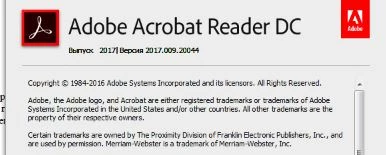
How we can adjust the Adobe Reader application to open that type of link?

Help us , please, to solve this problem.

This topic has been closed for replies.
Correct answer

I'm not 100% sure about it, but I believe you will need to add it to the tSponsoredContentSchemeWhiteList value described here: Lockable Settings


Actually I have just found the decision:

1) Acrobat settings allow PDF files to access to all sites

AND

2) Disable protected mode at startup.

Only first one is NOT enough.

Both only.

After that restart Acrobat Reader and all start working.

1 reply

try67
Community Expert
Community Expert
May 13, 2017

IF it's possible, it will only be by editing the registry to allow this kind of domain.

May 17, 2017

probably.

But what exactly should I change in windows's registry to allow it?

try67
Community Expert
Community Expert
May 17, 2017

I'm not 100% sure about it, but I believe you will need to add it to the tSponsoredContentSchemeWhiteList value described here: Lockable Settings