
New Participant
April 19, 2024
Question

Fillable Form Field Doesn't Allow Typing Text

  • April 19, 2024
  • 2 replies
  • 1177 views

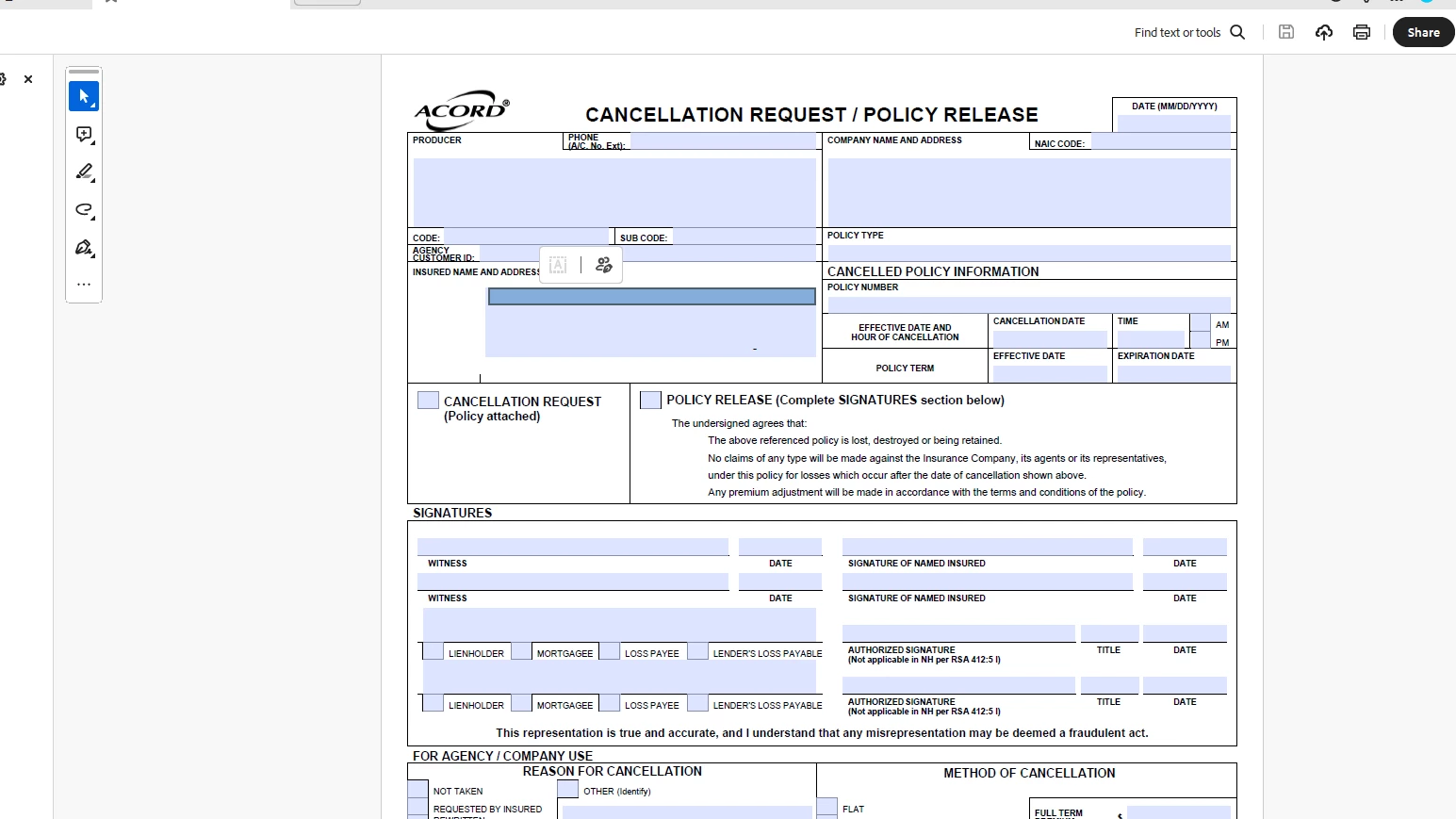
All of a sudden, Adobe Acrobat does not allow me to enter text into a fillable form text field. When I click on the form field, the field populates with a darkened box and this popup menu shows up. I have unistalled and reinstalled the latest version. What is causing this problem? The only way it allows me to enter text is if I press "TAB" on the keyboard and the cursor jumps to the next box.
This topic has been closed for replies.

2 replies

Meenakshi Negi
Community Manager
Community Manager
May 2, 2024

Hi All,


Thank you for your patience so far.


The issue has been resolved. Please reboot the machine and then relaunch Acrobat.

Then, wait for some time and try to fill out the forms again. 


Let us know how it goes.


Thanks,

Meenakshi


Marking a reply or response “Correct” will help future users with the same issue quickly identify the correct answer.

Amal.
Community Manager
Community Manager
April 20, 2024

Hi there


Hope you are doing well and thanks for reaching out.


This issue has already been reported to our engineering team for review.


We will share the update as soon as we get any information.


Thanks for your understanding


~Amal

New Participant
April 23, 2024

Thank you Amal. Can you help me understand what you mean? Has my issue specifically been reported or have other users experienced the same problem and it has been reported? It's been almost a week and I am still having trouble filling in my PDFs. I use PDFs every day in my business and this issue has slowed me down immensely.