
Participant
February 19, 2023
Question

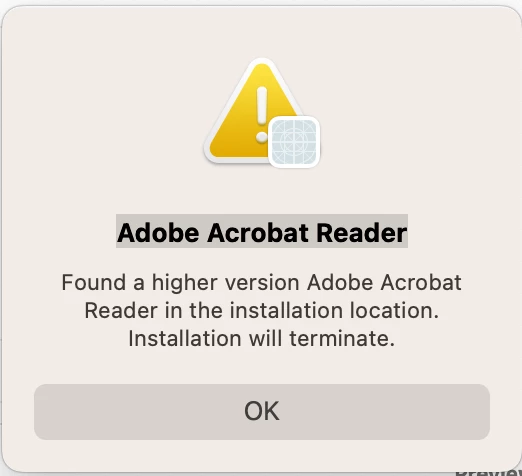
Found a higher version Adobe Acrobat Reader

  • February 19, 2023
  • 1 reply
  • 1063 views

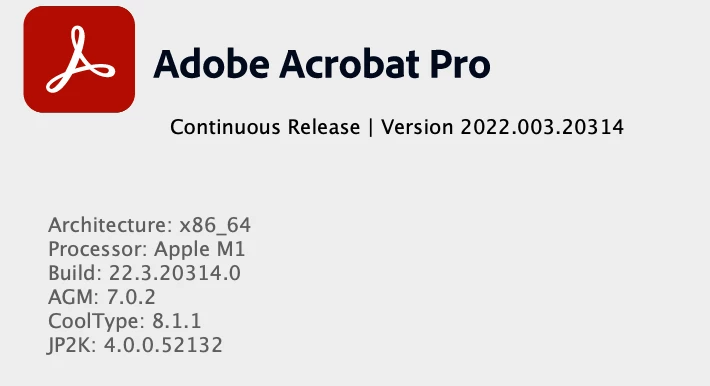
I get the following message popping up every hour or so on my Mac. I have searched the forum, and there seems to be no current solution. I am not even using the old Reader because I am using Pro. How do I stop these incessant notifications?
This topic has been closed for replies.

1 reply

AkanchhaS8194121
Legend
February 21, 2023

Hi @Matthew28483895h0n1 


Thanks for sharing the screenshot. 

Looking at the description, you seem to have been using Acrobat Pro. However, continue to get these pop-ups for the Acrobat Reader as well?

There's likely a chance you have had Reader installed and few files traces left. 

Run this cleaner tool to remove the existing installer and application’s file traces:

https://www.adobe.com/devnet-docs/acrobatetk/tools/Labs/cleaner.html

Download the Acrobat installer from here:

https://helpx.adobe.com/acrobat/kb/acrobat-dc-downloads.html


Let us know if that helps.


Got your issue resolved? Please label the response as 'Correct Answer' to help your fellow community members find a solution to similar problems.


Thanks,

Akanchha