
Gibberish characters appear in JDE web client after Acrobat Reader update 22.003.20310
This issue has been reported in both Edge and Chrome, but not Firefox. When users log into our JDE system via a web browser session, they see gibberish characters appearing instead of English throughout the home page. This started happening after applying update 22.003.20310. We went through exercise of clearing the C:\Users\XYZ\AppData\Local\Temp\acrord32_sbx and acrord32_super_sbx folders for the user's profile and that seemed to work but it appears they come back after a pdf file is generated. We then saw that optional update 22.003.20314 was available and one of the bug fixes mentioned IME experience for Japanese language on Windows and hoped that may have been related to what we are seeing, but unfortunately the issue still appears with that update. Looking for some assistance on what can be done to resolve this. Thanks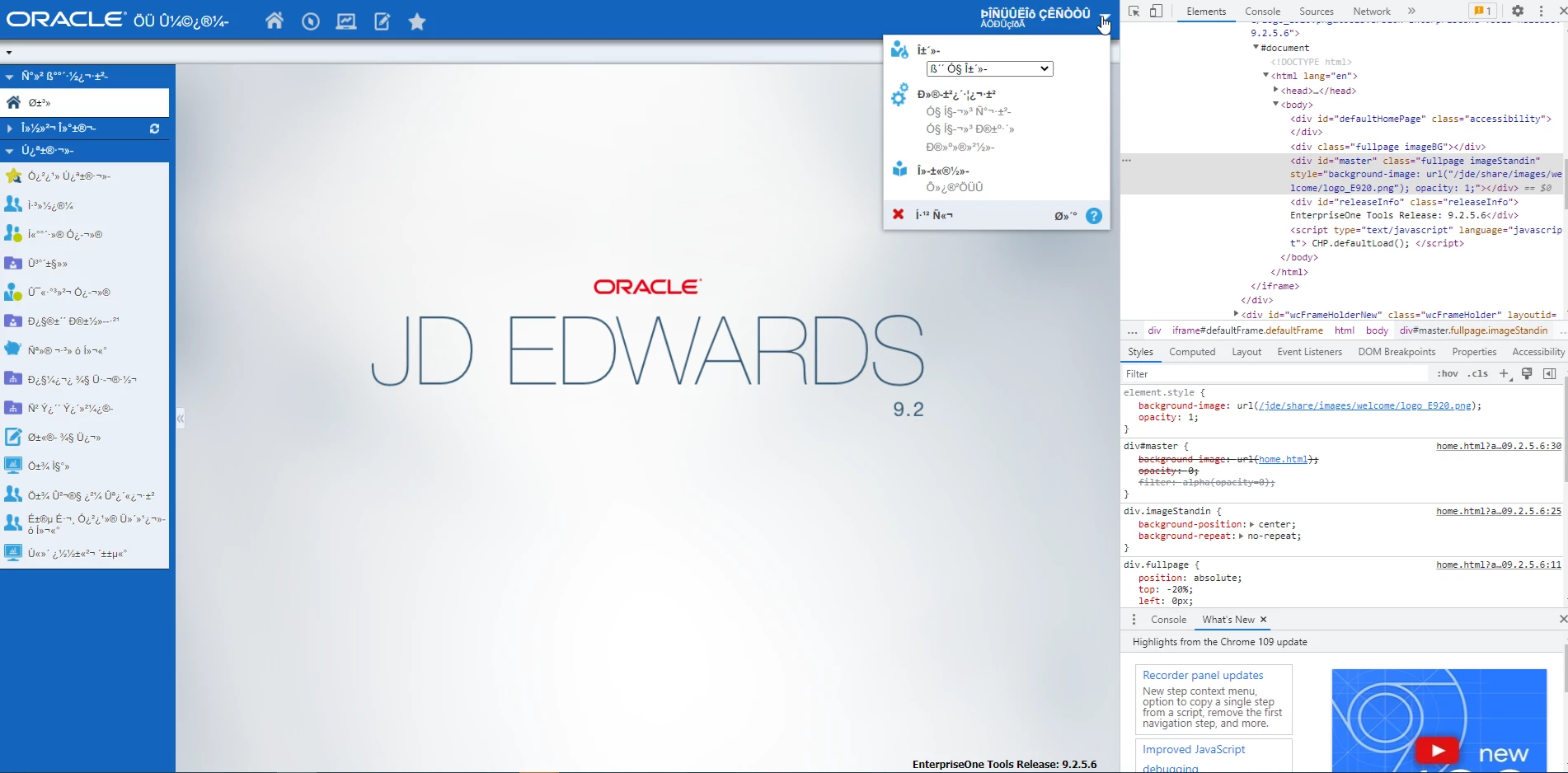
 AdChoices