
Answered
Hide the tools pane at right
I select both all as below...work for me. Note : When I try "remember current state.." only, it doesn't not work, tool pane keep poping back on each doc opening.
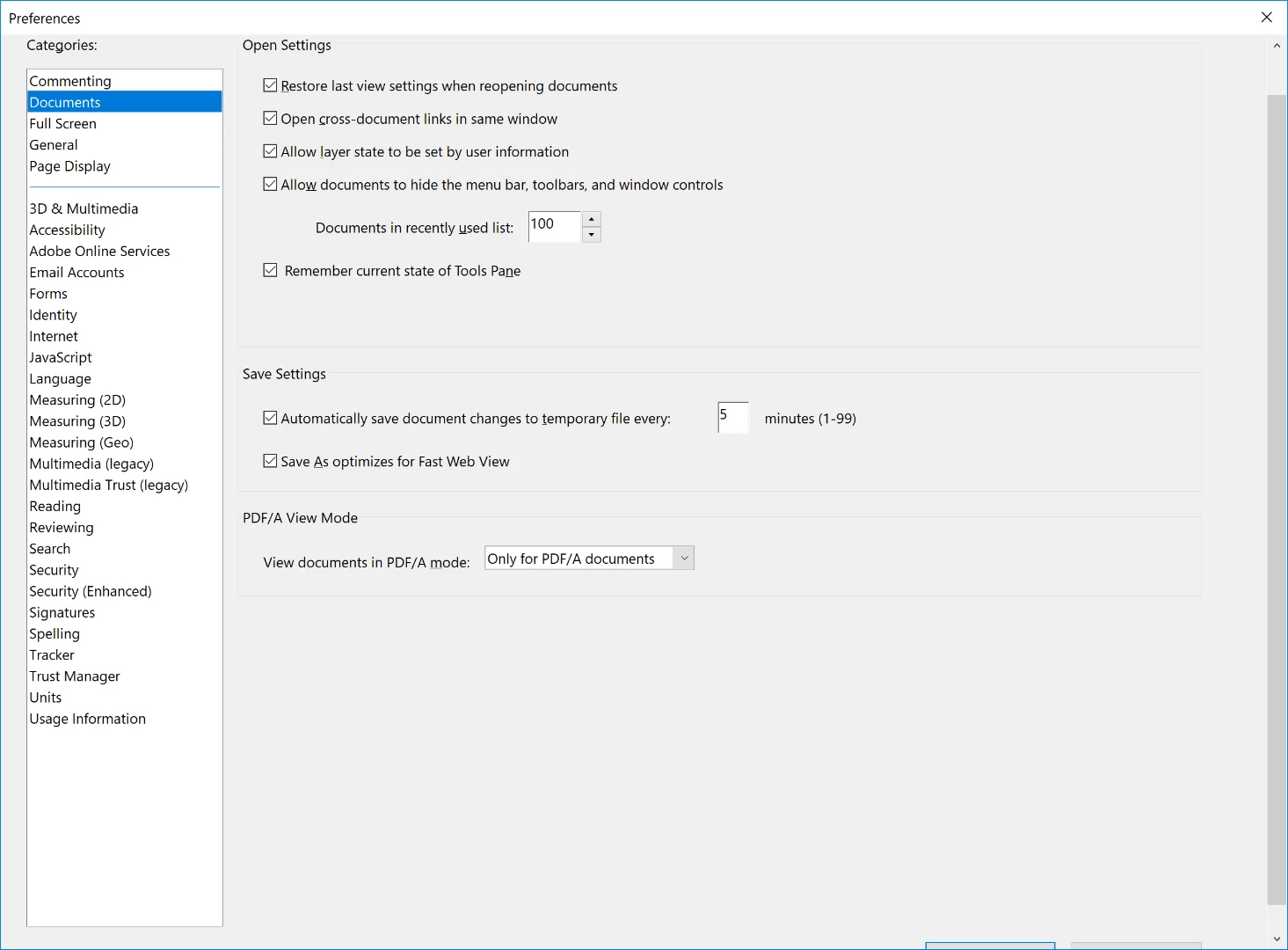

I select both all as below...work for me. Note : When I try "remember current state.." only, it doesn't not work, tool pane keep poping back on each doc opening.
Hi Yessirt,
Once you check the box for "Restore last view settings when reopening documents" only, it refers that whatever the view settings you have applied to the document will be the same when you open it next time.
So, if you have not closed the tools pane manually before closing the document, it will show next time when you open the document again.
To hide the tools pane manually, click on the tilted triangle marked in the screenshot below:
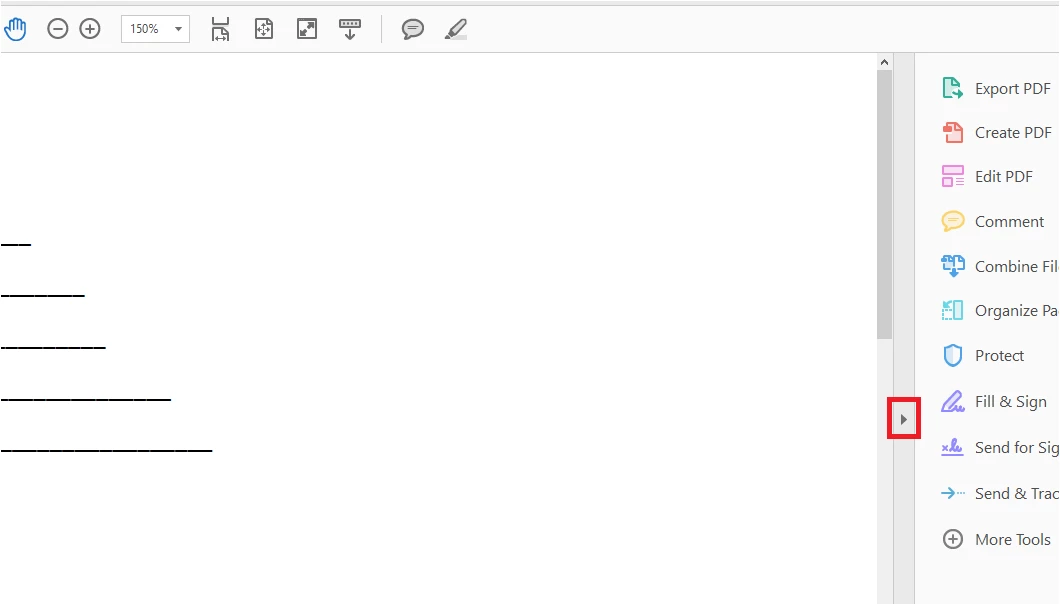
Please check and let us know if it is working in this manner or not.
We will be waiting for your response.
Regards,
Meenakshi
Already have an account? Login
Enter your E-mail address. We'll send you an e-mail with instructions to reset your password.
 AdChoices