


- Home
- Acrobat Reader
- Discussions
- Re: How Can I use Acrobat Reader DC faster and wit...
- Re: How Can I use Acrobat Reader DC faster and wit...

Copy link to clipboard
Copied
Hi,
Always when I enter Adobe Acrobat Reader DC, the program starts very slowly...the file freezes until I can use it...then after a while, appers a tutorial page like that:
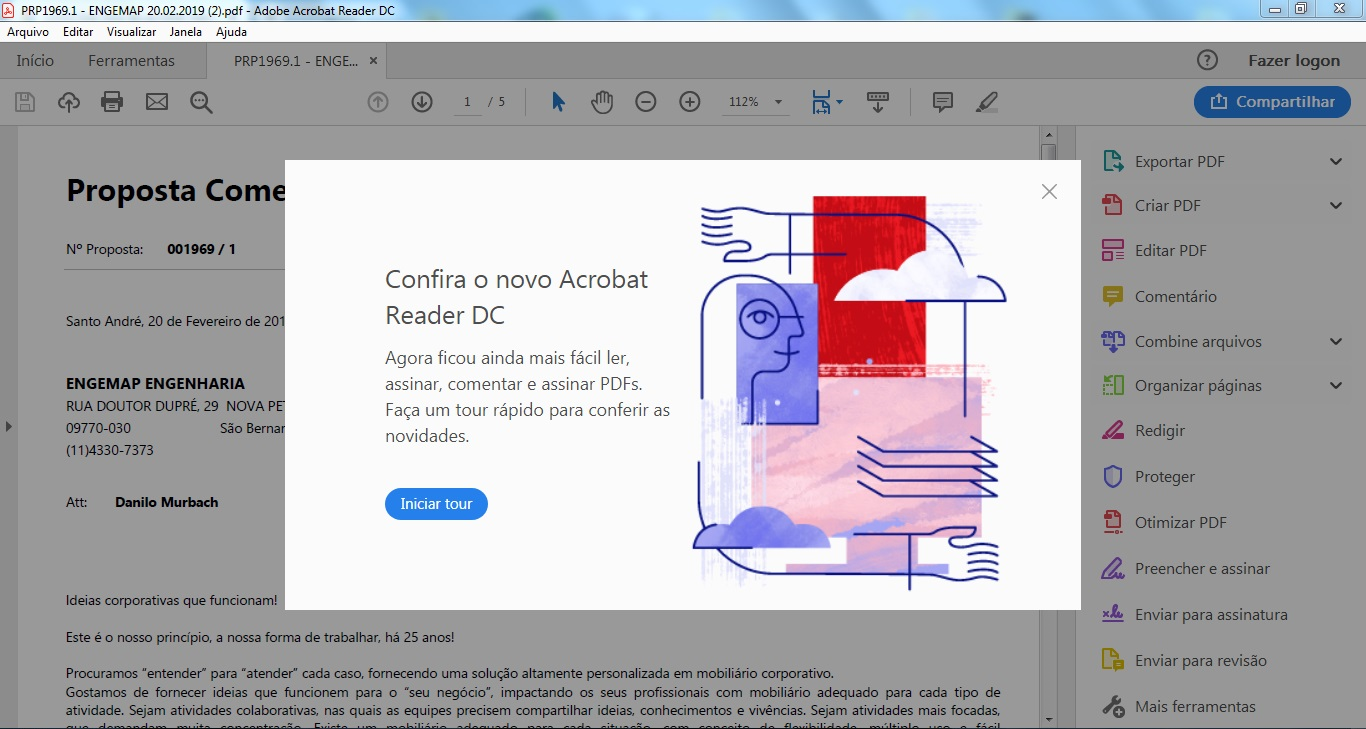
I think this tutorial is making Acrobat slower...because after I close it...I can use the file faster...but What Can I do for that tutorial don't apper anymore?
When I am putting a signature in the file...it gets very slowly and it wasn't like that before...to save the file in Acrobat Reader is slow too...What Can I do to make it faster?
Thank you a lot.
Danilo from Brazil.


 1 Correct answer


Hi,
Sorry to hear that you had trouble.
Would suggest you to create the following registries -
[HKEY_LOCAL_MACHINE\SOFTWARE\Policies\Adobe\Acrobat Reader\DC\FeatureLockDown]
"bToggleFTE"=dword:00000001
Let me know if this does not solve your issue.
Thanks,
-Ravi Gupta

 6
Replies
6
6
Replies
6

Copy link to clipboard
Copied
Hi,
Sorry to hear that you had trouble.
Would suggest you to create the following registries -
[HKEY_LOCAL_MACHINE\SOFTWARE\Policies\Adobe\Acrobat Reader\DC\FeatureLockDown]
"bToggleFTE"=dword:00000001
Let me know if this does not solve your issue.
Thanks,
-Ravi Gupta
Copy link to clipboard
Copied
Hi Ravig,
Please, Where and how Can I create this registries?
Copy link to clipboard
Copied
Here are the steps -
1. Goto run and type regedit
2. Create the registry mentioned above like in the attached snapshot.
Let me know if you need any further help on this.

Copy link to clipboard
Copied
Hi, what does this do exactly?


Copy link to clipboard
Copied
Disables that window that appears at start-up.
Copy link to clipboard
Copied
Thanks


Get ready! An upgraded Adobe Community experience is coming in January.
Learn more
 AdChoices