
Question
How do I open a PDF in Acrobat Reader when viewing it in Chrome?
Hello,
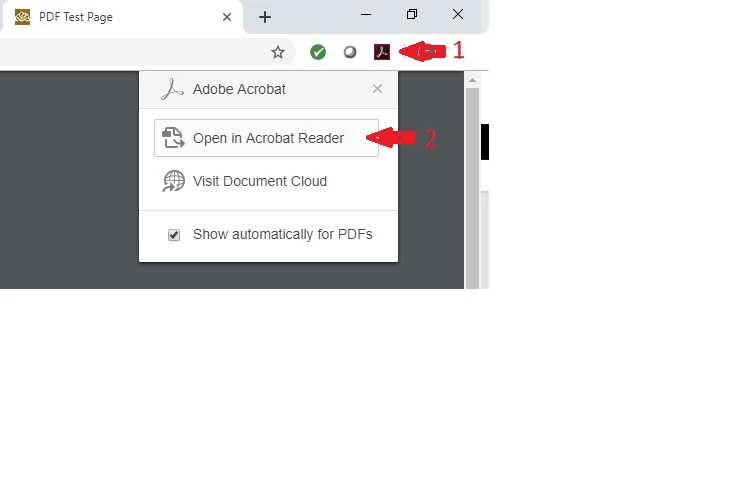
When I'm in Chrome and I'm viewing a PDF, I can click on the Adobe icon (Arrow 1) and then select "Open in Acrobat Reader" (Arrow 2). However, on some pages, the Chrome Address Bar isn't displayed because of the way the browser page is opened and I can't see the Adobe icon. When it happens, how can I open the PDF in Acrobat Reader? Is there a keyboard shortcut or any other way to open the docuement in Acrobat Reader when we can't wee the Adobe icon by the address bar?
Thank you in advance for your help!
 AdChoices