
Answered
How do you quickly open a Chrome PDF in Acrobat Reader?
Hi there
Let's say I'm searching Google in Chrome for a particular PDF.
The PDF opens in Chrome but it's the wrong one. I therefore obviously don't want to download it and so I hit the Chrome back button and try the next PDF in my search.
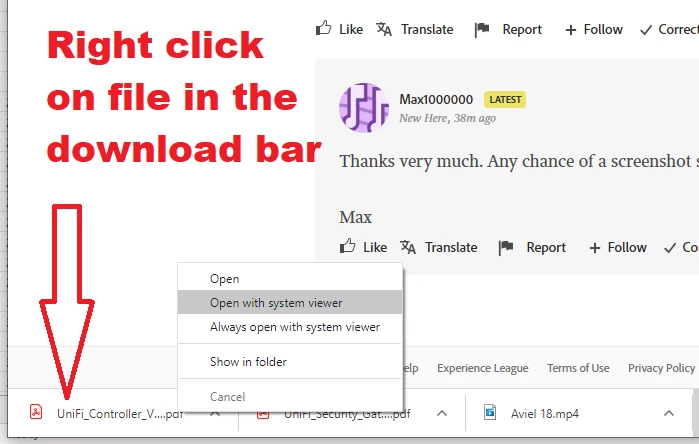
Eventually, I find the PDF I want and wish to view it in Acrobat Reader. I download it, but when I click the download at the bottom of Chrome, it again opens the PDF in Chrome instead of in Adobe Reader.
Is there any way to, say, right-click the download and have a context-menu which says "Open in Adobe Reader"?
Even more ideal, in fact, would be a facility to right-click on the PDF in Chrome (without having to manually download it) and to see an option saying "Open in Adobe Reader".
Many thanks
Max
 AdChoices