Inspiring
April 4, 2018
Answered

How to deselect a tool?
  • April 4, 2018
  • 2 replies
  • 5119 views

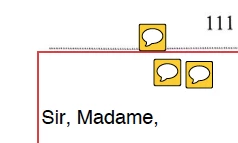
Hi, I am stuck with comments in the middle of my page how do I deselect it? thanks

This topic has been closed for replies.
Correct answer margieannejulie

Hi all,

I did in a different way, just clicking on each of the "comments" and then delete them, but something must have changed today, because yesterday I couldn't do that and I certainly tried.

So if they come back I might have to try the other ways, I will let you know, thanks again

2 replies

Meenakshi_Negi
Legend
April 5, 2018

Hi Margieannejulie,

It seems that when you are using the comment tools, the "Keep tool selected" is enabled.

It keeps the tool selected even after applying it on PDF till you change the tool.

Once you select the comment tool, check if the "Keep tool selected" is enabled.

Please check the screenshot below

If the icon appears blue that means it is enabled.

You need to simply click on that icon to disable it.

Let us know if you need any help or have questions.

Regards,

Meenakshi

margieannejulieAuthorCorrect answer
Inspiring
April 5, 2018

Hi all,

I did in a different way, just clicking on each of the "comments" and then delete them, but something must have changed today, because yesterday I couldn't do that and I certainly tried.

So if they come back I might have to try the other ways, I will let you know, thanks again

try67
Community Expert
Community Expert
April 5, 2018

Press Esc or click on the Hand tool.