Participant
April 3, 2017
Answered

How to sign into document cloud on Adobe reader?

  • April 3, 2017
  • 1 reply
  • 1301 views

Hi there,

I have a new laptop and can't log into my document cloud on the desktop Adobe reader to see my old files.

Any help would be appreciated.

This topic has been closed for replies.
Correct answer Meenakshi Negi

Hi carrieh27101070,

Once you open the application, select Document cloud under "Home" option at left.

Find below the screenshot of the option provided in the application:
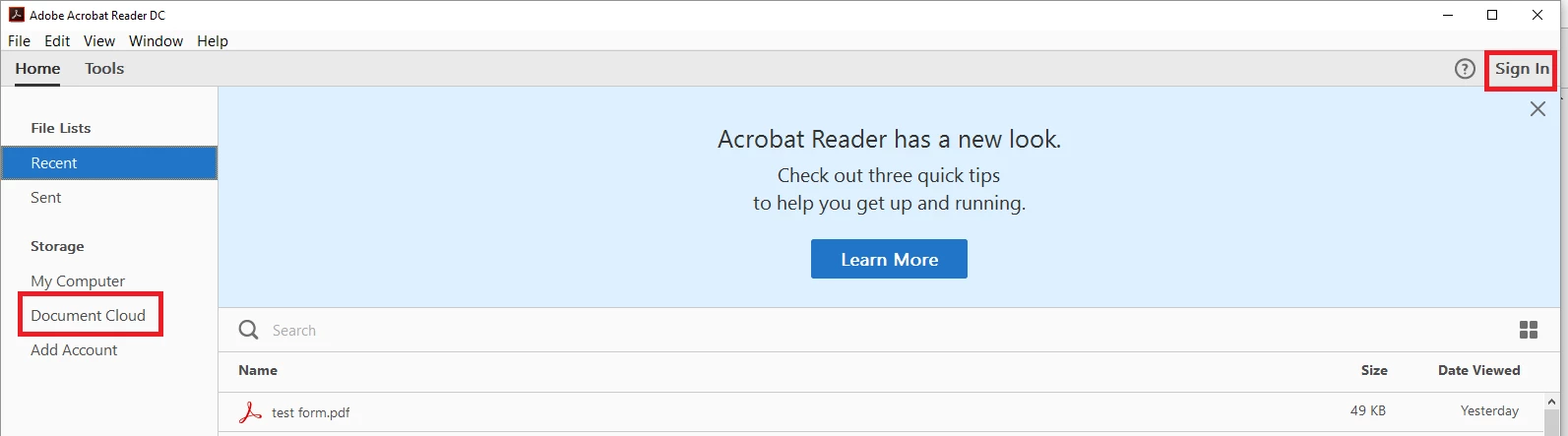
Once you click on Document cloud, you will get the sign in screen as shown below in the screenshot:
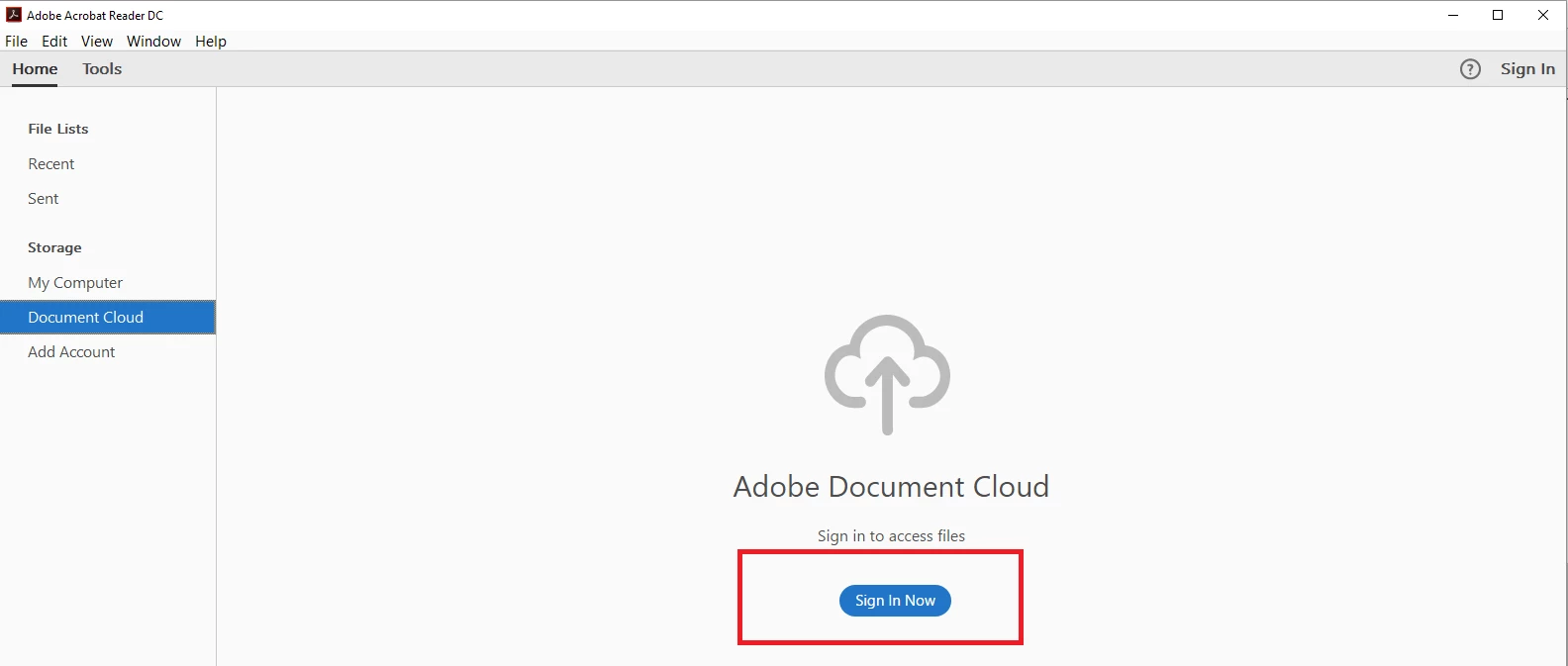
Click on "Sign in now" .

You will get a small Sign In window. Please enter your Adobe ID and password that you use to login into your Document Cloud account.

Let us know if you experience any issue.

Regards,

Meenakshi

1 reply

Meenakshi Negi
Community Manager
Community Manager
April 3, 2017

Hi carrieh27101070,

Please make sure that you sign-in in the Adobe Reader application.

When you open the application you get Sign in option on top right of the page.

Click on that and sign-in with your Adobe ID and password.

Once you logged in to the application, go to Home > Document Cloud to check your saved files there.

Please see the screenshot of the sign in option below:

Let us know if you experience any issue.

Regards,

Meenakshi

Participant
April 18, 2017

Hi,

Thank you. Unfortunately there is no sign in option. It just loads up and shows me previously opened documents from my computer.

Meenakshi Negi
Community Manager
Meenakshi NegiCommunity ManagerCorrect answer
Community Manager
April 18, 2017

Hi carrieh27101070,

Once you open the application, select Document cloud under "Home" option at left.

Find below the screenshot of the option provided in the application:

Once you click on Document cloud, you will get the sign in screen as shown below in the screenshot:

Click on "Sign in now" .

You will get a small Sign In window. Please enter your Adobe ID and password that you use to login into your Document Cloud account.

Let us know if you experience any issue.

Regards,

Meenakshi