
Copy link to clipboard
Copied
using Window 7 Ultimate - Adobe Acrobat Reader DC
I unchecked the boxes under Edit Preferences General :

even rebooted and still have this screen to pop up when opening AARDC:
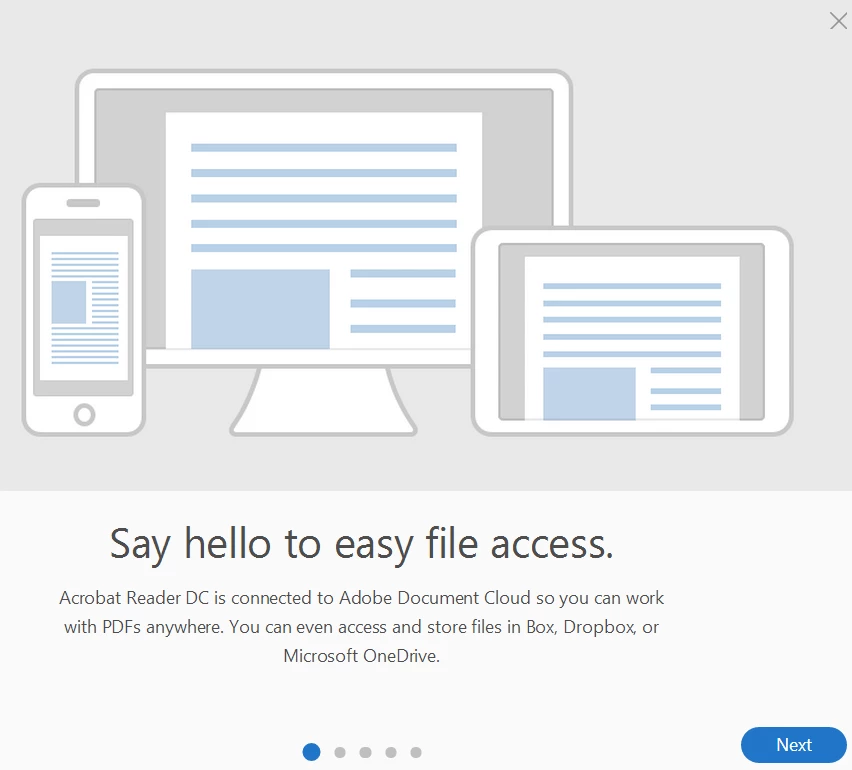
it is super annoying as can't view until I click the "x" to get rid of it
what should I do to make sure the "message" does NOT launch?
[Moved from non-technical Forum Lounge to specific Program forum... Mod]
[Here is the list of all Adobe forums... https://forums.adobe.com/welcome]
Copy link to clipboard
Copied
| ||
| Data type | boolean: DWORD value > REG_DWORD | |
| Default | null | |
| Version # | 10.1.1+ | |
| HKLM Path | HKLM\SOFTWARE\Policies\Adobe\(product name)\(version)\FeatureLockdown\cWelcomeScreen | |
| Summary | Disables the Welcome screen on application startup. | |
| Details | Possible values include:
| |
| GUI mapping | Mac only: Preferences > General > Application Startup > Show Welcome screen | |
Copy link to clipboard
Copied
Thanks for the response. I have NO idea what to do with the info though.
Copy link to clipboard
Copied
Can you give me a non-technical answer?
I have no idea what the response means or what to do with it.
Can anyone answer this???
Thank you.
Get ready! An upgraded Adobe Community experience is coming in January.
Learn more