
New Participant
February 9, 2021
Question

Issue with features in 'Comment' Tab in Adobe Acrobat Reader DC on M1 MacBook

  • February 9, 2021
  • 1 reply
  • 1225 views

Hi. 


I recently purchased an M1 MacBook Pro. Earlier the 'Comment' tab (in tools section) used to show all features like Text Underline, Strikethrough, Annotation, shape insertion etc. Recently when I opened the app all these things are not coming. I thought that this is an issue of the Apple Silicon SoC, (M1 Chipset), but my friend having the same MacBook (with M1 chip) is getting all the options. I am stuck. How to install the correct version with all features.


I am attaching two screenshots, one of my Mac and one of my friend's Mac. Please help me out. 🙏 


Regards

Rajesh


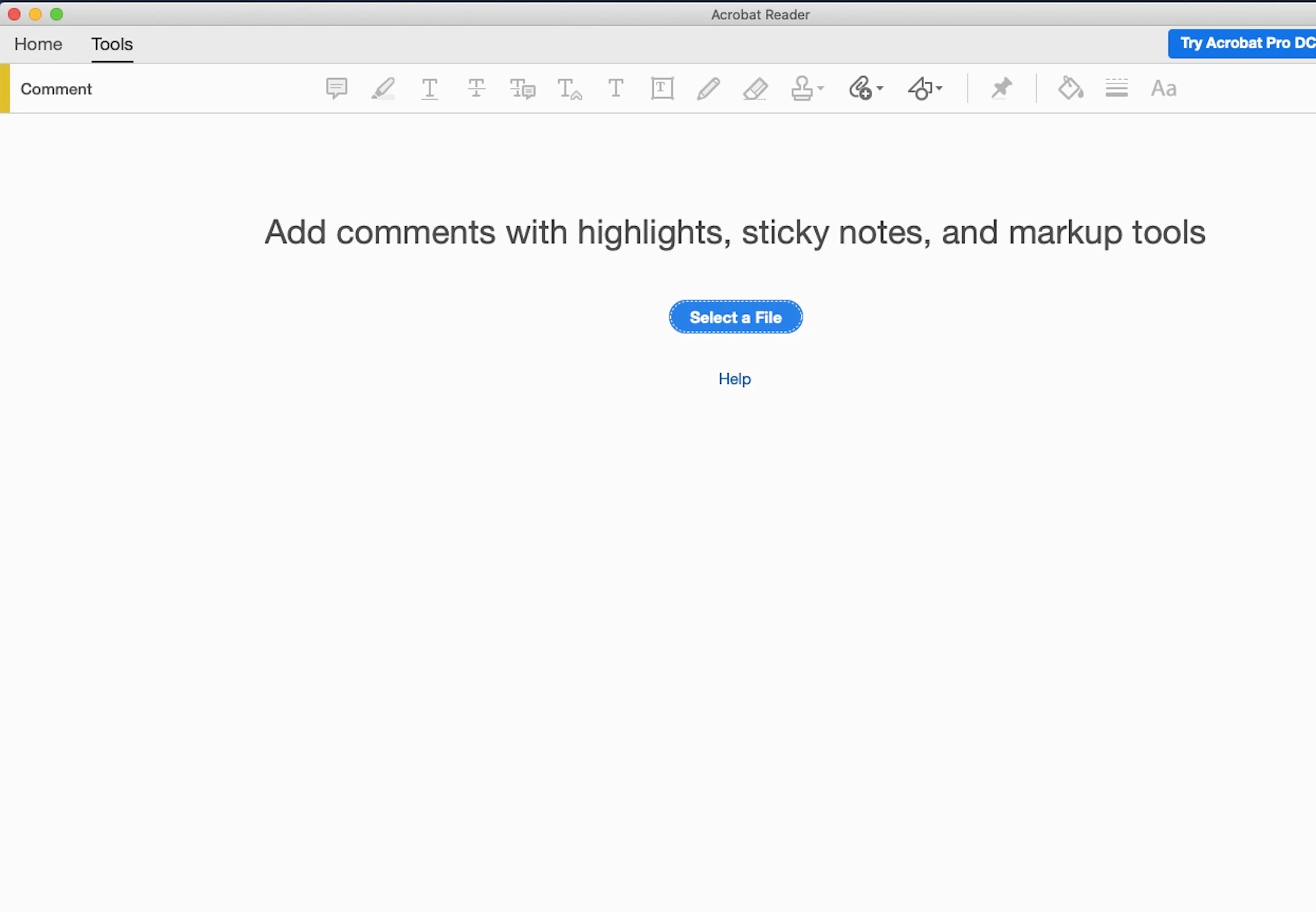
My Friends's Mac (M1 MacBook Pro) - All features like underline, strikethrough, shape, annotation, text box, attachment etc.
 

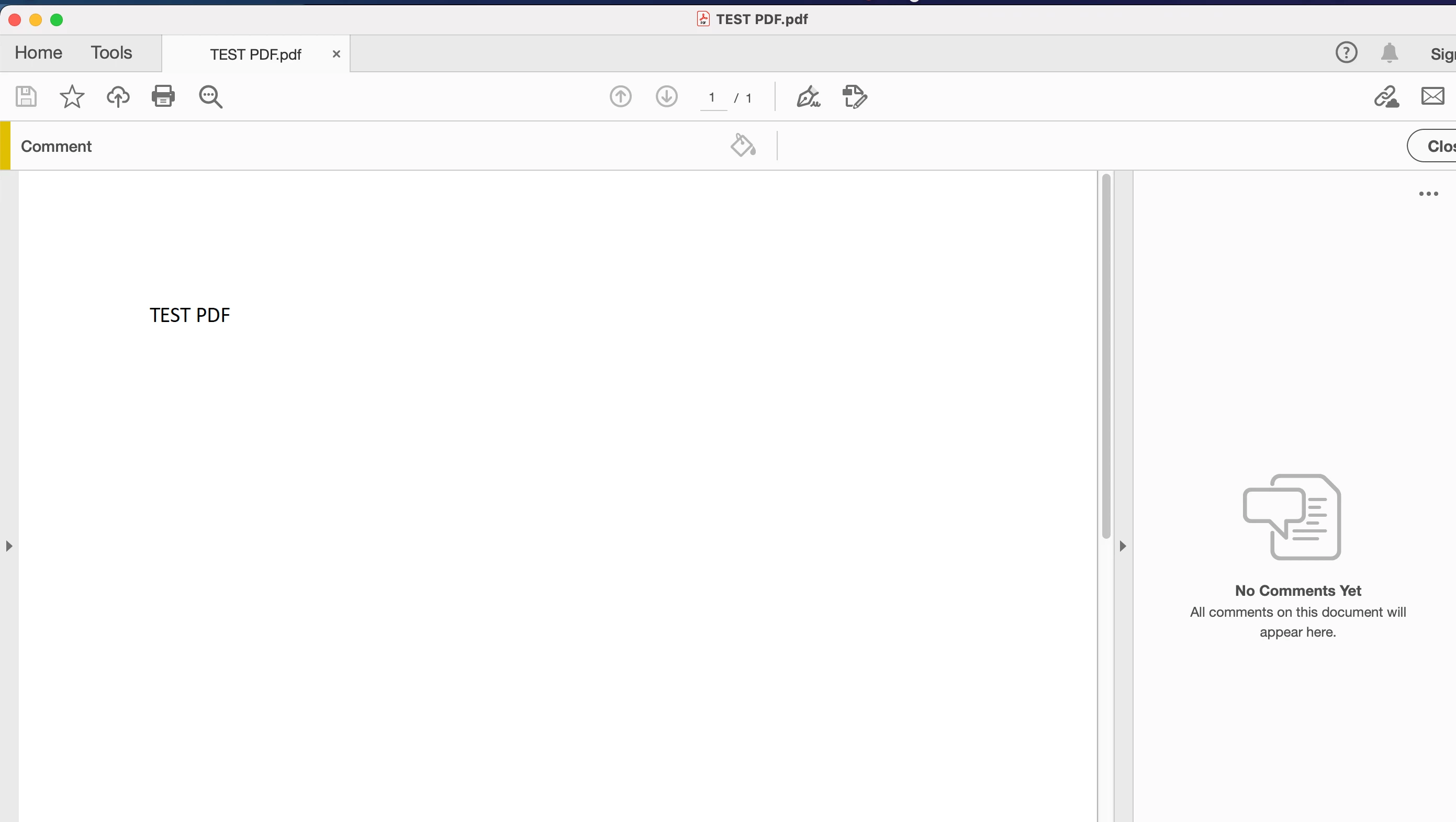
My Mac (M1 MacBook Pro)- Nothing. Only colour selection optio
This topic has been closed for replies.

1 reply

Only Mehak
Adobe Employee
Adobe Employee
February 10, 2021

Hi

Thank you for reaching out to us. Adobe Acrobat and Reader official update (21.001.20135)  is now available. This update will be automatically pushed to all existing installations of Acrobat and Reader. You may also manually trigger the update early by opening the application and going to Help > Check for Updates.
More information about this release is here: https://helpx.adobe.com/acrobat/release-note/release-notes-acrobat-reader.html
Please try it out and let us know if you are still facing this issue. Also, please try the commenting feature on multiple files. 

Regards

Mehak Aggarwal 

New Participant
February 10, 2021

Hi Mehak.

Thanks for your reply. I want to assure you that I have updated to the latest version of Adobe Acrobat Reader DC from the link provided by you. I am still facing the same issue. I have tried reopening the comment feature multiple timeas and also I have reinstalled the app more than 5 or 6 times now!


I can't find a way out. I would be greatful if you and your team could provide some guidance on this. Any guesses to why it may happen? Just to inform you, all the features on my M1 MacBook Pro a few days back the same way as they are their on my friend's M1 Mac. I fear that I may have tweeked some wrong button due to which they are not visible. But, even after reinstalling and deleting the cache it is not coming.

Regards,
Rajesh

Only Mehak
Adobe Employee
Adobe Employee
February 11, 2021

Hi Rajesh,


Fisrtly, try to open the comments feature after you have opened a PDF. In the first screenshot shared by you above, there is no PDF opened and you are viewing the comments app in the TOOLS section which will show all the annnots in the disabled state. Hence the fisrt screenshot shared by you is as expected. 

However, for your Mac which is showing only the color selection open , could you please try out multiple files and let us know. We would also like to know if the file that you are observing the issue with is local PDF or a shared PDF on some network drive. 

Kindly also share us the above file which you are observing the issue to help us debug the issue further.


Appreciate your patience!


Thanks

Mehak