
Inspiring
July 6, 2020
Answered

LOW QUALITY OF ADOBE PDF READER vs OTHER VIEWS

  • July 6, 2020
  • 2 replies
  • 11591 views

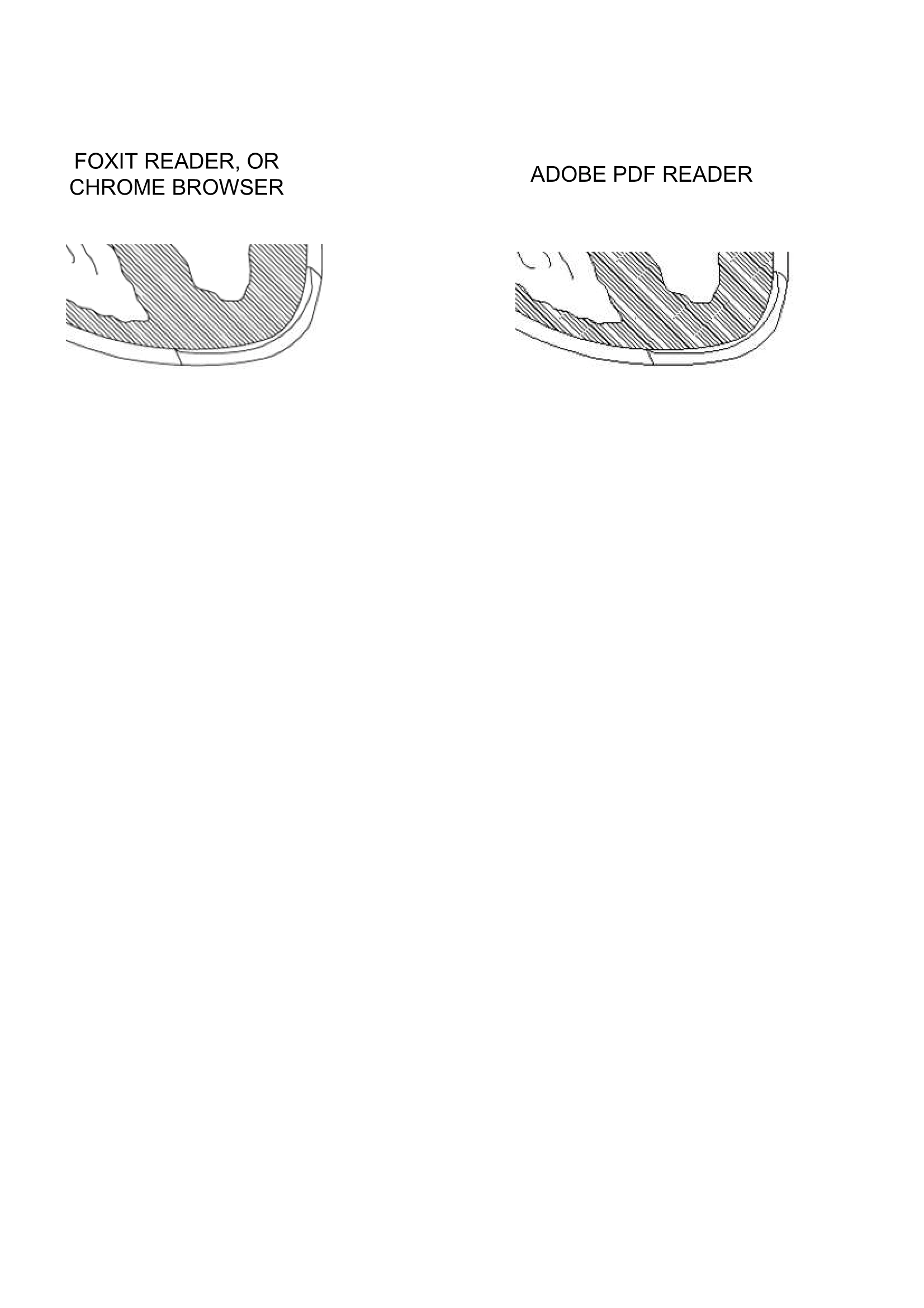
I have noticed for over a decade that Adobe PDF viewer has a much lower quality than other views, also my clients have complained, so I advise them to use a different viewer, is there a fix to improve the Adobe PDF viewer , see attached snapshot for example of quality difference.

Note the low quality of the fill, and also the low quality of the vertor lines which look choppy.


This topic has been closed for replies.
Correct answer aryeh leibk43747060

My dear wife has found the sollution after all these years!

CNTR+K to get to settings DISPLAY>RENDERING, and make sure SMOOTH IMAGES is checked!


2 replies

Participant
March 11, 2022

Never, ever, rely on Adobe pdf viwer !!!

I was almost about to be fired because of the inconsistincies related to acrobat viewer's version changes. It was around 10 years ago, a client's signature in document disapeared after a year. The reason was Acrobat version update during that time.


Even if I was not fired because of that, I was definetely was going to hang myself

if I could not find the underlying main reason in google after a 5 hours search on google in an international airport.


The main message of this long story is, keep away from Acrobat, if you want to be alive in this wild capitalist environment.


I am not even telling the story that I just experienced today.


Be smart, keep safe, be alive

quote

I have noticed for over a decade that Adobe PDF viewer has a much lower quality than other views, also my clients have complained, so I advise them to use a different viewer, is there a fix to improve the Adobe PDF viewer , see attached snapshot for example of quality difference.

Note the low quality of the fill, and also the low quality of the vertor lines which look choppy.


By @aryeh leibk43747060


...


aryeh leibk43747060AuthorCorrect answer
Inspiring
November 11, 2023

My dear wife has found the sollution after all these years!

CNTR+K to get to settings DISPLAY>RENDERING, and make sure SMOOTH IMAGES is checked!

 
try67
Community Expert
Community Expert
July 6, 2020

Please share a sample PDF file, and explain in detail how you're creating it, and using what settings.

Inspiring
July 6, 2020

I have included an example as a photo also as an attachment.

WRT creating a pdf, I usually get the worst results when ceating from CorelDraw as the image attached will indicate.

Settings-I have tried all possible settings, and several pdf creators.

I can't upload pdfs, but if you want to see it in pdf format here is the link:

https://drive.google.com/file/d/1oB-PfMsu4Ki6U3UTN-XJ4ods8vJKivDT/view?usp=sharing

try67
Community Expert
Community Expert
July 6, 2020

1-I have tried all possibilities, I have been battling with this issue for over a decade.

The issue is endemic to both Visio and CorelDraw which I use the bulk of the time.

2-Yes I am comparing both views at same % zoom level.

3-Yes I have tried adjusting preferences for Acrobat Reader, but it won't help, I don't care if I can see it cearly I want my cients to see my illustrations clearly on their computers, and they are not up to tinkering with adjustments, if they complain I usually tell then to drag and drop into Chrome, or send them a flattened image print which does better.

Below is an example of a visio file, the differences are not as prominent but there are differences in quality


Once more, please share an actual PDF file with us, not an image.