
Participant
July 31, 2023
Question

LTV is not enabled eventhough OCSP and CRL added

  • July 31, 2023
  • 1 reply
  • 996 views

Hi Adobe support team,

I have a strange situation where I used iText to digitally sign a PDF (deferred signing), after that I used LtvVerification class to add OCSP and CRL. Then I opened the file in Adobe Acrobat Reader and saw that OCSP and CRL was embedded
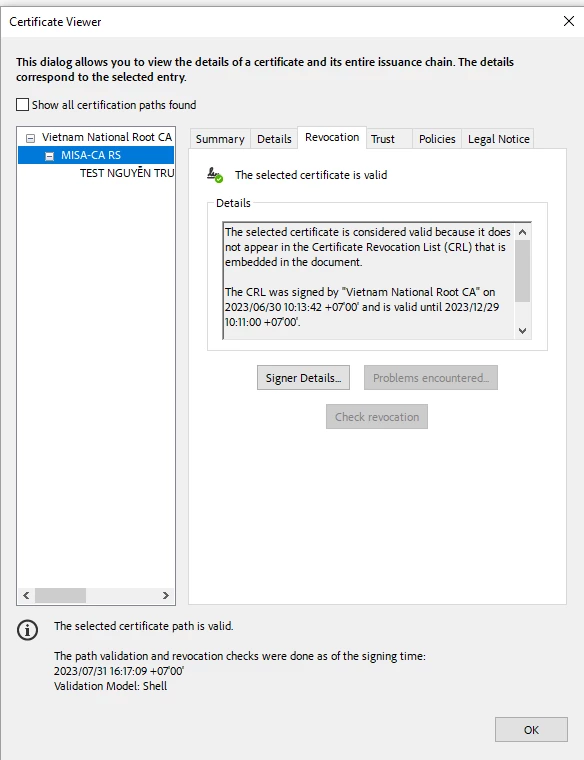
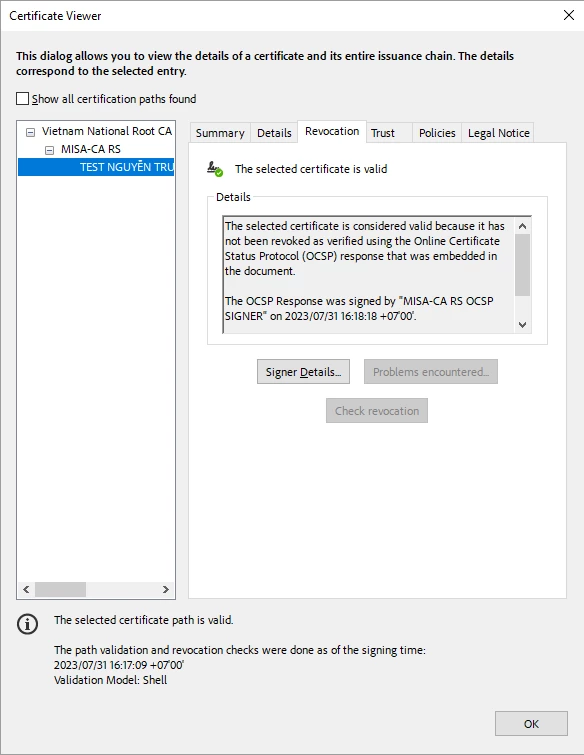
 

but LTV is still not enabled:
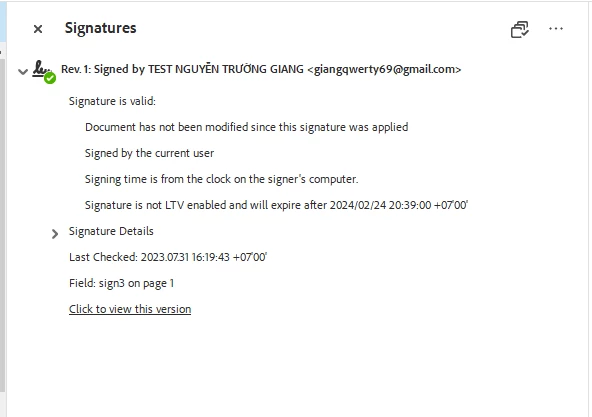
I have attached my file, could you please have a look and see what's wrong?

Thank you!

This topic has been closed for replies.

1 reply

MikelKlink
Participating Frequently
August 2, 2023

The certificate whose revocation information are missing is the OCSP responder certificate.

When you are in the situation of viewing the revocation information of the signer certificate, please press the "Signer Details..." button. You'll see something similar to this:

So the revocation information are missing for this certificate.

By the way, this certificate actually is fairly unusual, often OCSP responder certificates include the extension id-pkix-ocsp-nocheck which specify that an OCSP client can trust a responder for the lifetime of the responder's certificate, no additional checks needed. 

Another specialty is that the OCSP responder certificate contains an AIA entry with an OCSP entry for retrieving revocation information... But if one asks that responder, the answer is signed again by the OCSP responder certificate in question. That response onbiously is not helpful; depending on the OCSP client software, it can even result in a neverending loop of OCSP requests...