
Participant
December 8, 2021
Answered

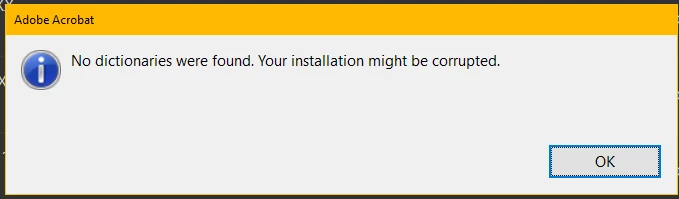
No dictionaries were found. your installation might be corrupted

  • December 8, 2021
  • 2 replies
  • 10953 views

I'm running Adobe Acrobat Standard DC.
Continuous Release Version 2021.007.20099

Core Version 21.1792
Windows 10 64-bit

I'm getting the error code anytime I try to use the text button and start typing on a new document. I followed some other people's guides to fixing this with no luck.
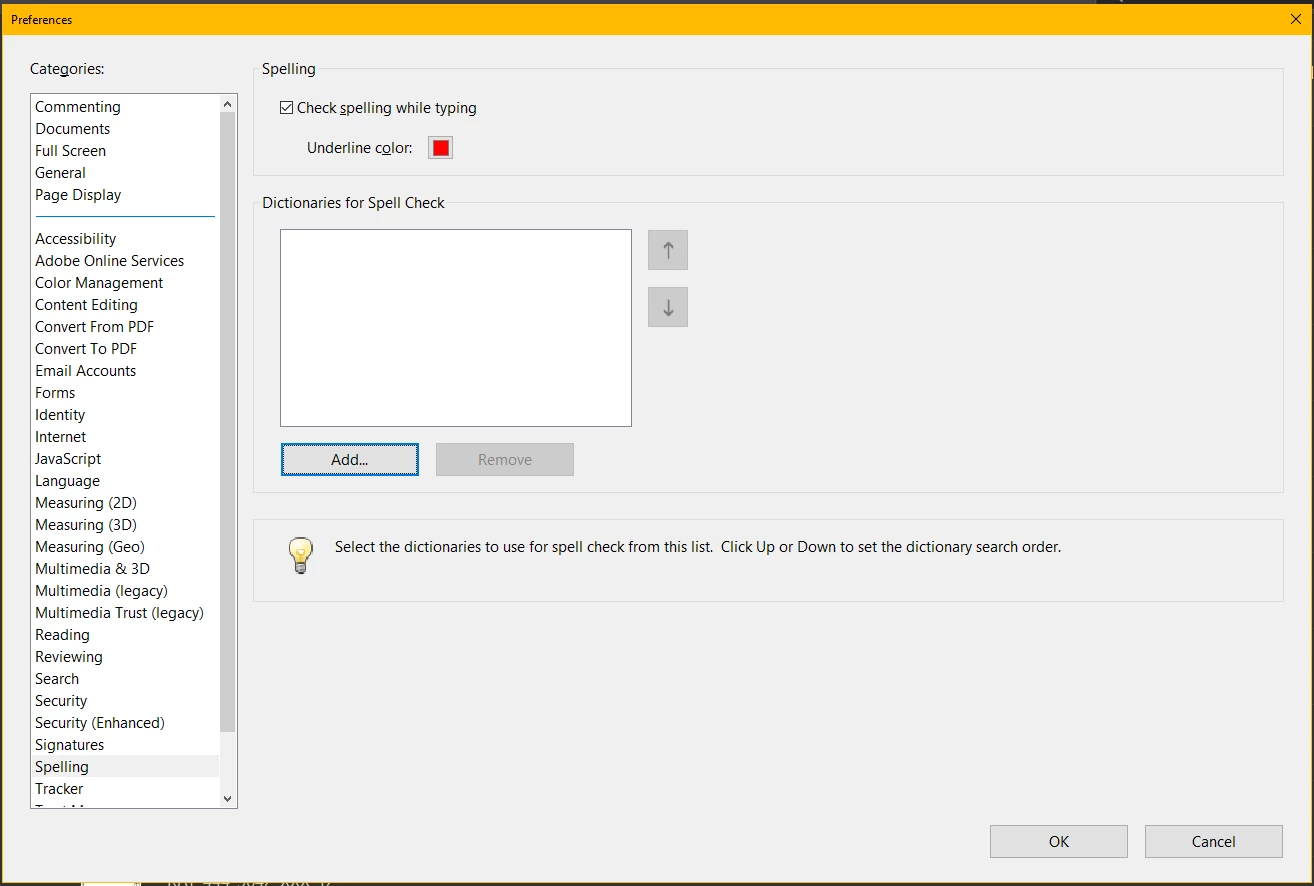
In Edit>Preferences>Spelling I have no dictionaries installed. Where would I be able to find a U.S. English Dictionary for this version?


Correct answer Amal.

Hi there


Hope you are doing well and sorry for the trouble. As described you are getting the error 'No dictionaries were found. your installation might be corrupted'


Please check out the correct answer marked in the similar discussion https://community.adobe.com/t5/acrobat-sdk-discussions/no-dictionaries-were-found/m-p/12475271#M87992 and see if that works for you.


Let us know how it goes


Regards

Amal

2 replies

Participant
July 13, 2024

Go to Edit

:  Click Preferences 

:  Click Security ( Enhanced ) 

 :   Uncheck "Run in AppContainer"

:   Restart Adobe


Amal.
Community Manager
Amal.Community ManagerCorrect answer
Community Manager
December 10, 2021

Hi there


Hope you are doing well and sorry for the trouble. As described you are getting the error 'No dictionaries were found. your installation might be corrupted'


Please check out the correct answer marked in the similar discussion https://community.adobe.com/t5/acrobat-sdk-discussions/no-dictionaries-were-found/m-p/12475271#M87992 and see if that works for you.


Let us know how it goes


Regards

Amal

Participant
June 24, 2024

I followed the instructions turning off Protected Mode and it worked. Then, when I re-enabled Protected Mode, I got the same "No dictionaries were found. Your installation might be corrupted" error message.

Annoying. I guess I'll keep protected mode turned off.

Amal.
Community Manager
Community Manager
June 25, 2024

Hi there


As the application is working fine with protected mode turned off, please go through the help page https://helpx.adobe.com/acrobat/kb/protected-mode-troubleshooting-reader.html and see if that works.


~Amal