
Participant
December 9, 2016
Question

Not reading pdf

  • December 9, 2016
  • 1 reply
  • 1511 views

Hi i am new to this so please bear with me.

I have started to do my income tax online (in Ireland with ROS -Revenue Online Services)

2 days ago i installed Acrobat Reader onto a new Lonovo laptop, I can download all necessary files in pdf format.

However opening them becomes a problem.
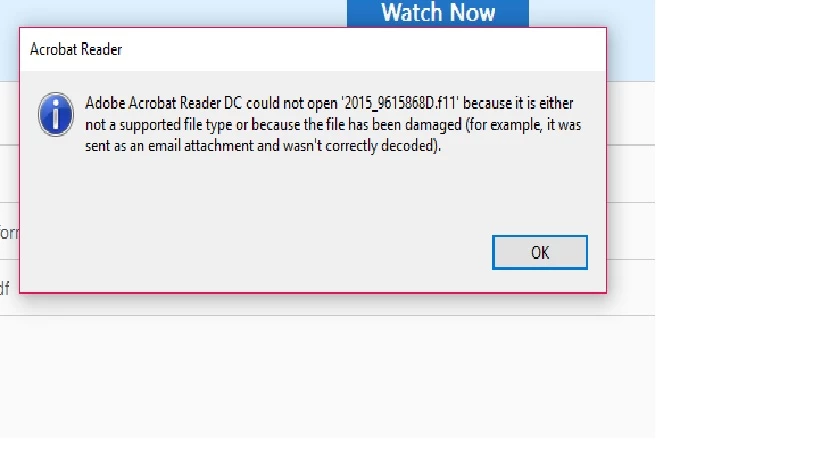
So far i have attempted the following....

adding .pdf

replacing .f11 with .pdf

deleting .f11 altogether

I must add that the file appears as a pdf icon within my downloads folder.

As the file is coming directly from Revenue i should assume it is not corrupted in any way.

Reader version 2015.020.20042

Windows 10

    This topic has been closed for replies.

    1 reply

    ~graffiti
    Legend
    December 9, 2016

    jimbo2708 wrote:

    As the file is coming directly from Revenue i should assume it is not corrupted in any way.

    Reader version 2015.020.20042

    Windows 10

    Never assume that. There is indeed something going wrong before the file ever gets to Reader if it is being downloaded with the .f11 extension. Reader has nothing to do with that part. It only attempts to view the file that you downloaded.

    Where the problem lies, it's hard to say but one culprit to look at would be the browser. If you are using MS Edge or Chrome as a browser, they are opening the files in their own pdf viewers (they don't use Adobe Reader) which could potentially corrupt the pdf. ESPECIALLY if the pdf happens to be a fillable form or has any interactive elements.

    Things to try? If you can get to one of these pdf files by clicking on a link, try right-clicking and choosing to save to your computer first. Then open Reader and use File>Open to open the file. This still won't work if the file is downloading with an .f11 extension though. That would totally be on the website.

    An other option would be to try a different browser that isn't Chrome, Edge or the 64bit version of Firefox.

    jimbo2708Author
    Participant
    December 9, 2016

    My default browser is Firefox but i have also tried downloading using Chrome.

    Chrome didnt open their own pdf !!!

    I believe i may have seen an error on the download window but dont know how to correct/change it - PhotoPad?

    Would that corrupt the file?

    ~graffiti
    Legend
    December 10, 2016

    It's not a Photopad file either as far as I can tell.

    So did you try right-clicking the link to the pdf to download it? If so, did it have that .f11 file extension? If it did, it's all on the website.

    Also, is the website telling you that these files should be pdf files? In other words, what makes you think these should be .pdf files?