
Inspiring
June 24, 2022
Answered

Online vs Downloaded pdf search problem

  • June 24, 2022
  • 2 replies
  • 2706 views

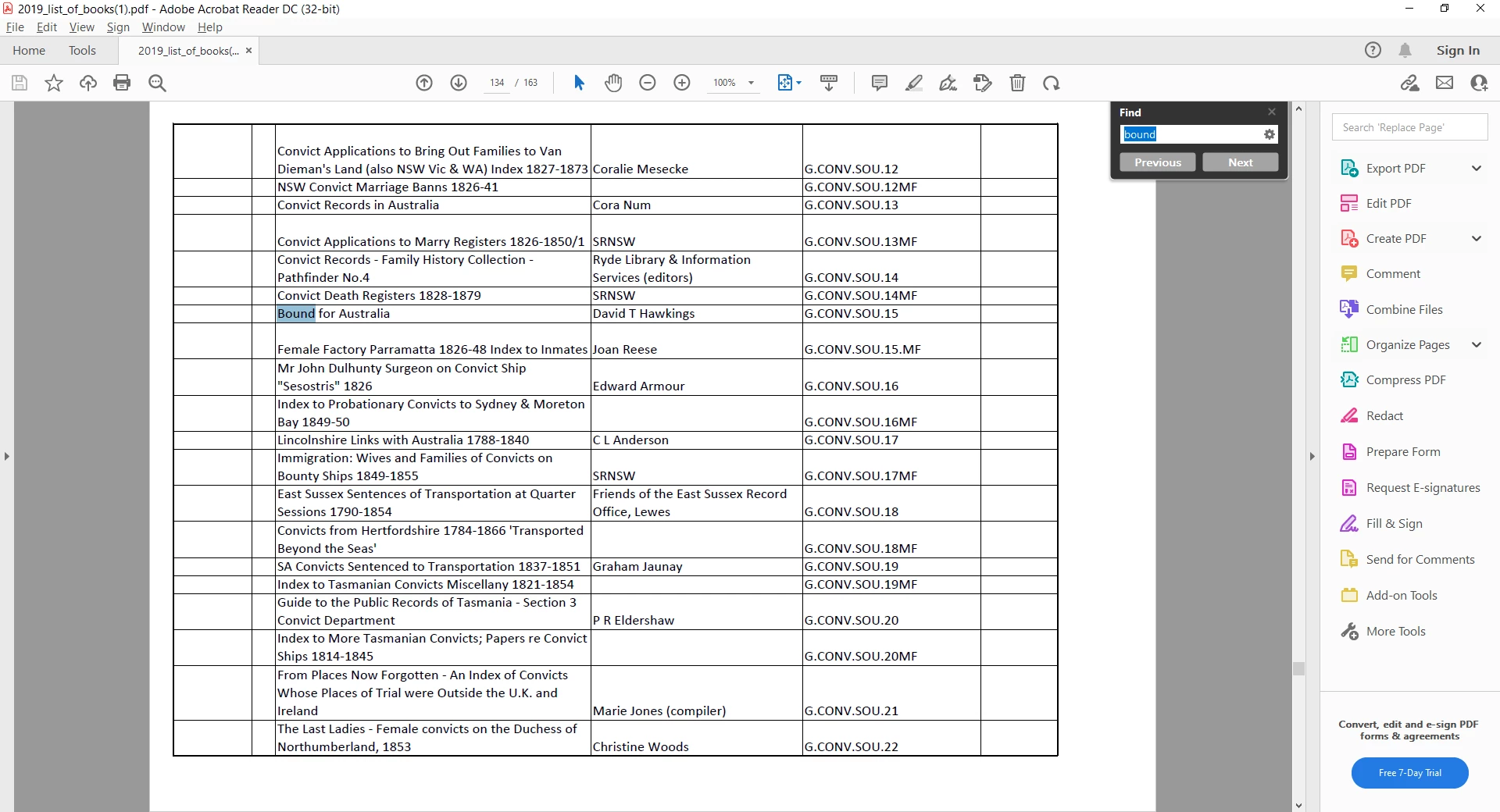
When I do a CTRL +F search through an online pdf document eg, Bound For Australia, I get a nil result but if I search just on the word - Bound - I get results and can scroll through and find what I am looking for. However, if I download the pdf to my PC and search for Bound For Australia, it immediately finds the search string. Why does it not work with an online pdf but it does once downloaded? It is extremely annoying as we are a small society who have their library catalogue uploaded to our website so that members can search for a relevent book. We can't expect them to download the library catalogue every time they want to do a search.
This topic has been closed for replies.
Correct answer jennief11594371

Works fine for me in Reader and in Acrobat:


If it doesn't work for you in Chrome the issue is with the Chrome PDF plugin. You need to report it to them.


I deleted the Chrome Adobe plug in and a search works perfectly, so you are very right - it is a problem with the plug in. I will let them know.

2 replies

try67
Community Expert
Community Expert
June 24, 2022

What browser are you using when you view the file "online"? What application are you using when you view it after you saved it to the computer?

Inspiring
June 24, 2022

Using the Chrome browser to view online and Adobe Reader DC after it has been saved to my computer.

try67
Community Expert
Community Expert
June 25, 2022

Further to the above where a hit is only received searching by one word, one of our members has discovered the following: 

"I have the same issue however after playing with it for a while I found a work around. If you leave the spaces out it works. Searching for boundforaustralia returns one hit. I use google chrome and searching normal web pages for multiple words with spaces works yet without spaces does not work. However if it is an online PDF file then it is the other way around. I have no idea why this happens.  It may be the way pdf files treat spaces."


Works fine for me in Reader and in Acrobat:


If it doesn't work for you in Chrome the issue is with the Chrome PDF plugin. You need to report it to them.

Legend
June 24, 2022

Online PDFs are viewed in a browser. Each browser has a different PDF viewer built in, and any complaints need to be directed to the maker... yes, it's annoying. But Adobe can't fix it.

Inspiring
June 24, 2022

That's a blow as it will be very hard to get the members to all fix their browser let alone anyone from the general public undertaking a search. I was hoping their was something we could do to our pdf before uploading it.