


Participant
January 10, 2023
Question

Opening PDF directly from SharePoint in Acrobat Reader 22.003.20258

  • January 10, 2023
  • 1 reply
  • 753 views

Hi All,


Need some help.


When I try to open a PDF from a sharepoint location directly into Acrobat Reader 22.003.20258. I get the below error.
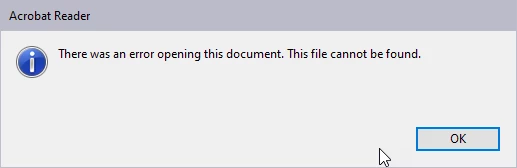
I am not even able to add my SharePoint account as an Other file storage.
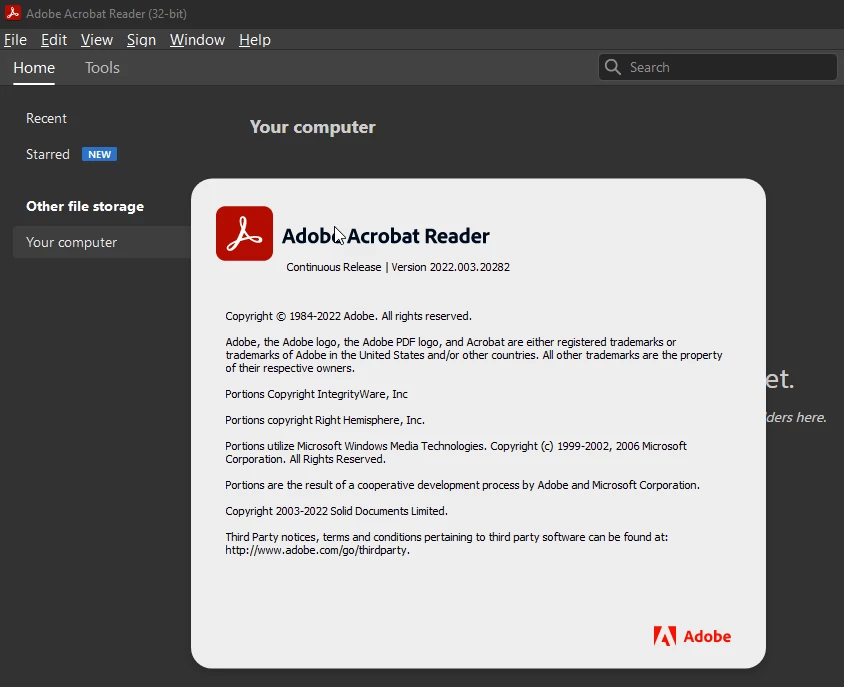
Is this a license related issue or something else?


Thanks,

Abhinav.


This topic has been closed for replies.

1 reply

AkanchhaS8194121
Legend
January 21, 2023

Hi @Abhinav Sood 


Sorry to hear about the trouble. 

Please try a couple of steps given below and see if that helps:

1- Acrobat and Reader official update 22.003.20310 is now available. This update will be automatically pushed to all existing installations of Acrobat and Reader. You may manually trigger the update early by opening the application and going to Help > Check for Updates>reboot Acrobat.

More information about this release is here: Release Notes | Adobe Acrobat, Reader


2- If you still receive the error, sign in to your SharePoint account on the Web, sign out from SharePoint in Acrobat Reader, and Sign back in.

In short, try to re-sync your account with the Acrobat Reader desktop application. For more details, please refer to: https://helpx.adobe.com/acrobat/using/access-sharepoint-files.html 


Let us know the result.


Thanks,

Akanchha 

Participant
January 24, 2023

Thanks AkanchhaS, I am not able to find the "Add Account" button for Microsoft Sharepoint.


Am I missing another setting somewhere?


Thanks,

Abhinav Sood.

AkanchhaS8194121
Legend
February 2, 2023

sorry for the delay in response @Abhinav Sood 


Please check the following preferences setting:

Acrobat>Edit>General> "Show online storage when saving files" and "Show online storage when opening files" check and >OK


Thanks,

Akanchha