
Participant
May 24, 2022
Question

Paid Acrobat Pro missing prepare form tool

  • May 24, 2022
  • 1 reply
  • 2821 views

I have a paid subscription that includes Adobe Acrobat DC Pro. I am on the desktop app and do not have access to the "Prepare Form" tool. Overall, these are the only tools I have:
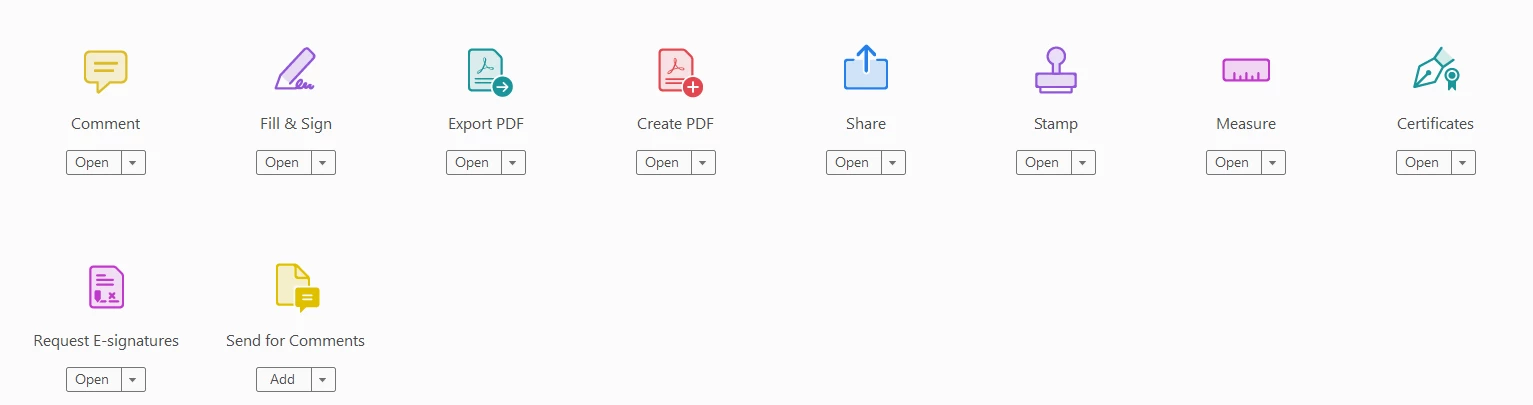
 

How do I fix this and get access to the other tools?

This topic has been closed for replies.

1 reply

Harsh Vardhan Pareek
Community Manager
Community Manager
May 26, 2022

Hi @Dylan2458733093t4 


Make sure that you are using the Acrobat DC app and not the Acrobat Reader DC.  You can confirm the name from the upper left corner. If it is Reader DC then install the Acrobat DC from this link :

https://helpx.adobe.com/acrobat/kb/acrobat-dc-downloads.html


Thanks,

Harsh

Participant
May 26, 2022

Thanks for that tip. When I click on "Adobe Acrobat DC" to open the program, it opens, but says "Adobe Acrobat Reader DC" at the top left. I even tried uninstalling Adobe Acrobat Reader. Once I uninstalled it, when I open "Acrobat Pro," it still says "Adobe Acrobat Reader" in the top left and I have no option to "Prepare Form"

Participant
February 16, 2023

You have to change you default apps .pdf to Adobe Pro that's why. Otherwise it will continue to open in the default. Which is reader