February 2, 2017
Question

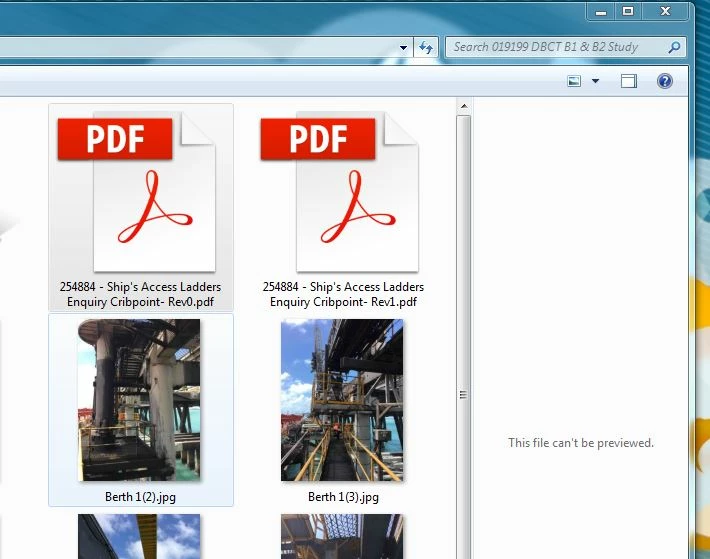
PDF can't be previewed

  • February 2, 2017
  • 1 reply
  • 24651 views

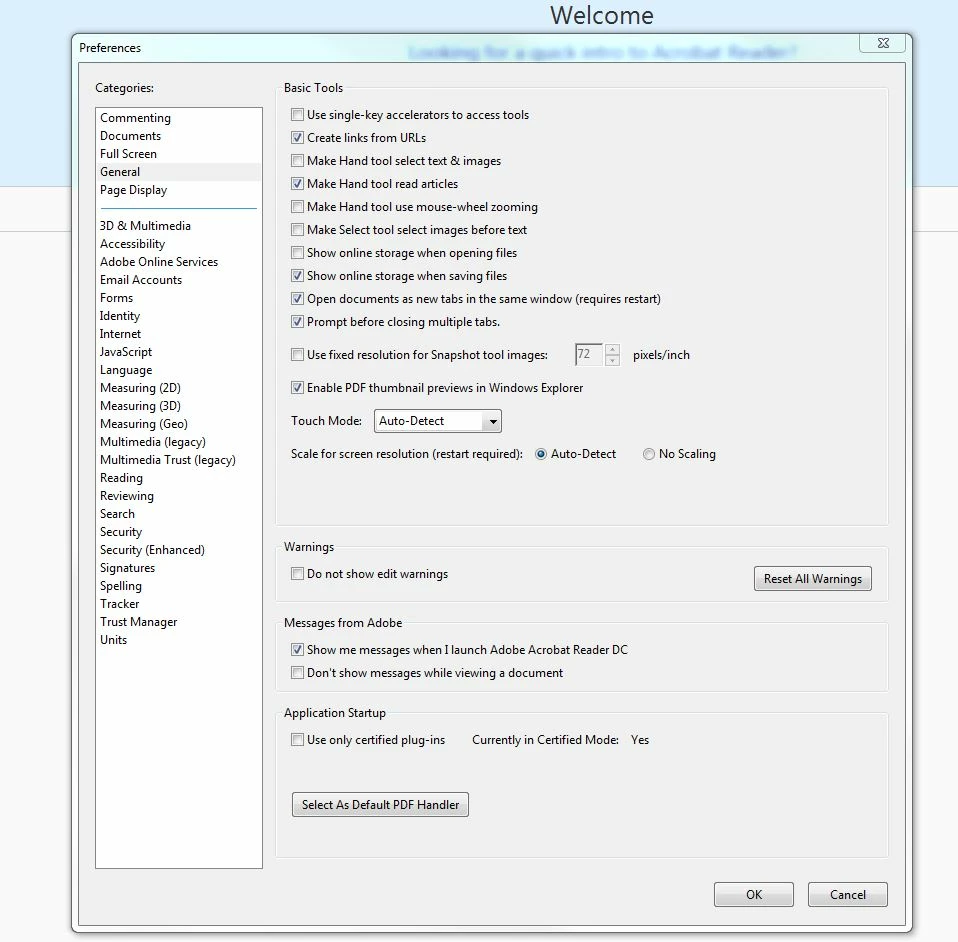
Can't preview PDF in Windows 7 pro 64 explorer using Acrobat Reader DC and the 'Enable PDF thumbnail in Windows Explorer" is activated.

Thanks

Julian
This topic has been closed for replies.

1 reply

Adorobat
Participating Frequently
February 6, 2017

Hi julianr99886804,

Could you please try following steps?

1- Open Control Panel>search Folder Options>click Restore Defaults under each of General, View, and Search tabs.

2- Search for Internet Options under Control Panel>click Advanced tab>Reset (you might try resetting IE without selecting "Delete personal settings" first).

3- Launch Reader>click Edit>Preferences>General>click Select As Default PDF Handler>OK

4- Reboot the machine.

Let me know if it worked.

Thank You,

Shivam

February 6, 2017

Thanks Shivam

I went through these steps but no luck. Same result "the file can't be previewed".

Any other way ?

Julian

Adorobat
Participating Frequently
February 9, 2017

Hi julianr99886804,

Could you please follow the steps given in the following link?

Can't preview pdf in Windows 7 explorer preview pane
