
Naita
Participant
February 13, 2020
Question

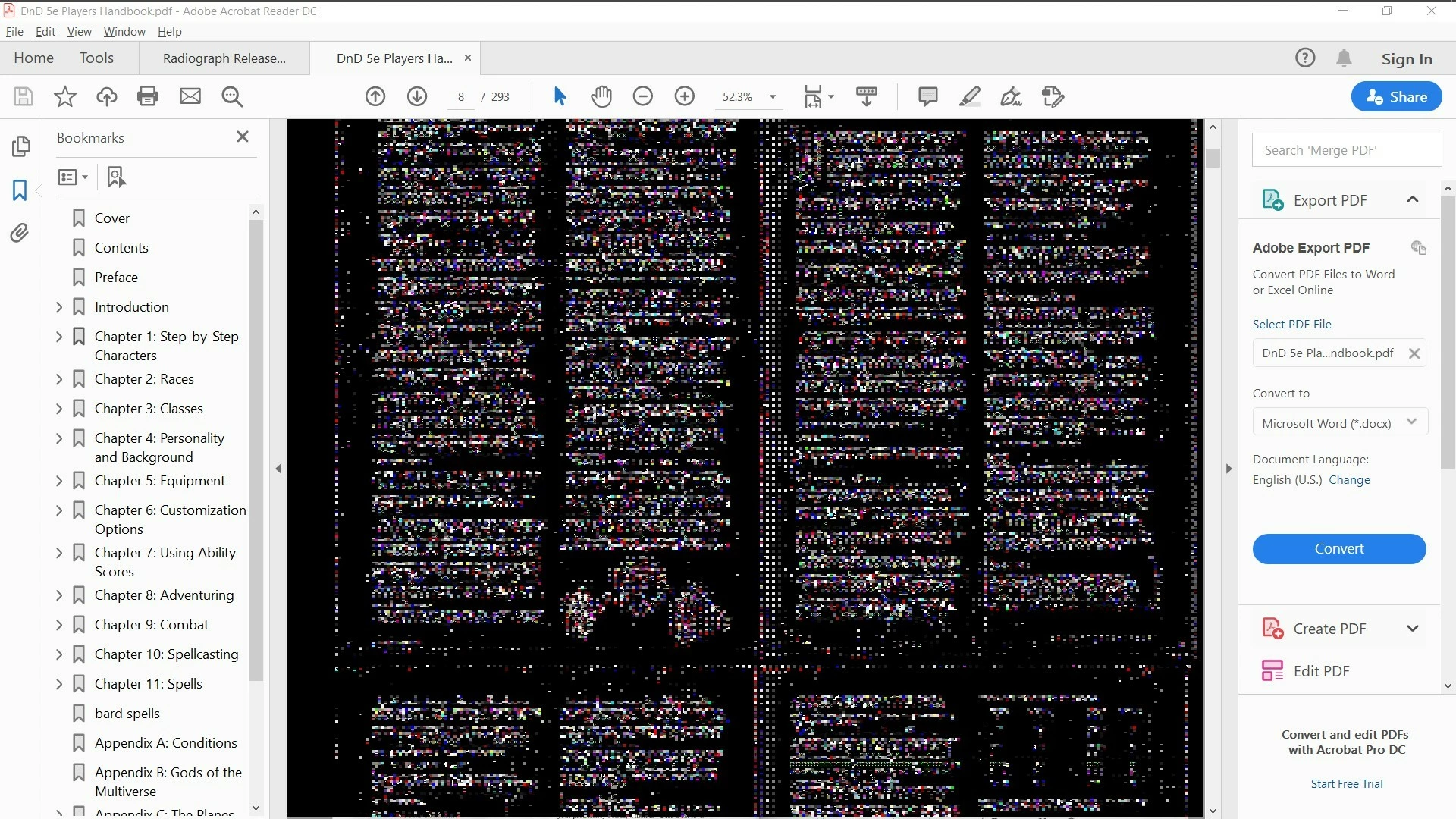
PDFs have black background, weird coloration/pixels around graphics/logos in Acrobat Reader DC

  • February 13, 2020
  • 3 replies
  • 9325 views

EDIT: I opened acrobat Pro to test and... now I can't reproduce the issue in reader or anywhere else so I guess we can close this thread before anyone wastes their time on it. Thanks. 


Any PDF I open, whether it's a scan or rendered or whatever, as soon as I move the cursor over the page, the background turns black. The text remains slightly readable sometimes, and any whitespace in a graphic like a logo, is also filled with black. There are these weird color squares around evreything. Sometimes when I click elsewhere within acrobat, the page goes back to normal for a second, but as soon as I do something else, black again. A weird thing is that when I scroll, the parts of the PDF that were offscreen are still white or whatever the appropriate color, until I move the mouse again that is.

I've tried common suggestions in preferences, including page display >smooth text settings and resolution and accessibility > replace document colors. Please help me fix this. 


Here's a screenshot of the problem.
This topic has been closed for replies.

3 replies

JR Boulay
Community Expert
Community Expert
October 4, 2021

MOVED TO THE ACROBAT READER FORUM

Acrobate du PDF, InDesigner et Photoshopographe
Participant
March 1, 2021

I have the same issues as well. When I click the page, it turns black, but when I scroll it down, it some part of the pages turn white. Please help me how to fix it. thank you


try67
Community Expert
Community Expert
March 1, 2021

Did you try the suggestions in the threads linked to above?

Participant
October 3, 2021

I have the same issue here is screen of what I got


Adobe Employee
February 19, 2020

Hi,

Thanks for reporting the issue. I'm glad that the issue got resolved for you.

Please update on the latest version to experience latest features.


Thanks

Rachit

Participant
February 27, 2020

I am experiencing the same issue now.  I have uninstalled and reinstalled reader, but as soon as I scroll my mouse over the document it looks like the screen the original poster shared.

Adobe Employee
March 13, 2020

I'm also having the exact same problem.


Hi Brianjamesa and Zils,

Please provide following information:

  • Please tell me if the Preferences->Accessibility > "Replace document colors" is checked on your system or not.
  • Please provide the machine details and Reader version. This would help us to reproduce the issue on our side.
  • Please share the sample document over cloud with which you are facing this issue.


Looking forward for your response.


Thanks

Rachit